November Updates
November Updates - Edit Profile Pictures, Explore Org Units & More ✨
Edit Profile Photos Directly in OneDirectory 📸
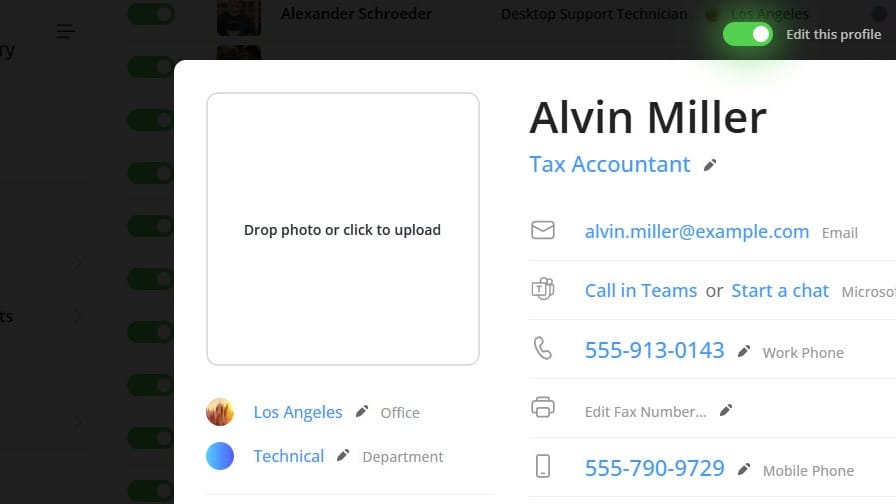
You can now update your profile photo right from your OneDirectory profile
If the Photo field is set to editable, simply switch to Edit Mode to upload a new picture or replace your existing one. Directory Administrators can update photos for anyone in the organization as well.
To enable editing, go to Settings → Fields & Structure, select Photo, and adjust the edit permissions.
We also fixed an issue where profile photos didn’t always refresh immediately after syncing from Microsoft 365.
Fixes & Improvements ✨
Alongside major features like location filtering, a refreshed header design, and CSV exports, we shipped several smaller improvements to make OneDirectory smoother and easier to use.
Here are the top highlights:
- 🤼 Cleaner Grouping in List View — Groups are now collapsed by default and redesigned to be more compact and easier to navigate.
- 🌄 Clickable Locations — In the Offices list, you can now click any city, state, or country to instantly see everyone in that location.
- 🔻 Smarter Sorting — When sorting any column, blank values now appear at the bottom for clearer data comparison.
- 👨🏫 Profile Enhancements — Larger country flags, new icons for Employee Type & ID, better skills/interests editing, improved job title editing, and auto-focus when entering edit mode.
- 🔗 Social Links — URL fields now automatically show social icons (LinkedIn, Facebook, Instagram, YouTube, etc.) when a link points to a social profile.
More improvements and bigger features are already in the works. Stay tuned! 🚀
ICYMI: Map Your Company Structure with Organizational Units 🏢
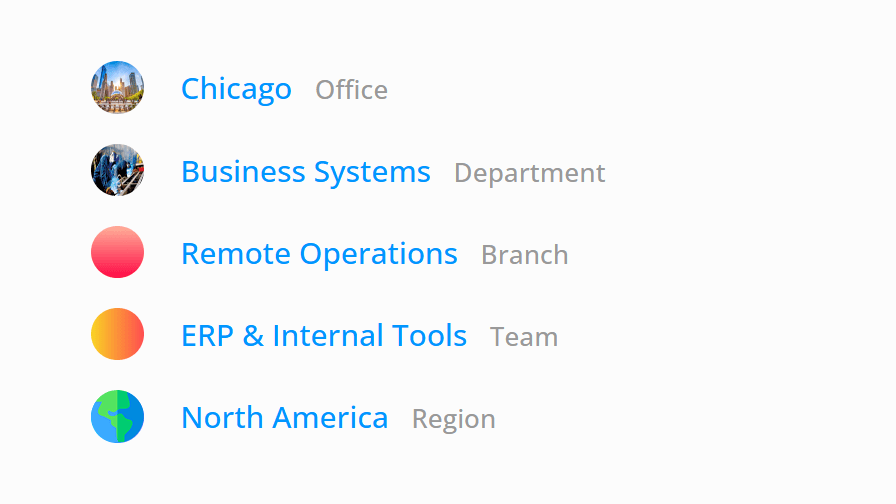
You can now map your real company structure in OneDirectory, beyond just offices and departments. Create custom units like Divisions, Branches, Business Units, Faculties, and more.
Organizational Units appear on profiles, in search, in sidebar filters, and each unit gets its own homepage with a unique URL.
Enable them in:
Settings → Fields & Structure → + Add organizational unit
Using Entra ID directory extensions? You can map those, too.
👉 Read the full post here.
Discover More on our Blog:
 Greg Bennett
 Greg Bennett
If you have any feedback or feature suggestions, simply reply to this email.