October Updates
October Updates - Filter by Location, Export Lists & More Improvements 🌍
Filter & Group by Location 🌍
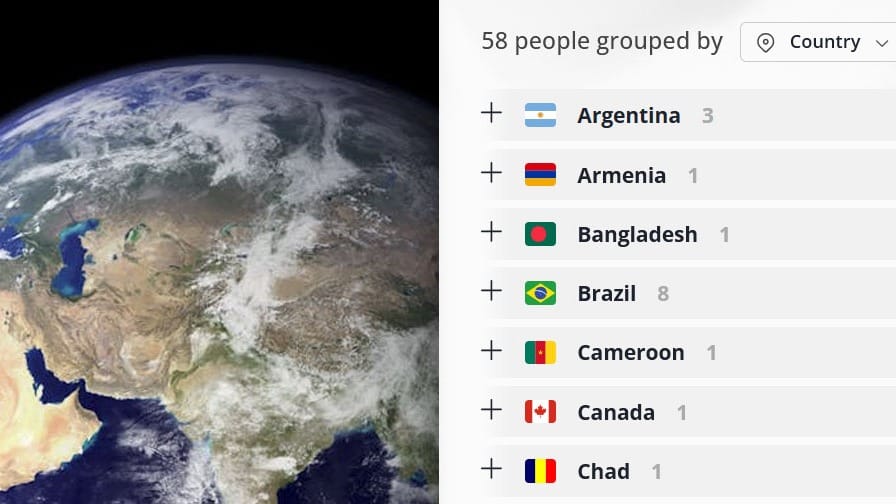
Location filtering is here! Instantly explore your team by city, state/region, or country.
What you can do:
- Click any location (city/state/country) to filter and see everyone with a matching address.
- Group results by city/town, state/region, or country for a new view of your organization.
This adds a powerful geographic lens to OneDirectory, making it easy to understand where your people are around the world.
Refreshed Header Design ✨
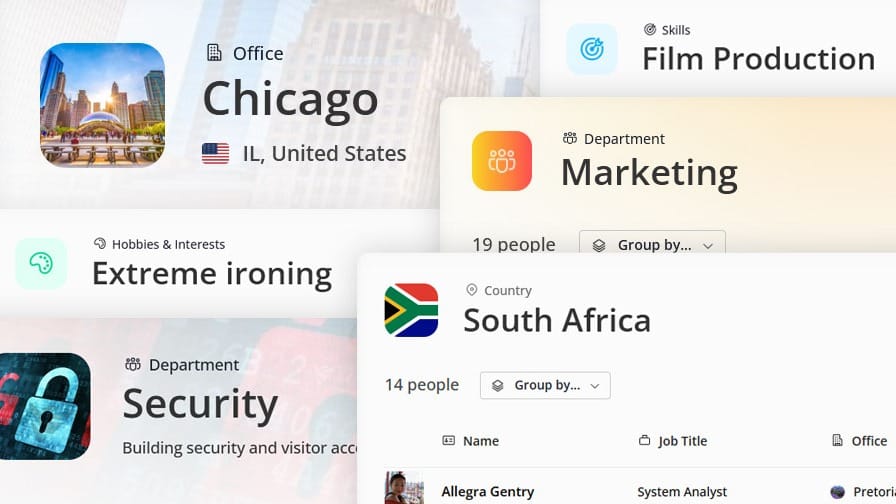
We’ve rolled out a cleaner, more compact header across OneDirectory, easier to read with updated text styling, colors, and spacing.
What’s new:
- Clear context labels: A label above the page heading (e.g., Departments) so you always know where you are.
- Smarter page icons: See an office image, department icon, or country flag based on the page type.
- Subtle motion: Headings now slide up/down based on your navigation direction, adding a touch of life to your digital org.
Export Any List to CSV 💾

You can now download any search result or listing page as a CSV, not just people.
Now you can export:
🏢 Offices
👥 Departments
🎯 Skills
🧱 Organizational Units
🗂️ Custom entity pages
How to download:
Scroll to the bottom of a listing and click Download (e.g., Download office list on the Offices page exports all offices with phone numbers, addresses, and headcounts).
Bonus: Access Control
Choose who can see the Download button: Everyone or Admins & Directory Editors.
Find it under Settings → General → Display Settings.
Fixes & Improvements 🚀
We made big strides this cycle. Here’s the high-level rundown:
⚡ Faster, smarter syncs: Major Microsoft 365 Sync upgrades with a priority queue and performance boost.
🧩 Custom Fields (coming soon): Work is underway on one of our most-requested features. 🔥🔥🔥
🗂️ Settings refresh: Fields is now Fields & Structure. Org Structure fields are surfaced at the top; profile fields are now alphabetical for quicker find.
🏷️ Better field management: View internal field names & types, plus async loading so changes stay up to date, even with multiple admins.
🧠 Clearer guidance: Added helpful explanations for complex options (e.g., Synced, Editable, Edit Permissions), and improved org unit setup labels & tips.
🏷️ Skills & Interests made easy: New tag editor replaces comma lists for faster input.
🧼 UI polish: Removed the thin page-load progress bar (less noise, same speed).
💼 ICYMI: New fields available: Employee Type and Employee ID can be enabled in field settings.
If you’d like deeper details on any item, say the word, we’ll include it in the next update. 💚
Discover More on our Blog:
 Greg Bennett
 Greg Bennett
If you have any feedback or feature suggestions, simply reply to this email.