
Compare OneDirectory vs Employee Directory 365 to see the difference between a SharePoint employee directory web part and an enterprise employee directory platform.
Comparing OneDirectory and Employee Directory 365?
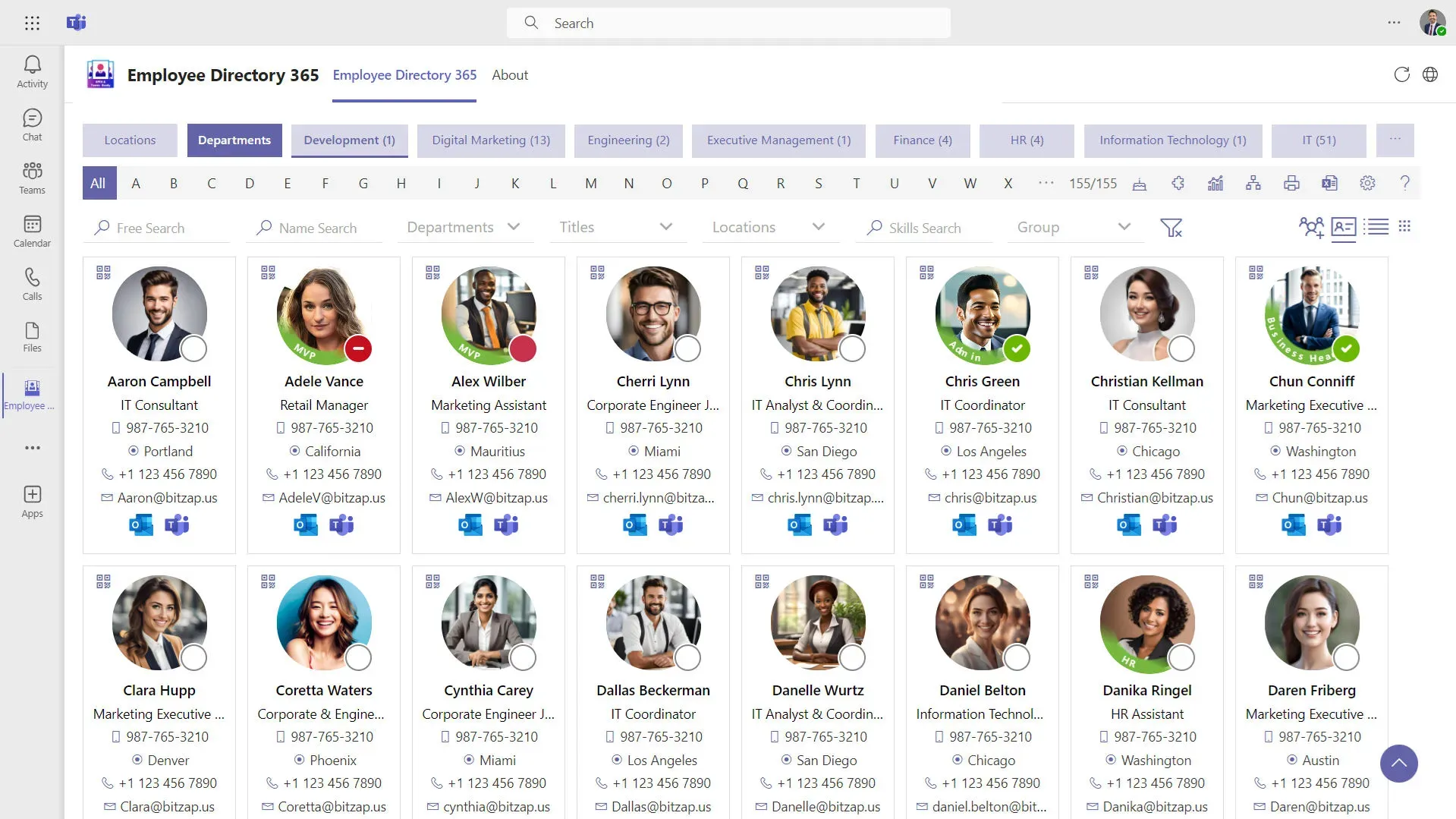
Employee Directory 365 is a strong option if you want a quick, Microsoft-native directory inside SharePoint/Teams, a “digital address book” style experience with filters, and an org chart.
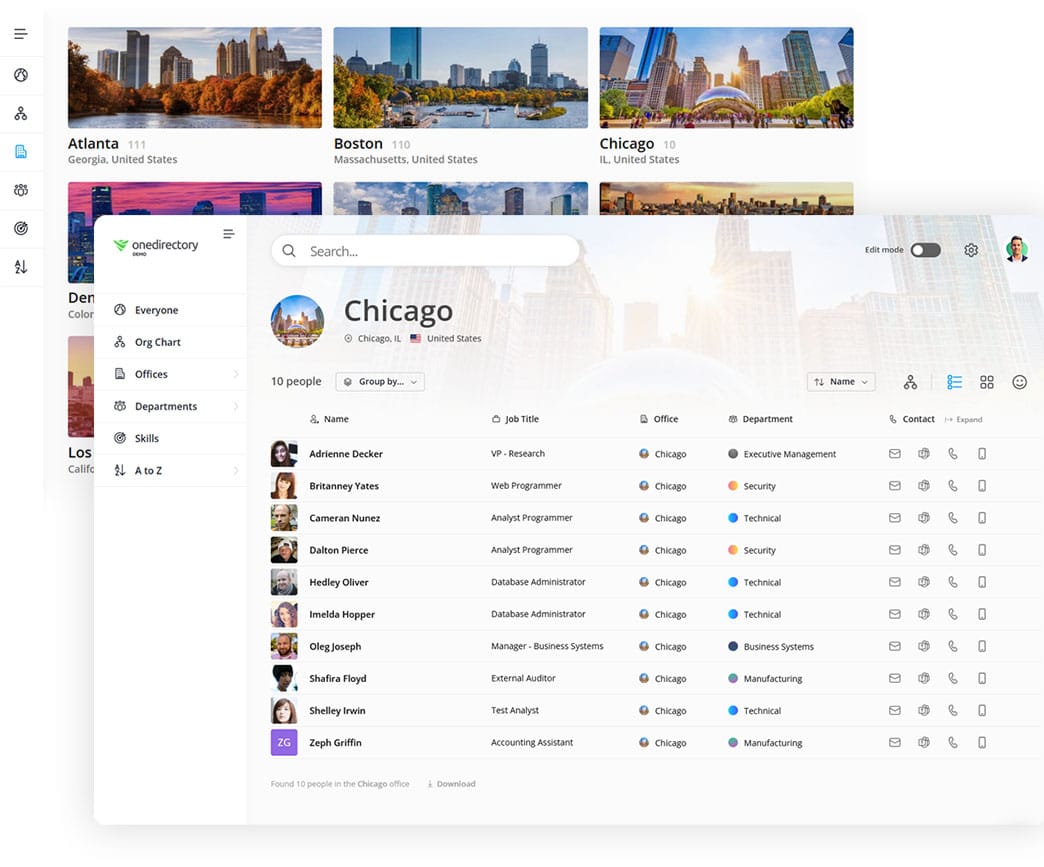
OneDirectory is built for a different outcome: enterprise-wide daily adoption, an intelligent directory platform that becomes the trusted, searchable map of the company (employee directory + interactive org chart + governance via an admin console).
If your goal is a basic SharePoint employee directory web part for quick lookup, Employee Directory 365 can fit. If your goal is a company-wide enterprise directory platform with daily usage and long-term value, OneDirectory is built for that.
Key Differences of OneDirectory and Employee Directory 365
- Employee Directory 365 is a SharePoint SPFx + Teams solution designed for fast rollout inside Microsoft 365.
- It focuses on quick employee lookup with filters (skills, dept, location, manager) and includes an org chart.
- It positions itself as affordable for SMEs and easy to deploy quickly.
- OneDirectory is a standalone web app (no SharePoint/Teams dependency) built for company-wide, enterprise usage with Entra ID sync, strong people discovery, and admin governance.
| Use case | OneDirectory | Employee Directory 365 |
|---|---|---|
| You need a basic employee directory (digital address book) | ✗ | ✓ |
| You want the fastest “plug into SharePoint” rollout | ✗ | ✓ |
| You want a SharePoint web part / SPFx solution (not a standalone app) | ✗ | ✓ |
| You need an enterprise employee directory rolled out to everyone | ✓ | ✗ |
| You want employees to use the directory daily (high adoption) | ✓ | ✗ |
| You need smarter people search (no query building) | ✓ | ✗ |
| You rely on advanced filters to find people by attributes | ✓ | ✓ |
| You need automated, interactive org charts tied to Entra ID | ✓ | ✗ |
| You need a Directory Console to improve data quality and health over time | ✓ | ✗ |
| You need tailored support for complex enterprise org structures | ✓ | ✗ |
| You want the directory to work independently of SharePoint pages | ✓ | ✗ |
Use Cases For When to Choose OneDirectory or Employee Directory 365
Choose OneDirectory if…
- You need an enterprise employee directory for Microsoft deployed company-wide
- You want employees using it daily, not occasionally
- You need a standalone platform with governance and structured rollout (not constrained by SharePoint page experiences)

"OneDirectory has significantly improved our internal processes. The ease of use and integration with our existing systems have made it an invaluable tool for our team." - John-Micheal Warner, Help Desk Technician at B&D Industrial.
Choose Employee Directory 365 if…
- You want a fast, simple directory embedded in SharePoint/Teams
- You primarily need a digital address book: “find a person, get contact info”
- Your organization is closer to SME / mid-market and wants a quick time-to-value
Feature Comparison of OneDirectory and Employee Directory 365
| Category | OneDirectory | Employee Directory 365 |
|---|---|---|
| Delivery model | Standalone web app for Microsoft 365 (no SharePoint/Teams required) | SharePoint SPFx + Teams experience (designed to live inside M365) |
| Primary focus | Intelligent directory platform (trusted company map) + org charts + governance | Fast employee lookup + filters + org chart inside SharePoint/Teams |
| Search approach | Human-first people discovery (built to find people + org context quickly) | Filter-driven search (dept/skills/title/manager/location) |
| Org chart | Live org charts tied to Entra ID reporting lines | “Full organization chart” included |
| Governance | Admin console for sync, permissions, configuration | Mentions restricted access + analytics dashboard + admin features |
| Time to deploy | Less than 10 minutes with an enterprise rollout option | “Less than 10 minutes” positioning |
| Best-fit org size | Mid-to-large / enterprise-wide adoption | “Affordable for SMEs” positioning |
 Greg Bennett
See how OneDirectory becomes your trusted, searchable digital map of your company
Why OneDirectory is an Employee Directory 365 Alternative
If you’re evaluating Employee Directory 365 because you want a fast Microsoft-native directory, OneDirectory is the next step up when your needs go beyond a basic SharePoint address book.

OneDirectory is a strong Employee Directory 365 alternative when you need:
- A standalone, company-wide platform (not a SharePoint web part) that can be rolled out to everyone.
- Smarter people search built for humans, so employees can find the right person fast without relying on advanced filters.
- An automated, interactive org chart that stays current as your org changes, integrated with the directory experience.
- Enterprise-grade governance, with an admin console designed to improve directory data quality and health over time.
- Flexibility for complex structures, with a partner-led approach to tailoring the solution to your org’s requirements.
In short: Employee Directory 365 works well for basic lookup. OneDirectory is built to become the trusted digital map of your company.
“OneDirectory is focused on being an employee directory and doing it well. It has a very modern interface that is easy for any employee to use, no matter their technical skills.” - Alex Calvin, Virtual systems administrator at Citizens Alliance Bank.
FAQs
Is Employee Directory 365 a standalone employee directory platform?
No. Employee Directory 365 is designed as a SharePoint/Teams solution (a SharePoint web part/SPFx-style experience) that lives inside Microsoft 365, rather than a standalone directory platform.
When is Employee Directory 365 the better choice?
Employee Directory 365 is a good fit when you want a quick, basic “digital address book” inside SharePoint/Teams—mainly for employee lookup with filters and a simple org chart.
Why is OneDirectory a strong Employee Directory 365 alternative?
OneDirectory is built for enterprise-wide rollout and daily use. It combines a full employee directory with smarter people search, an automated interactive org chart, and a Directory Console approach to improving directory data quality and health over time.
Start With OneDirectory Today
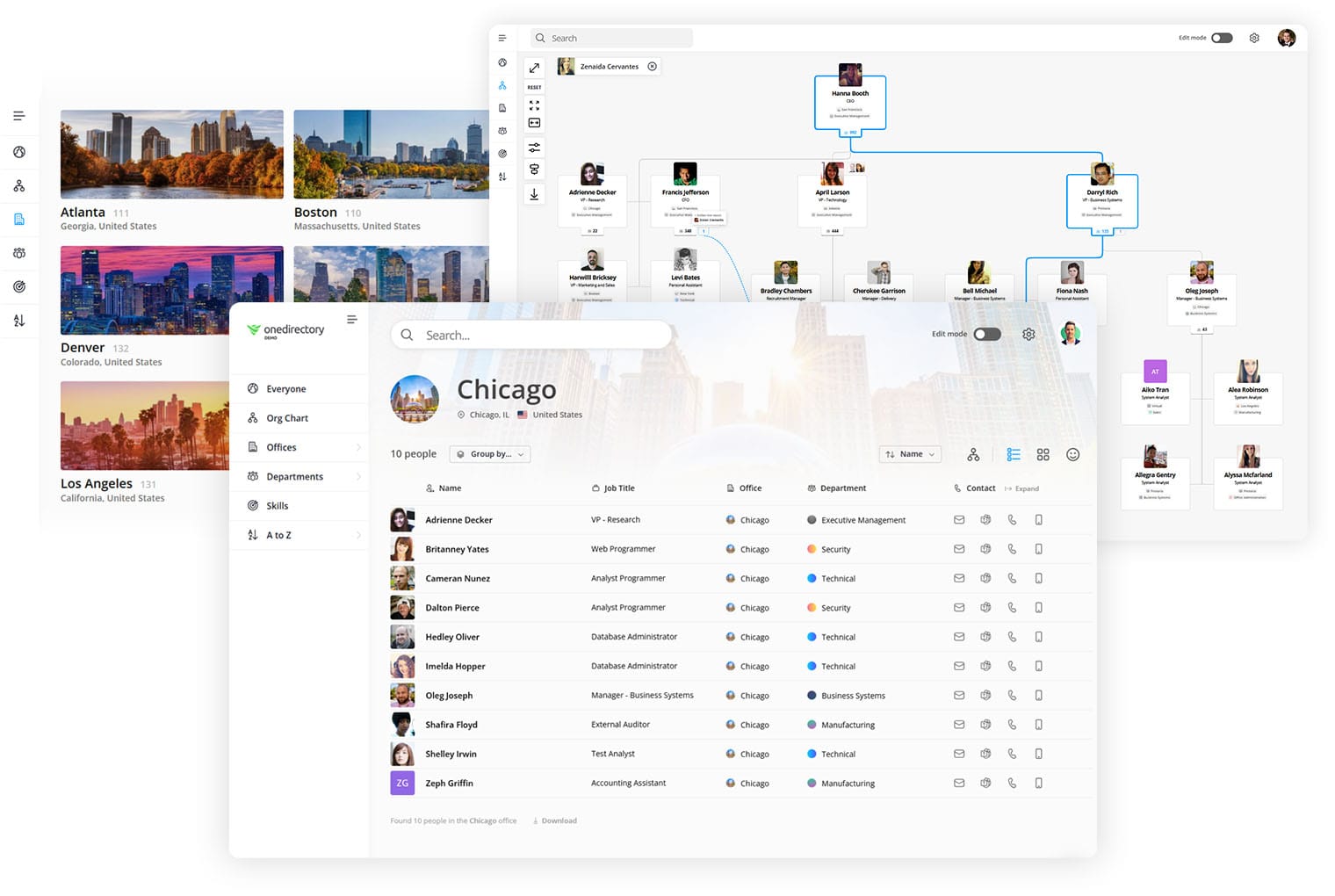
If you want a directory and org chart platform that becomes the trusted digital map of your company that employees use every day:
See the Directory Console and smarter people search in action
Discover Other OneDirectory Comparisons
 Greg Bennett
 Greg Bennett