
OneDirectory vs Sift compares an employee directory platform vs org chart software for teams needing an enterprise employee directory. If you’re looking for a Sift alternative, see which solution scales for company-wide adoption and delivers smarter people search.
Choosing between OneDirectory and Sift isn’t just about features; it’s about what kind of system you’re implementing.
If you’re searching for a Sift alternative that scales as an enterprise employee directory and org chart platform, this comparison breaks down where OneDirectory and Sift fit best.
Sift is widely liked for its visual org chart and includes both a people directory and people search.
OneDirectory is moving toward something deeper: an intelligent directory platform that turns employee profile data into the trusted, searchable digital map of your company. OneDirectory is focused on providing an enterprise-grade employee directory, automated interactive org charts, and a Directory Console that helps improve directory data quality and health over time.
If your goal is an org chart tool that a subset of coworkers use, Sift can fit. If your goal is company-wide daily usage and value, OneDirectory is built for that.
Key Differences of OneDirectory and Sift
- Sift has a people directory and advanced filter people search.
- Sift’s top capability is its visual org chart.
- Review feedback also points to friction: UI not completely intuitive, profile completion can feel slow, reporting isn’t the most robust, and more customization is desired.
- OneDirectory is built for company-wide, daily adoption of a trusted employee directory platform with interactive org charts.
- OneDirectory search is smarter and built for humans: no query building, no “advanced search,” just fast people and org data results.
Use Cases: Where Each Platform Wins
Choose OneDirectory if…
- You want an enterprise-grade directory + org chart platform, deployed company-wide
- Your priority is a trusted people search that works for every employee
- You need governance and ongoing improvement of directory data quality
- You want a partner who can tailor the solution to complex org structures and requirements
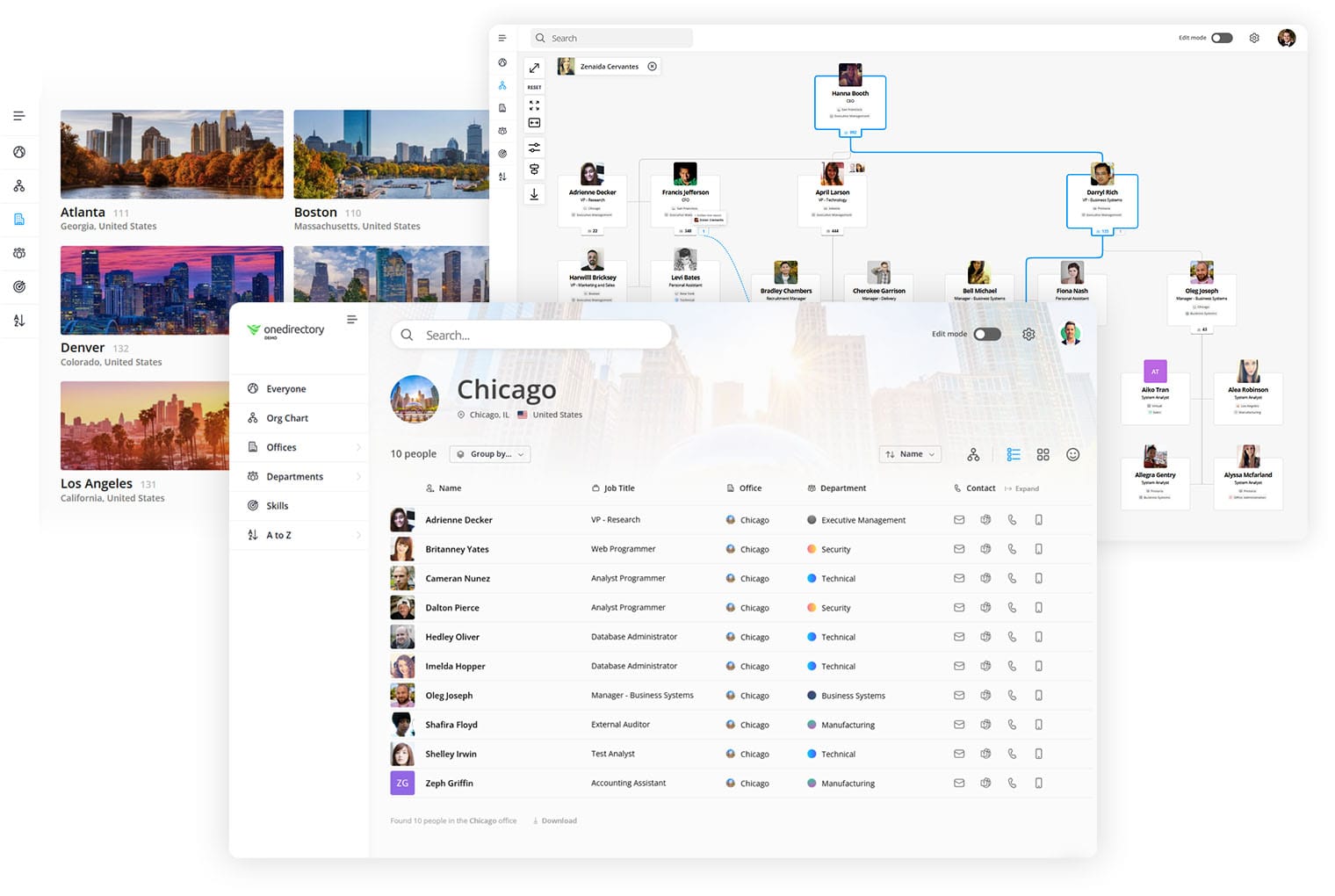
See how OneDirectory becomes the trusted, searchable digital map of your company
Choose Sift if…
- Your primary need is a visual org chart
- You’re comfortable with a more out-of-the-box approach
- You expect adoption to start with a subset (HR, People Ops, managers)
- You want a people search that can lean on advanced filters and structured fields
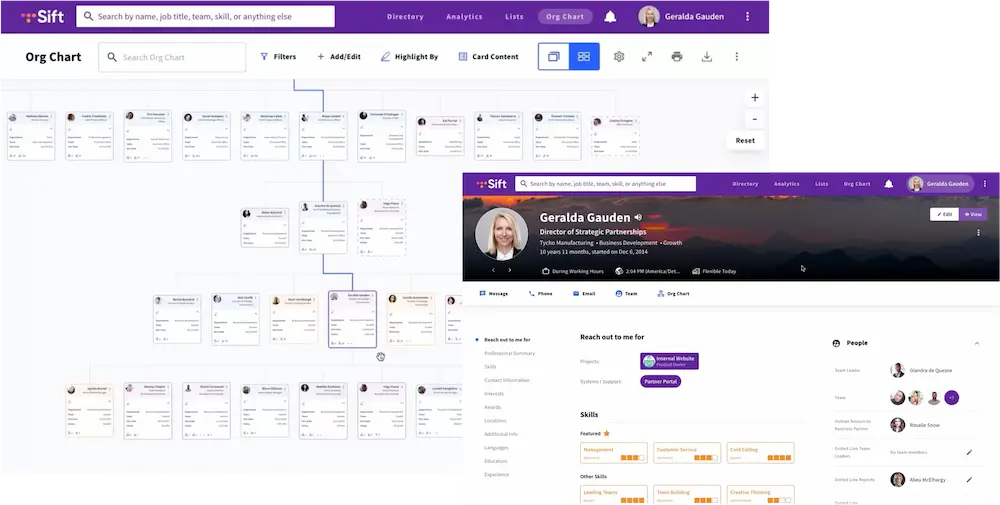
Feature Comparison: OneDirectory vs Sift
| Category | OneDirectory | Sift |
|---|---|---|
| Product direction | Intelligent directory platform: trusted search “digital map” + interactive org charts + Directory Console | Strong visual org chart; also offers people directory and people search |
| Pricing | Designed for company-wide deployment without punishing broad adoption as access expands | Often priced based on the number of users who can access the tool, which can increase costs as adoption grows |
| Primary adoption model | Company-wide, daily usage (built for broad employee access) | Often fits best when access starts with a subset; praised for org chart clarity |
| People directory | Enterprise-grade directory designed to be used daily across the company | Has a people directory; used to help employees see who does what |
| People search | Smarter people search built for humans: fast discovery with no query-building | People search with structured fields and advanced filtering; useful for power users |
| Org chart | Automated, interactive org chart integrated with directory | Visual org chart is the standout strength (review-led) |
| Data quality & directory health | Directory Console focus: improve accuracy, completeness, consistency over time | Review signals suggest manual profile completion can feel slow; payoff varies |
| Usability for broad adoption | Built for “everyone uses it” simplicity | Reviews mention UI not always intuitive |
| Reporting & admin insight | Built for governance and long-term directory improvement | Reviews mention reporting is not the most robust |
| Custom org requirements | Partner-led tailoring to complex enterprise structures | Reviews mention a need for more customization |
| Best-fit org size | Mid-to-large and enterprise deployments | Often attractive for teams wanting a strong org chart experience first |
What Users Say About Sift
What users like
- “Visual Org Chart is what I like best about Sift.”
- “Mostly helpful — it’s nice to see who does what, and it’s easy to search for people.”
- “Empowers Networking and Skill Building…”
Where users want improvements
- “UI not completely intuitive.”
- “The process of filling out is slow, and I saw little usability with the use of the tool.”
- “Not the most robust reporting.”
- “Needs more customization.”
What this means
Sift is often a good fit when your priority is a good org chart and a directory experience that supports search and discovery. But for company-wide daily adoption, the friction points, usability, profile effort, reporting, customization, matter more.
That’s where OneDirectory wins.
“Our VP of IT decided on OneDirectory due to how easy it was to use, how well it looked, and the cost-effectiveness. The built-in organizational chart was a large plus.” – John-Micheal Warner, Help Desk Technician at B&D Industrial.
 Greg Bennett
Key Differences Between OneDirectory and Sift
1) Org chart-first vs intelligent directory platform
- Sift: best known for its visual org chart
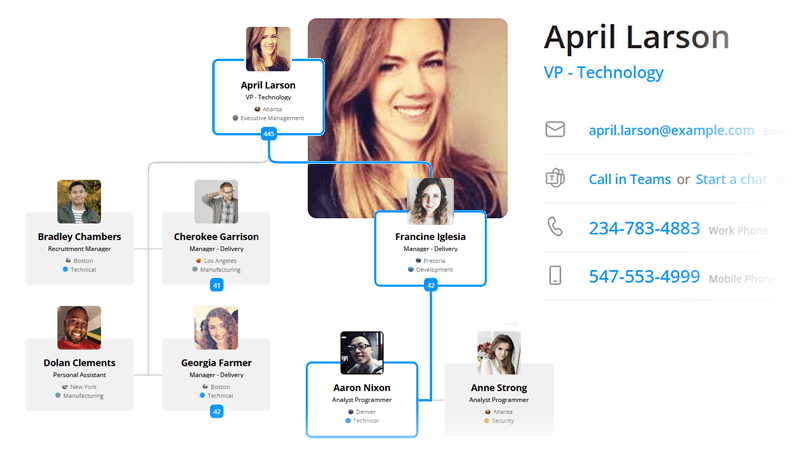
- OneDirectory: built as a secure employee directory platform (employee directory + org chart + data health)
OneDirectory helps employees:
- find the right person fast
- understand reporting lines
- navigate teams confidently
- trust the info they see
2) Company-wide daily use vs subset adoption
- Sift: can skew toward power users / specific teams when usability friction exists
- OneDirectory: designed for everyone, every day
Built for:
- HR & IT: governance + accuracy
- Managers: structure + team clarity
- Employees: daily people-finding
3) Manual profiles vs automated trust
- Sift: reviews suggest profile completion can be slow, which hurts adoption
- OneDirectory: reduces manual effort and improves data over time
OneDirectory’s Directory Console supports:
- better data completeness
- consistent fields
- ongoing directory health (so search + org charts stay reliable)
“We chose OneDirectory for the peace of mind knowing that when we input a new employee, the information automatically feeds into OneDirectory. This has saved hours of manual labor!” — Lydia Fox, Director of Training & Development
4) Out-of-the-box vs tailored for enterprise
- Sift: simpler, more out-of-the-box approach (with customization limits noted in reviews)
- OneDirectory: partner-led tailoring for complex org realities
Enterprise needs like:
- custom structures by business unit
- naming conventions and taxonomy
- region/location views
- shared services and matrix complexity
FAQs About OneDirectory and Sift
Does Sift have people search and a people directory?
Yes. Sift includes both and is often used to help employees see who does what. The difference is that Sift’s search experience can lean on structured fields and advanced filtering, while OneDirectory focuses on smarter, human-first search that works without query building.
What is OneDirectory’s intelligent directory platform approach?
OneDirectory is moving toward a platform that turns employee profile data into the trusted, searchable digital map of your company—combining an enterprise-grade directory, automated interactive org charts, and a Directory Console that improves directory data quality and health.
Why does “advanced directory search” fail in real companies?
Because most employees aren’t power users. They don’t want to build queries or stack filters. They want to type a name and find the person. OneDirectory is designed for that everyday behavior.
Which is better for enterprise-wide daily adoption?
OneDirectory is built for company-wide rollouts where everyone uses the platform daily. Review signals suggest Sift is strong for org chart clarity but can face usability, profile-effort, customization, and reporting concerns when scaled broadly.
What are common drawbacks of Sift mentioned in reviews?
Users mention the UI is not always intuitive, profile completion can be slow, reporting isn’t the most robust, and more customization is desired.
Start With OneDirectory Today
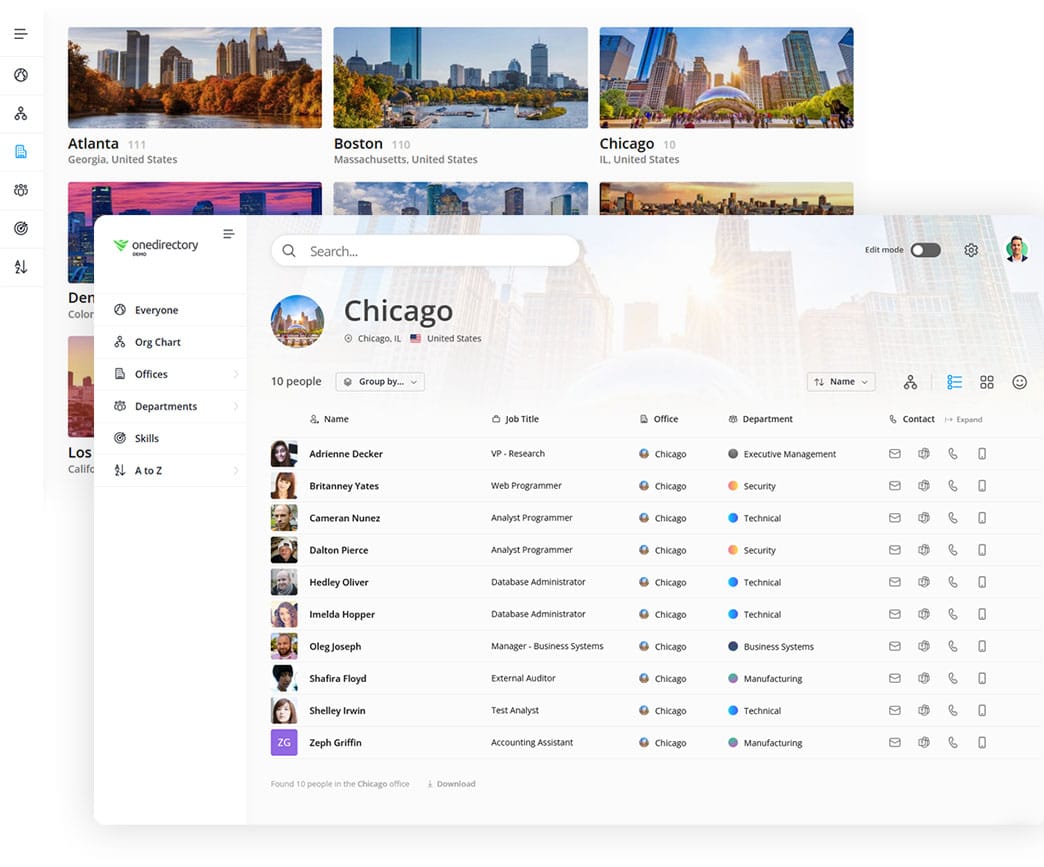
If you want a directory and org chart platform that becomes the trusted digital map of your company that employees use every day:
See the Directory Console and smarter people search in action
Discover Other OneDirectory Comparisons
 Greg Bennett
 Greg Bennett