Employee Profile: What to Include to Boost Team Alignment
Employee profiles are only ~31% complete on average. This guide shows the essential fields to start with, a ready-to-use template, and how automation and governance create a directory people actually trust.

An employee profile is a structured record of who someone is, what they do, and how they connect to the organization, typically inside an employee directory or org chart.
When your employees profiles are accurate and easy to search, teams collaborate faster, onboarding improves, and alignment stops relying on tribal knowledge.
This guide covers:
- The hidden costs of incomplete employee profiles
- The essential employee profile fields to start with
- A copy/paste employee profile template
- How to automate accuracy and handle privacy responsibly
- How profiles power dynamic org charts and better collaboration
The Hidden Costs of Unclear Employee Profiles
Let’s be honest.
Outdated org charts, messy spreadsheets, and incomplete employee records are more than just annoying. For HR leaders, IT managers, and operations teams, information chaos creates constant, low-grade friction that quietly slows the entire company down.
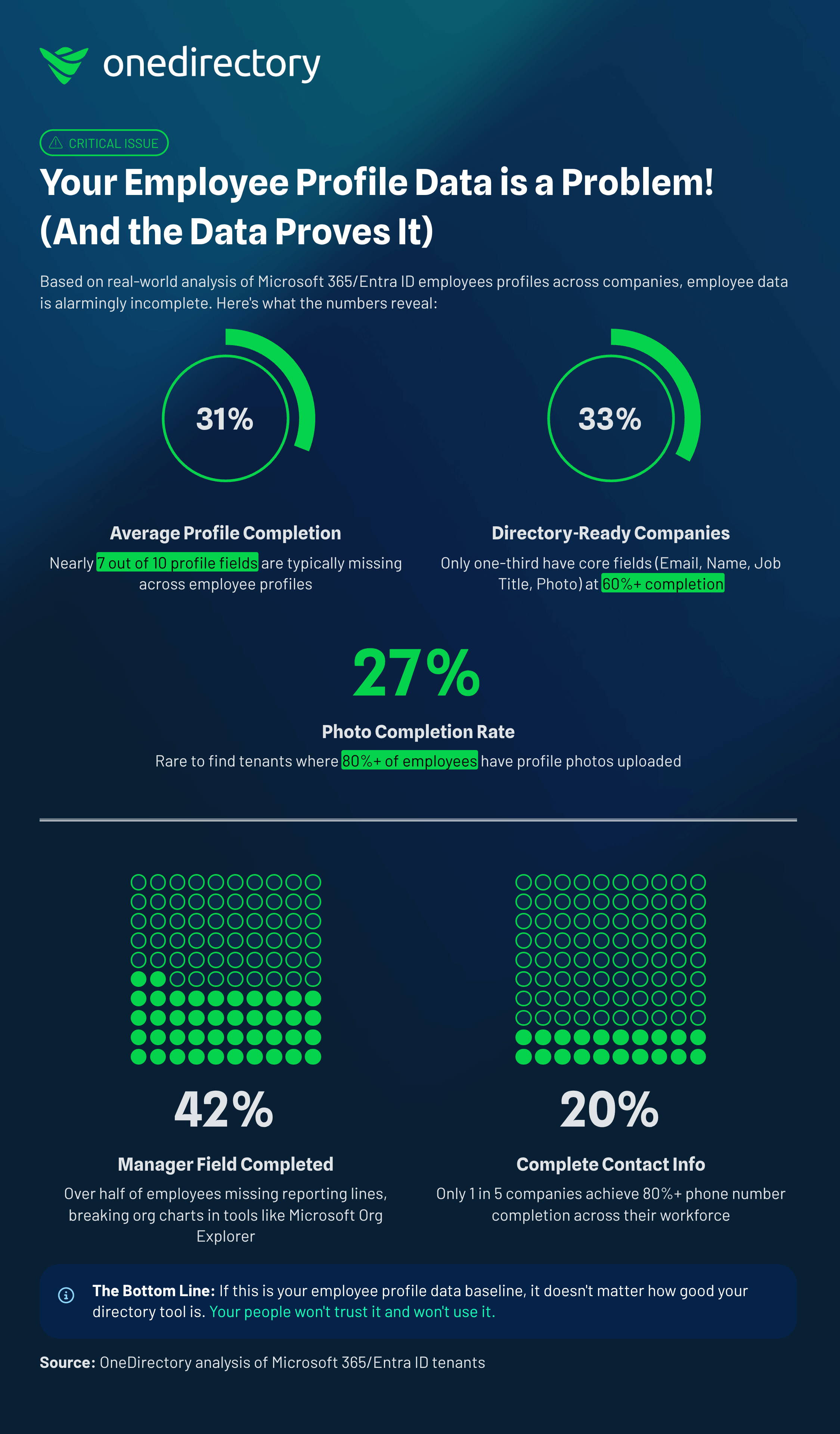
And it’s not a niche issue. Most organizations don’t have “directory-ready” employee data to begin with. In OneDirectory benchmarking, only 33% of companies had directory-ready employee profiles, defined as having core fields consistently filled in (Email, Name, Job Title, Profile Photo all at 60%+ completion). (Source: OneDirectory)
This friction shows up in countless ways:
- A new hire spends their first week trying to figure out who does what, feeling lost and disconnected.
- A project manager burns hours hunting down a subject matter expert across three departments.
- A remote team member feels invisible, unsure how their work fits into the bigger picture.
The Real Impact on Daily Work
These “small” moments pile up into operational drag and a worse employee experience. When employee profiles are unreliable or hard to find, it sends ripples of inefficiency through every team.
Common consequences include:
- Lost productivity: People spend valuable time searching for colleagues instead of doing their work.
- Poor onboarding: New employees face a steep learning curve navigating team structure, stakeholders, and responsibilities.
- Disconnected teams: In hybrid and distributed environments, low visibility hardens silos and slows cross-functional work.
At the core, this is a source-of-truth problem. When people can’t rely on the information they find, they stop looking. That’s when disengagement creeps in and alignment breaks down.
What to Include in an Employee Profile
A directory people actually use starts with the right foundation. This isn’t about collecting everything. It’s about choosing the minimum set of fields that creates clarity, and then enriching profiles in ways that accelerate collaboration.
Minimum employee profile fields (start here)
If you only capture one set of fields, make it this:
- Full name
- Work email
- Profile photo
- Job title
- Department
- Manager
- Office location / region
- Work status (remote / hybrid / onsite)
Once this baseline is consistent and trusted, you can add enriched fields that help people find expertise and build connection.
Essential vs. Enriched Employee Profile Fields
Think of “essential” fields as organizational structure. “Enriched” fields are collaboration accelerators.
| Field Category | Essential Fields (Foundation) | Enriched Fields (Accelerator) |
|---|---|---|
| Identity & Contact | Full name, work email, profile photo | Preferred name, pronouns, mobile number, time zone |
| Role & Structure | Job title, department, manager | Team/business unit, dotted-line manager, cost center |
| Location & Availability | Office location, work status | In-office days, desk location, working hours |
| Expertise & Background | — | Skills, certifications, languages, projects, past roles |
| Personal & Connection | — | Bio/about me, interests, social links (LinkedIn) |
Practical tip: launch with essential fields first. If the foundation is wrong, enriched fields won’t matter, people won’t trust the directory.
Employee Profile Template (Copy/Paste)
Use the template below to standardize profiles across your organization.
Employee profile template
Identity
Full name:
- Preferred name:
- Pronouns (optional):
- Profile photo:
Contact
- Work email:
- Mobile (optional):
- Time zone:
Role
- Job title:
- Department:
- Team / business unit (optional):
- Manager:
- Dotted-line manager (optional):
Location & availability
- Office location / region:
- Work status (remote / hybrid / onsite):
- Working hours (optional):
- In-office days (optional):
Expertise
- Skills (3–8):
- Certifications (optional):
- Languages (optional):
- Current projects (optional):
- Past roles / experience highlights (optional):
About
- Short bio (2–4 lines):
- Interests (optional):
- LinkedIn (optional):
Automation Is the Key to Trust
Here’s the hard truth: manually updated profiles don’t stay accurate. The moment someone changes roles, moves teams, or shifts managers, a manual directory is obsolete.
If you want people to trust employee profiles, automation is non-negotiable.
This is exactly why completion is so low across organizations. In OneDirectory benchmarking, Microsoft 365 / Entra ID profile fields were only 30.8% complete on average, meaning nearly 7 out of 10 profile fields are typically missing. (Source: OneDirectory)
What profile automation looks like in practice
The most reliable approach is syncing from a true source of truth, such as:
- Your HRIS
- Your identity provider (e.g., Microsoft 365 / Entra ID or Google Workspace)
When a change happens in the core system, the employee profile updates automatically, without chasing spreadsheets or relying on someone to remember.
That shift, from a static document to a living map of your people, reduces admin overhead and makes the directory a tool people actually use.
Enriching Profiles to Drive Collaboration
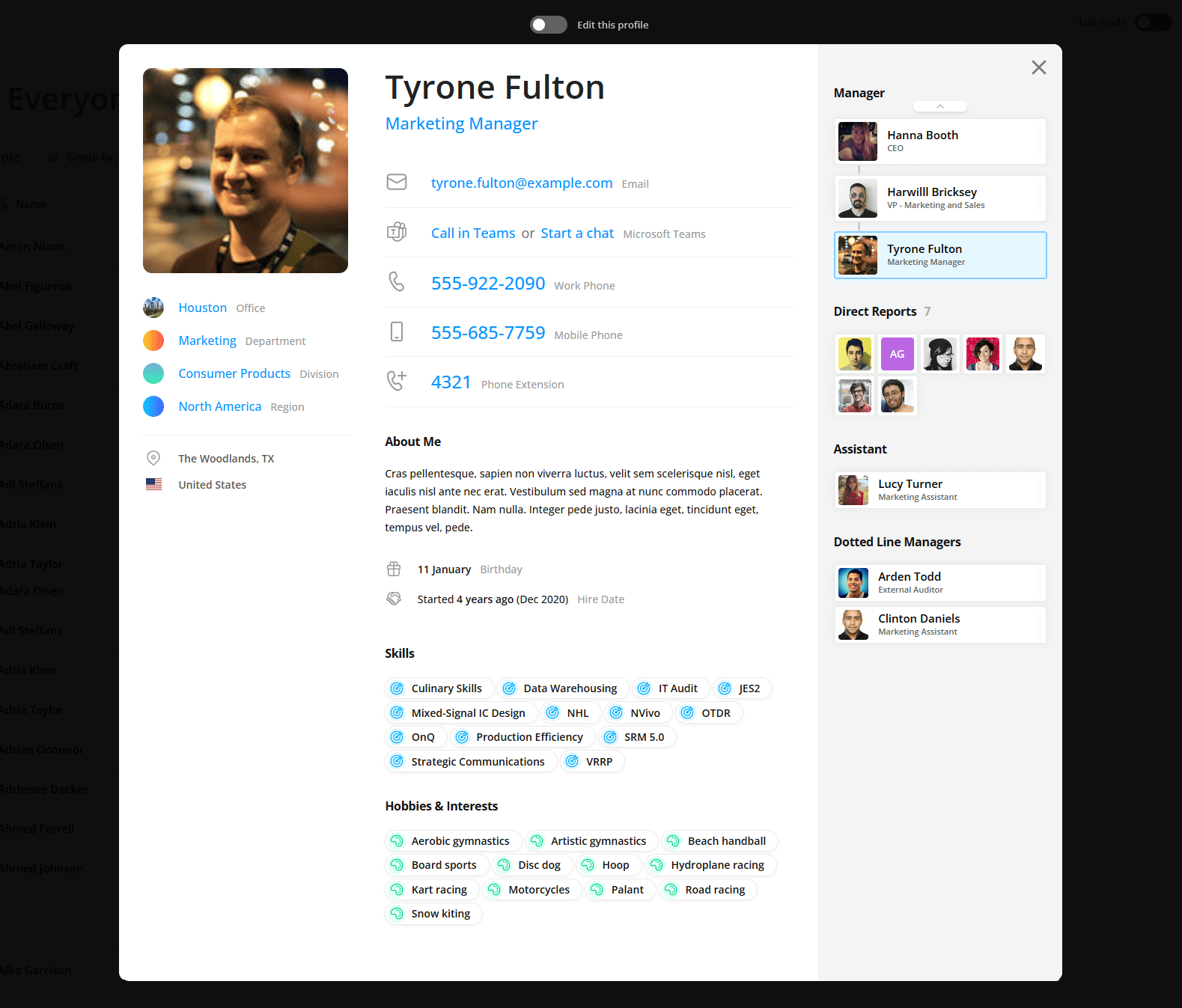
Once your foundation is accurate, you can stop managing contact details and start sparking connection. This is where employee profiles become an expertise locator, not just a directory.
Enriched fields that create real value
Enriched profiles help people discover:
- Skills and certifications (find expertise fast)
- Project history (proof of experience)
- Professional interests (alignment + internal mobility)
- Bio/about me (context and humanity)
- Languages and time zones (global collaboration)
For hybrid and distributed teams, this visibility is often the difference between “we collaborate” and “we operate in silos.”
Data Privacy and Governance for Employee Profiles
Employee data carries responsibility. A strong employee profile initiative must be built on transparency, consent, and clear rules.
Governance principles that build trust
- Be clear about what you collect and why
- Collect only what you need
- Make visibility rules explicit
- Keep sensitive data restricted
- Let employees control optional “human” fields (bio, hobbies, etc.)
Who should see what? (Simple access matrix)
| Data Type | Everyone | Managers | HR / People Ops | IT Admins |
|---|---|---|---|---|
| Name, title, department, manager | ✅ | ✅ | ✅ | ✅ |
| Email, office location, work status | ✅ | ✅ | ✅ | ✅ |
| Skills, bio, interests (opt-in) | ✅ | ✅ | ✅ | ✅ |
| Working hours / time zone | ✅ | ✅ | ✅ | ✅ |
| Personal phone / emergency info | ❌ | ✅ (limited) | ✅ | ❌ |
| Compliance / sensitive HR fields | ❌ | ❌ | ✅ | ❌ |
Core rule: minimum access required to do the job. This protects employees, reduces risk, and encourages participation.
If you operate in jurisdictions impacted by GDPR or similar regulations, governance isn’t optional, it’s part of doing this responsibly.
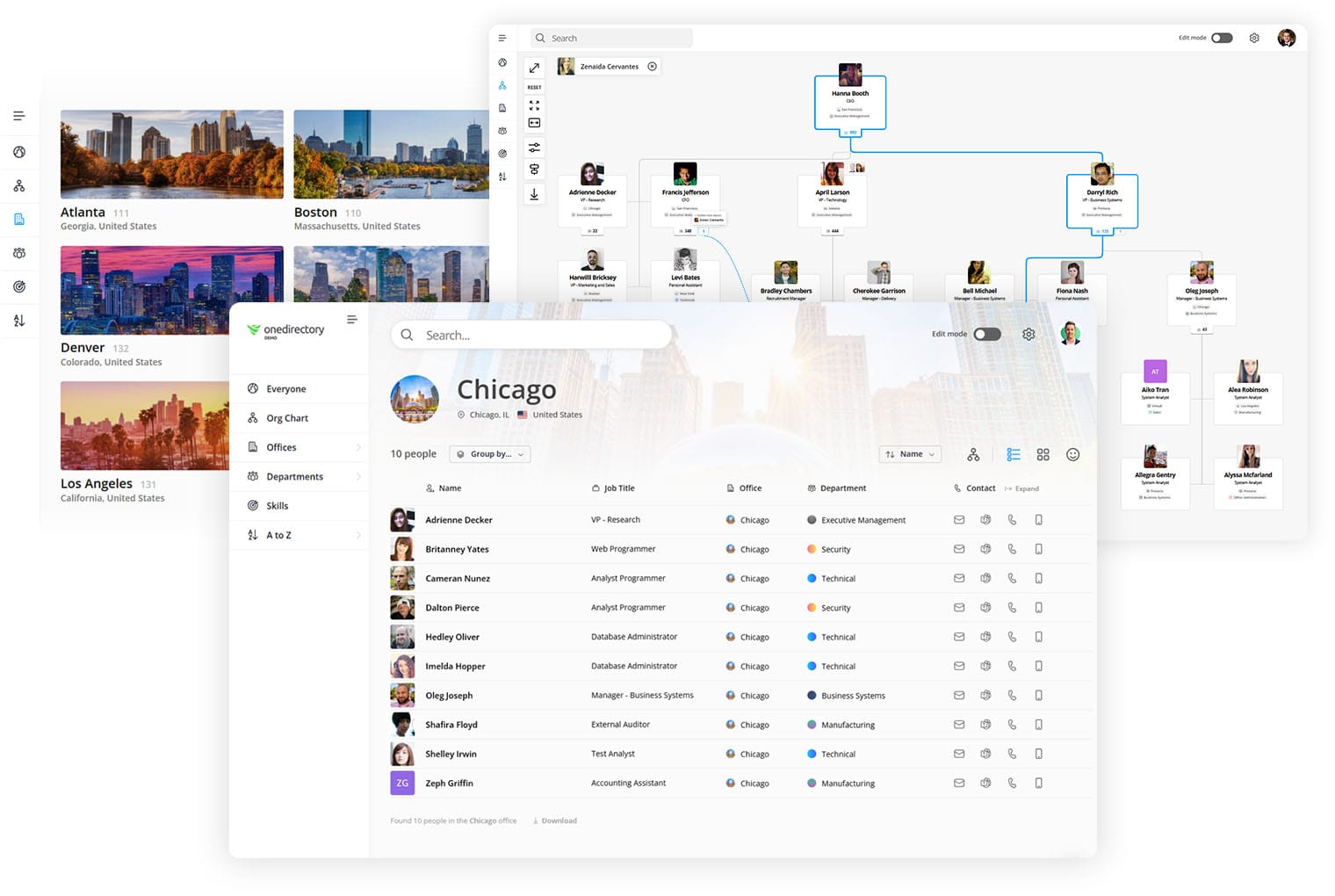
Individual employee profiles become exponentially more useful when they connect into a dynamic org chart.
Employee Profile Examples (Short and Realistic)
Example: Software Engineer
- Title: Senior Software Engineer
- Dept: Engineering
- Skills: Python, APIs, Azure, security, CI/CD
- Bio: “I build scalable internal services and love making systems simpler. Happy to help with integrations and performance tuning.”
Example: HR Business Partner
- Title: HRBP
- Dept: People
- Skills: org design, performance cycles, coaching, conflict resolution
- Bio: “I support managers with team health, hiring plans, and performance. Come to me early—small issues are easier to solve.”
Example: IT Administrator
- Title: IT Administrator
- Dept: IT
- Skills: Microsoft 365, identity management, devices, access control
- Bio: “I help keep access, devices, and productivity tools running smoothly—especially onboarding/offboarding.”
Where a Modern Employee Directory Platform Helps
If you’re serious about keeping employee profiles accurate and useful, the biggest unlock is automation + search + governance in one place.
A modern employee directory and org chart platform can:
- sync profiles automatically from Microsoft 365 / HRIS
- enforce field standards and completeness
- support skill-based search (expertise discovery)
- apply role-based permissions at scale
- generate dynamic org charts from live data
That’s the difference between “we have a directory” and “we have a trusted map of our company.”
Build a Trusted, Searchable Map of Your Organization
Employee profiles aren’t admin overhead. They’re infrastructure for speed, clarity, and connection, especially in hybrid work.
If you want to see how OneDirectory helps teams build accurate profiles, enforce governance, and power dynamic org charts from live data, explore OneDirectory.