Employee Directory for Cisco Webex Calling
Most employee directories just display names. OneDirectory goes further, integrating directly with Cisco Webex Calling so staff can find a colleague and launch a call in a single click. Here's how one organization transformed their internal communication without the complexity.

Finding the right person should be simple.
You search for a colleague, open their profile, and call them. No digging through different systems. No copying numbers. No guessing whether the information is up to date.
For many organizations using Cisco Webex Calling, though, the experience is not always that smooth. The calling platform is in place, but the employee directory often sits somewhere else. Search can feel clunky. Employee information can be hard to navigate. And small delays start to add up across the workday.
That was the challenge for one OneDirectory customer using Cisco Webex Teams.
They already had the communication infrastructure. What they needed was a better way for employees to find people and reach them quickly.
The Problem: Cisco Webex Without a Connected Employee Directory
This customer was already using Cisco Webex Teams as their main communication platform.
The issue was not Webex itself. The issue was the gap around it.
Employees needed a fast, reliable way to search the organization, find the right person, and start a call without moving between apps or manually looking up contact details.
They also wanted to improve a few practical things across the business:
- Internal efficiency
- Responsiveness between teams
- Day-to-day communication
- Customer service response times
- Overall operational performance
In simple terms, they wanted people to spend less time looking for colleagues and more time speaking to them.
The Solution: One-Click Calling Directly from the Employee Directory
OneDirectory worked with the customer to connect directly with Cisco Calling. The result?
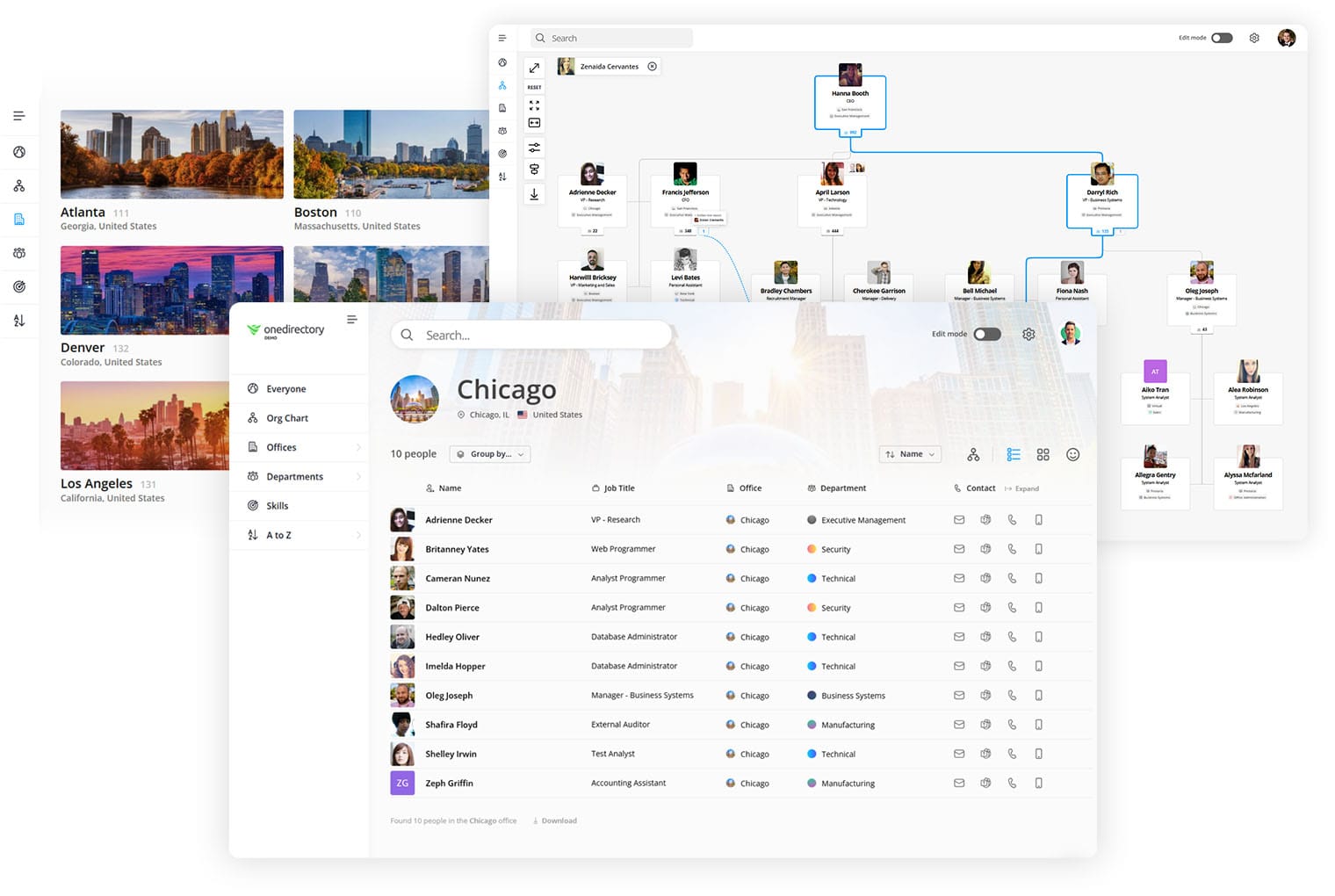
Employees can now search for a colleague in the directory, open the employee profile, and launch a call with a single click, no switching apps, no copying numbers, no friction.
It's a small change on the surface, but it makes a real difference in day-to-day communication. The customer put it plainly:
"OneDirectory has been great for us. When we first started, we were (and still are for now) using Cisco Webex Teams. They worked with us to integrate OneDirectory to be able to 1 click call from OneDirectory over to Cisco Calling. This is a great feature for us and we love it."
Why Employees Actually Used It
A lot of internal tools fail for a very ordinary reason: people do not enjoy using them.
They may be technically useful, but if search is slow, the layout is confusing, or information is hard to trust, employees go back to old habits.
That was not the case here.
The customer found OneDirectory easy to set up, and once it was live, it required very little ongoing effort. The directory updated frequently, the layout was easy to understand, and employees could quickly search for the people they needed.
In the customer's own words:
"Once you get it setup (which is really easy by the way) it's pretty much set it. It updates frequently and our employees love the layout and searchability of the product so that they can find users."
That last point matters.
Searchability is not just a nice feature in an employee directory. It is the core experience. If people cannot quickly find the right person, department, role, or contact detail, the directory becomes another system they avoid.
What the Customer Gained
By connecting OneDirectory with their Cisco Webex Calling environment, the customer improved a few everyday workflows that had previously created friction.
The main gains included:
- One-click calling from employee profiles
- Faster employee search across the organization
- Fewer steps when contacting colleagues
- A directory experience employees found easy to use
- Better support for internal communication and responsiveness
- Minimal admin effort after the initial setup
None of these improvements are flashy on their own.
But together, they make communication feel smoother. And in a busy organization, that matters.
What Made OneDirectory the Right Choice
When the customer was evaluating solutions, two things rose to the top: the quality of the product itself, and how much the team behind it actually cared about getting it right for them.
They were looking for a solution that would help with internal and operational efficiency, better customer service, and a faster response time across the board. OneDirectory delivered on all three, not through complexity, but by keeping the experience clean and purposeful.

The Bottom Line for Cisco Webex Users
If your organization uses Cisco Webex Calling, your employee directory should do more than store names, titles, and phone numbers.
It should help people take action.
That means fast search. Clear employee profiles. Accurate information. And, where possible, direct calling from the directory itself.
For this customer, OneDirectory made that possible by connecting employee search with Cisco Calling. Employees could find the right person and start a call in one click.
Less time hunting for contact details.
More time having the conversation.
Frequently Asked Questions
Does OneDirectory connect with Cisco Webex Calling?
Yes. OneDirectory connects directly with Cisco Webex Calling, enabling one-click calling from within the employee directory. Employees can search for a colleague and launch a call instantly without switching between applications.
What is the best employee directory for Cisco Webex?
OneDirectory is purpose-built for organizations using Cisco Webex and Webex Calling. It combines fast employee search, a user-friendly interface, and deep integration with Cisco's calling infrastructure, making it one of the strongest directory options for Webex environments.
How easy is OneDirectory to set up with Cisco Webex?
Very. Customers consistently report that initial setup is straightforward, and the platform updates automatically after that. Most organizations find it requires very little ongoing administration once it's live.