Employee Directory Software for Government Organizations
Connect staff across agencies, departments, districts, and local government. OneDirectory is the modern directory platform that transforms staff profile data into the trusted, searchable map of your government organization.
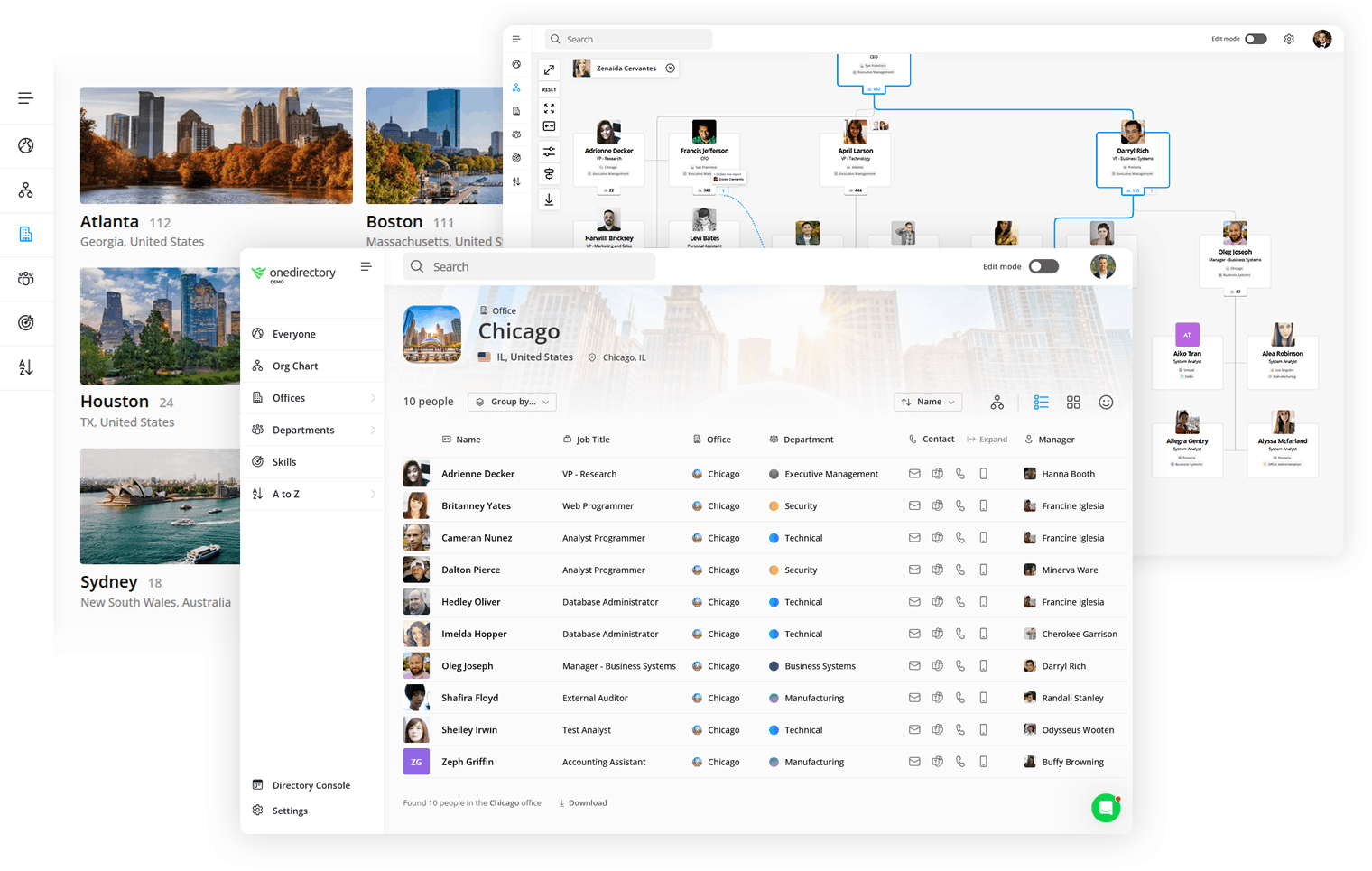
What makes OneDirectory unique for government organizations
OneDirectory gives government teams a trusted, searchable directory and org chart. Staff can find the right contact, see reporting lines, and understand ownership across departments, agencies, regions, and service centers without manual updates or outdated org charts.
Connect people and teams across your organization
Get a unified view of staff across branches, regions, and shared services, helping teams coordinate with clearer accountability and faster customer service outcomes.
Speed up onboarding for new hires and contractors
Give new hires a clear view of the organization, including key contacts, team responsibilities, and how departments, divisions, and regional offices fit together.
Increase transparency and accountability
Clarify reporting lines and governance structures, so staff can understand who is responsible for what and how decisions are made across departments and regions.
Support restructures and organizational change
OneDirectory keeps your org structure current through reorgs and reporting changes. Staff can explore the latest org chart and directory without relying on outdated PDFs.
Clarify line and program leadership
When staff work across teams, dotted-line reporting can get unclear. OneDirectory shows primary and secondary managers in one place, making accountability, escalations, and approvals easier.
Designed for government complexity
Government organizations, from agencies and departments to school districts and municipalities, aren't neat hierarchies. People often work across programs, committees, task forces, and shared services, with dotted-line reporting alongside line management.
OneDirectory brings this structure together in a clear, searchable directory, so staff can navigate the organization and find the right contacts with confidence.
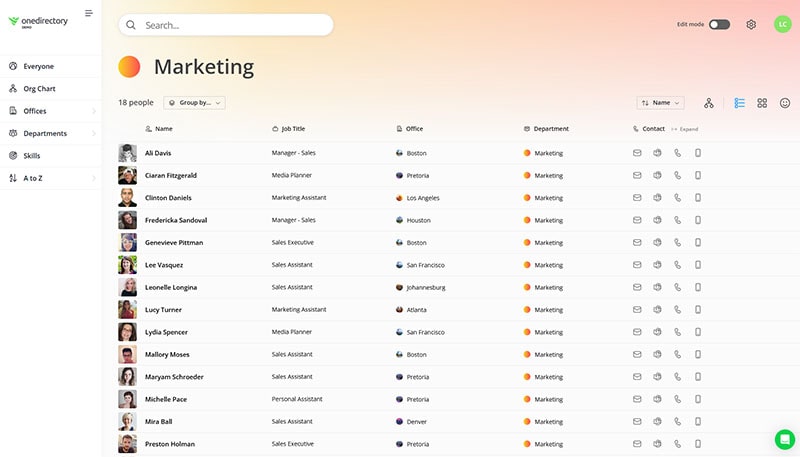
Modern employee directory with powerful people search
Find colleagues and teams fast with accurate people and org data. Search by name, role, team, location, or skills, then open a profile to see reporting lines and team context.
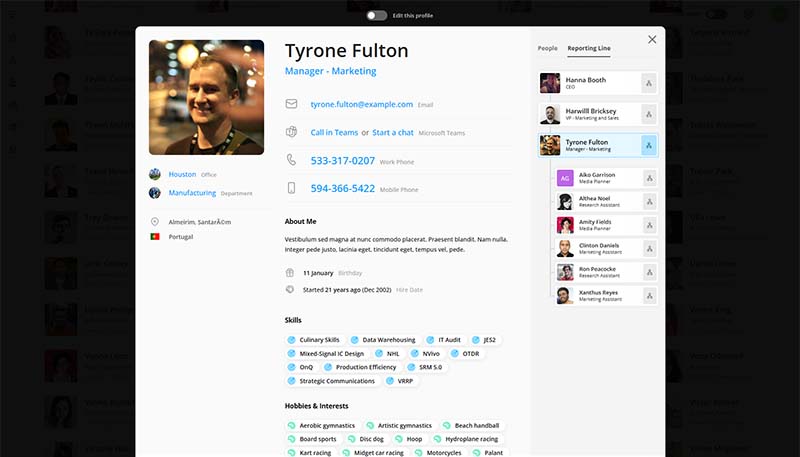
Employee profiles staff can trust
Provide reliable profiles with contact details, roles, and reporting context. Profiles stay current automatically as people join, change roles, or move teams.
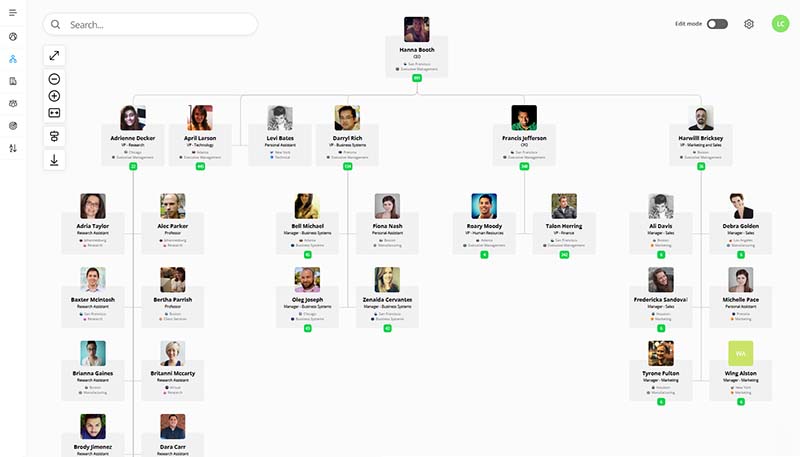
Searchable, fully interactive org chart
Give staff a searchable org chart they can navigate. OneDirectory keeps reporting lines accurate and up to date as organizational changes happen.
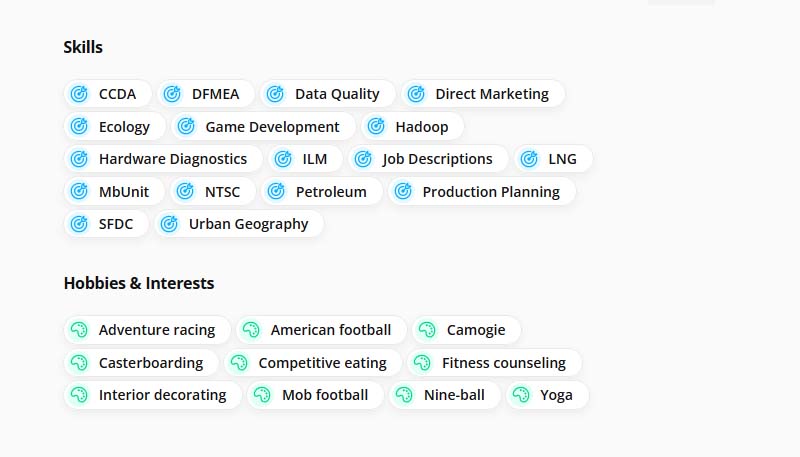
Find experts by skills and responsibilities
Search by skill, role, or service area to quickly identify the right specialist across departments. Skills are shown on profiles and powered by 37,000+ built-in skills, plus custom skills for your organization.
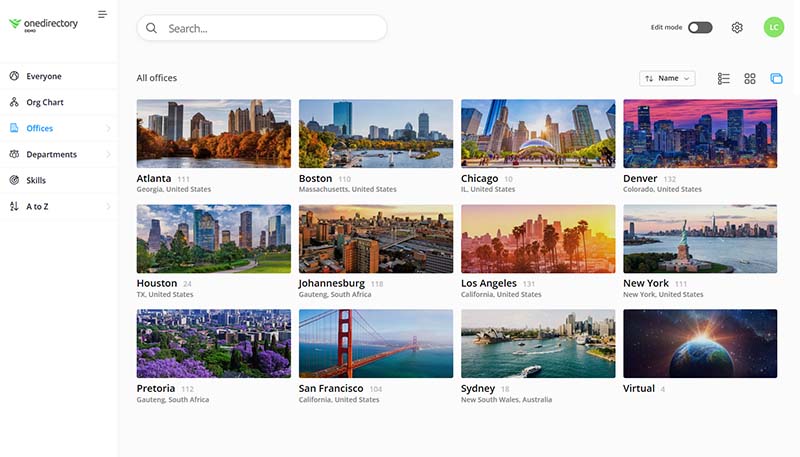
Offices and service centers
Browse offices and service centers to see the teams and contacts at each location, including regional responsibility and local support.
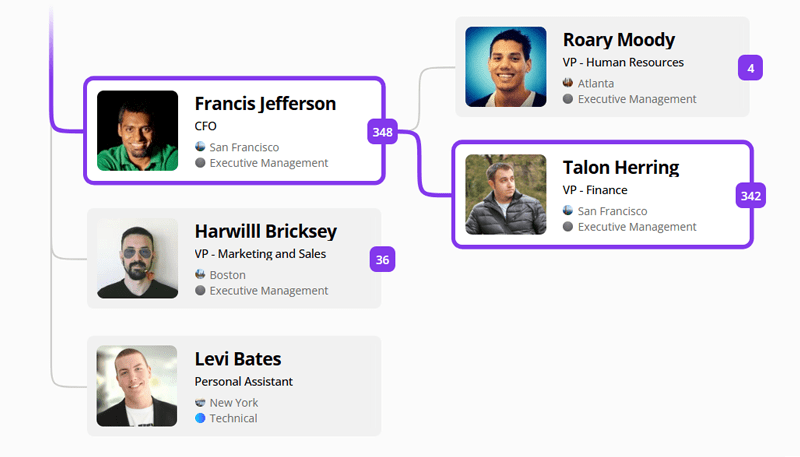
Trace reporting lines and escalation paths
Visualize the chain of command to route approvals and escalations with confidence.
Frequently asked questions
Can OneDirectory handle our departments, agencies, districts, offices, and service centers?
Yes. OneDirectory can support government organizations with multiple departments, agencies, districts, offices, regions, and service centers. Staff can browse teams and locations, understand reporting lines, and find the right contact across the organization.
Can staff search across programs, service areas, roles, skills, and locations?
Yes. OneDirectory makes it easy to search by name, department, program, service area, office, location, role, skill, or responsibility. This helps government staff find the right person without relying on outdated lists or asking around.
Can OneDirectory replace outdated staff lists, PDF org charts, or an intranet directory?
Yes. OneDirectory replaces static staff lists, PDF org charts, spreadsheets, and hard-to-maintain intranet directories with a searchable employee directory and org chart that stays current automatically.
How does OneDirectory help with restructures, reporting changes, and leadership changes?
OneDirectory helps keep your directory and org chart current as roles, managers, departments, teams, and reporting lines change. Staff can see the latest structure, understand who is responsible for what, and navigate changes without waiting for manual org chart updates.
Can OneDirectory show dotted-line reporting, program leadership, and escalation paths?
Yes. OneDirectory can help staff understand managers, reporting lines, team ownership, program leadership, and escalation paths. This is especially useful when responsibilities cross departments, offices, or service areas.
How does OneDirectory keep staff information up to date?
OneDirectory keeps employee profiles and reporting lines aligned with your source of employee data. This helps government teams reduce manual updates and keep staff information accurate.
Can access be controlled so staff only see the right people?
Yes. OneDirectory lets admins control who appears in the directory and manage editing permissions for profile fields. Your organization can decide which people are included, who can update profile data, and which information is synced or managed directly in OneDirectory.
Bring clarity to your government organization
Request a demo to see how OneDirectory connects profiles, teams, and reporting lines in one searchable directory for government organizations.
Or contact our sales team