12 Best Employee Directory Software (Tested and Compared)
The 12 best employee directory software tools, tested and compared on features, pricing, Microsoft 365 integration, and verified G2 and Capterra ratings.
This guide ranks the 12 best employee directory software tools, tested hands-on and checked against G2 and Capterra reviews. OneDirectory is our pick for mid-size and large organizations on Microsoft 365. The other 11 cover Google Workspace teams, HR suites with a directory module, and intranet platforms. New to the category? Start with what employee directory software is and how it works.
These tools fall into three categories:
- Directory-first platforms (OneDirectory, Sift) built for people search and org visibility.
- HR suites with directory modules (BambooHR, Deel, Workday) where the directory is one feature among many.
- Intranet platforms (Happeo, Simpplr) that bundle a directory with content and communications.
Connect a Microsoft 365 tenant and OneDirectory builds the directory from Entra ID, then shows admins which profiles are missing managers, photos, job titles, or offices, so the gaps get fixed at the source. It handles branches, business units, dotted-line reporting, and multiple tenants in one directory, which is why multi-site organizations like Hitachi, Samsung, Newmont, and Copenhagen Airports run on it.
If you run Google Workspace, or need payroll in the same purchase, one of the 11 alternatives below fits you better.
We tested these tools hands-on and verified every claim against G2 and Capterra reviews.
In this guide
- Comparison table
- How we tested these tools
- 1. OneDirectory
- 2. Workleap (formerly Pingboard)
- 3. GoProfiles
- 4. Sift
- 5. Employee Directory 365
- 6. Happeo
- 7. Simpplr
- 8. Deel HR
- 9. BambooHR
- 10. Workday
- 11. Eddy
- 12. Connecteam
- Other employee directory tools
- How to choose
Best employee directory software at a glance
| # | Tool | Best for | Starting price | Free trial | G2 rating |
|---|---|---|---|---|---|
| 1 | OneDirectory | Organizations on Microsoft 365 that want the directory built and kept current from Entra ID. | Company-size pricing, no per-user fees. Pro from $349/mo (up to 250 profiles) to $1,599/mo (1,001-2,000). Above 2,000 profiles, Enterprise, custom pricing | 14 days, full Pro features | 4.9 |
| 2 | Workleap, formerly Pingboard | Teams already in the Workleap suite | Pingboard module $4/user/mo, billed annually | 14 days | 4.4* |
| 3 | GoProfiles | Engagement and recognition | Free plan; paid from $2/user/mo | 14 days | 4.8 |
| 4 | Sift | Smaller teams wanting fast people search | $1.50-$3.25/user/mo, 20-user minimum | Yes | 4.8 |
| 5 | Employee Directory 365 | SharePoint web part deployments | Tiered flat plans, on request | 14 days, AppSource | 4.7* |
| 6 | Happeo | Google Workspace intranets | Pricing on request | Demo | 4.5 |
| 7 | Simpplr | Social intranet and comms | Pricing on request | Limited 14-day trials | 4.6 |
| 8 | Deel HR | Global, distributed teams | Free up to 200 employees; then from $5/employee/mo | Demo | 4.8 |
| 9 | BambooHR | Small-to-mid HR suites | Quote-based | Yes | 4.4 |
| 10 | Workday | Enterprise HCM | Pricing on request | Demo | 4.0 |
| 11 | Eddy | Small businesses | $4/employee/mo + $50/mo base | Demo | 4.7 |
| 12 | Connecteam | Deskless and frontline teams | Free up to 10 users; from $29/mo, 30 users | Yes | 4.6 |
Ratings pulled from G2 product pages, 10 June 2026. *Workleap rating covers the combined platform; Employee Directory 365 rating is for HR365's HR Directory 365 listing. Pricing from vendor pages and G2 pricing data; "pricing on request" means the vendor does not publish prices.
How we tested these tools
We build OneDirectory, so we hold ourselves to a higher standard of proof than a neutral reviewer would, and we'll be precise about what we did and didn't do.
What we did
- Trial accounts were created for: Sift, Workleap (formerly Pingboard), Go Profiles, Happeo, Employee Directory 365, BambooHR.
- Each tool was tested using the same scenario: a sub-500-seat environment designed to mimic a much larger organization.
- The test environment included: Multiple offices, multiple divisions, dotted-line reporting relationships, service accounts that should not appear in the directory.
- Each tool was assessed on:
- Setup time before the directory became usable
- How it handled job title changes
- How it handled manager changes from the source system
- Search performance across a multi-office structure
- Filter reliability
- Required workarounds or limitations
- Tools without self-serve trials, such as Workday and Simpplr, were reviewed using: Vendor demos, public documentation, verified reviews.
- The review clearly notes when a tool was assessed without hands-on trial access.
What we didn't do
- The tools were not tested at 10,000-seat scale, and the review is transparent about that.
- For large-scale deployment insights, the assessment relies on: Verified G2 reviews, verified Capterra reviews, feedback from users running these tools at scale, real-world experience from OneDirectory customers using similar systems in production.
- Each tool entry includes quoted reviews from people who actively use the platforms at scale.
- Competitor trial environment screenshots are not published.
- Instead, the review links to: Each vendor’s official website, verified user reviews.
- This allows readers to compare the review’s conclusions against feedback from people who use the tools day to day.
The five lenses we evaluated against:
- Data accuracy and sync (30%). Does the directory update itself from the source of truth, and how did it handle the changes we made?
- Search and discovery (25%). Could we find a named person fast, and did filters by office, division, and skill return correct results?
- Complex-structure support (20%). Could the tool represent dotted lines, assistants, and multi-level organizational units without workarounds?
- Deployment effort (15%). From signup to a usable, populated directory, and the admin work needed to keep it that way.
- Pricing transparency (10%). Published prices and self-serve trials scored higher than "talk to sales," and we did the multiplication at 500, 2,000, and 10,000 seats.
Every entry below includes a "What users say" section with verified reviewer feedback from G2, Capterra, or Gartner Peer Insights, including the criticism. A review section that only shows praise is marketing; we link both directions. Tools we trialed hands-on also carry a "From our testing" note drawn directly from our trial logs.
Reviews of the 12 best employee directory software tools
1. OneDirectory
Best for organizations running Microsoft 365
OneDirectory is built for the problem that breaks most directories: organizational complexity.
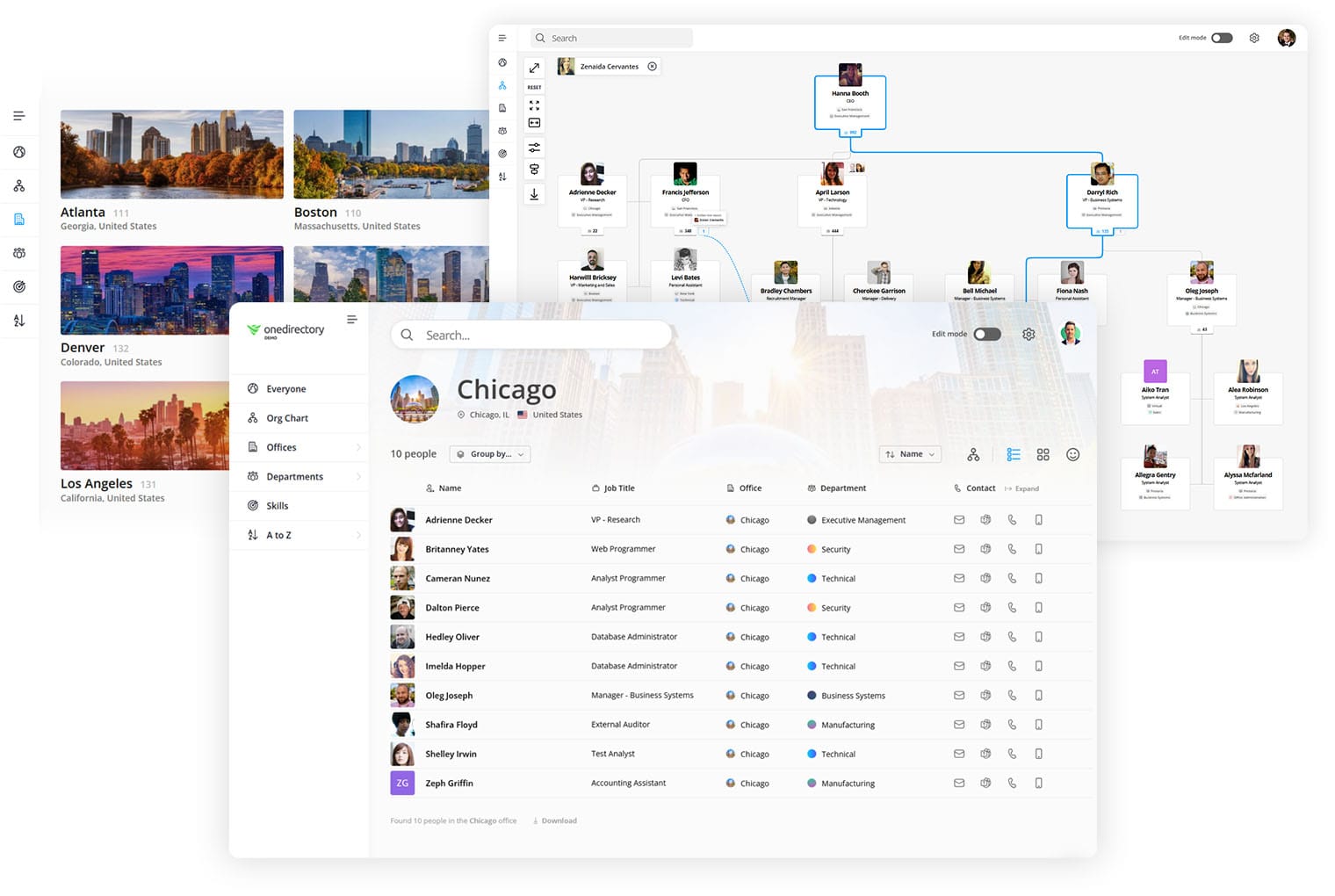
Multiple offices, regional divisions, matrix reporting, shared services, and thousands of people who need to find the right colleague fast. It turns Microsoft 365 data into a searchable directory, live org chart, office directory, and skills database, and keeps it all accurate with automatic Entra ID sync. It is deployed across multi-site organizations including Hitachi, Samsung, Sony, Newmont, and Copenhagen Airports, and it holds a 4.9 rating on G2.
Key features:
- Organizational units: Model branches, divisions, regions, districts, and business units as searchable structures, so the directory reflects how your company actually works rather than a flat list.
- Office and department pages: Every location and department gets its own page with people, contact details, and context, generated from your Microsoft 365 data.
- Dotted-line reporting and assistants: Matrix relationships and executive support roles appear on profiles and in the full org chart, which matters in any organization where accountability crosses team lines.
- Multi-tenancy: Sync multiple Microsoft 365 tenants into one directory and org chart, built for groups, subsidiaries, and post-merger organizations.
- People search at scale: Search across names, roles, offices, departments, and a curated dataset of 37,000+ skills, with instant profile previews.
- Directory completeness tracking: Admins see exactly which profile fields are missing data.
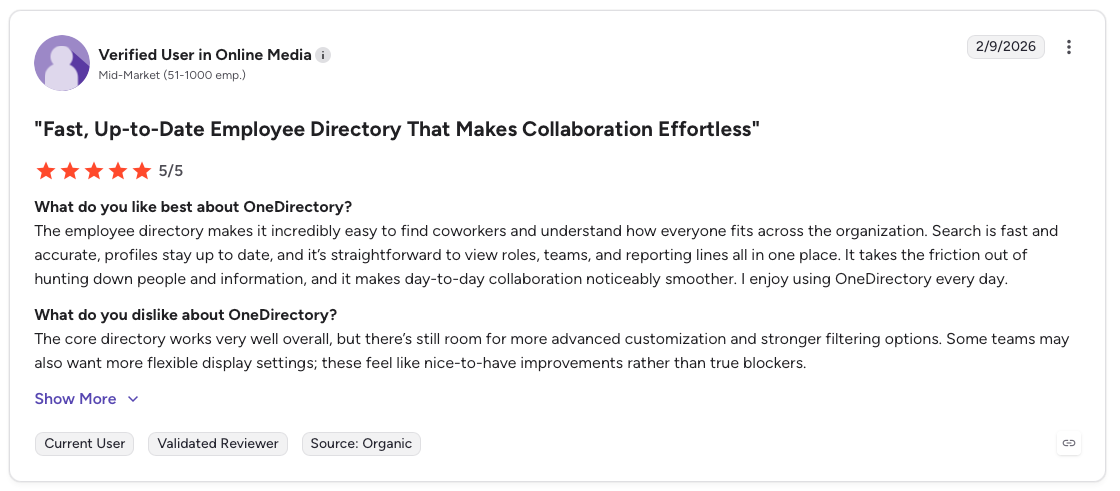
What users say: A verified mid-market reviewer on G2 wrote that "Search is fast and accurate, profiles stay up to date," with roles, teams, and reporting lines visible in one place.
The same reviewer's criticism: they want more advanced customization and stronger filtering options, which they called nice-to-haves rather than blockers.
Integrations: Microsoft 365, Microsoft Entra ID (Azure AD), Microsoft Teams.
Pricing: Simple company-size pricing with no per-user billing.
The pro plan is banded by the number of employee profiles in the directory: $349/month or $3,790/year up to 250 profiles, $649/month or $6,990/year for 251 to 500, $999/month or $10,790/year for 501 to 1,000, and $1,599/month or $17,290/year for 1,001 to 2,000.
Above 2,000 profiles, Enterprise is quoted per organization and adds unlimited profiles, multi-tenancy, EU and AU data residency, an SLA, and custom rollout support. Discounts apply for annual billing, multi-year terms, and nonprofits.
The economics still favor a banded model at scale: at 2,000 profiles Pro is $17,290 a year, while per-user competitors bill roughly $120,000 for the same headcount at $5 per employee per month. Profiles, not seats, is the unit that matters: filtering rules exclude guest users, external accounts, and service accounts from the count.
Pros:
- Built for structural complexity: org units, dotted lines, assistants, offices, and multi-tenant sync in one directory
- Setup is a sync, not a migration, and the directory stays accurate on its own afterward
- Company-size pricing with no per-user fees, so cost doesn't balloon with headcount; 4.9 on G2 with badges for fastest implementation and best estimated ROI (mid-market)
Cons:
- Requires Microsoft 365 as the main source of employee data
- No native iOS/Android app (the responsive web app works on mobile browsers)
- Directory-focused by design: no payroll, leave, or performance modules, and a small single-office team won't need this structural depth
Start a free 14-day trial of OneDirectory →
2. Workleap (formerly Pingboard)
Best for teams in the Workleap suite
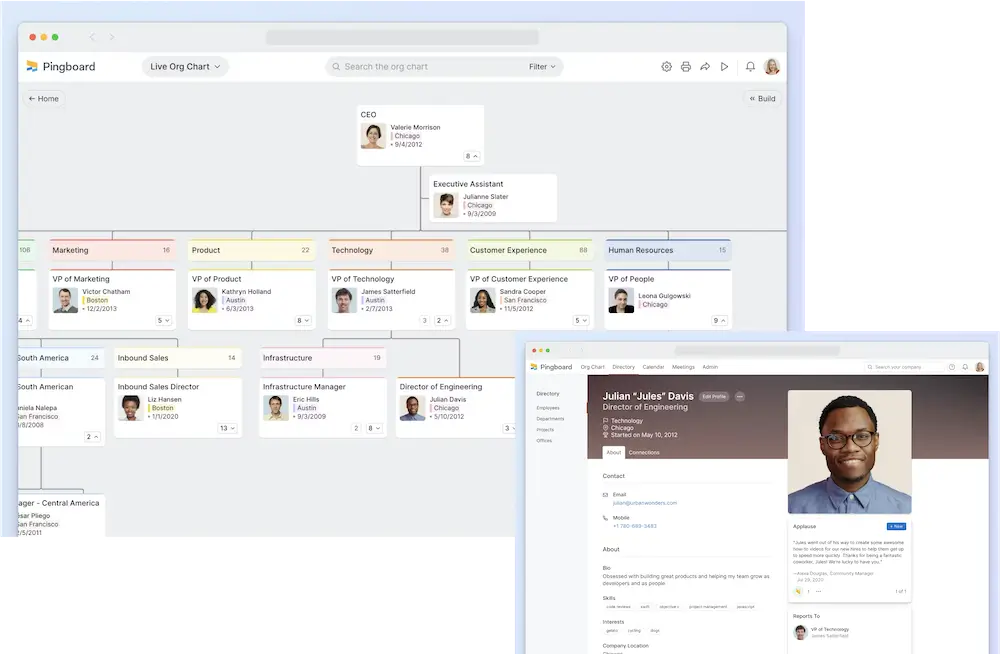
Pingboard built its reputation on visual, drag-and-drop org charts.
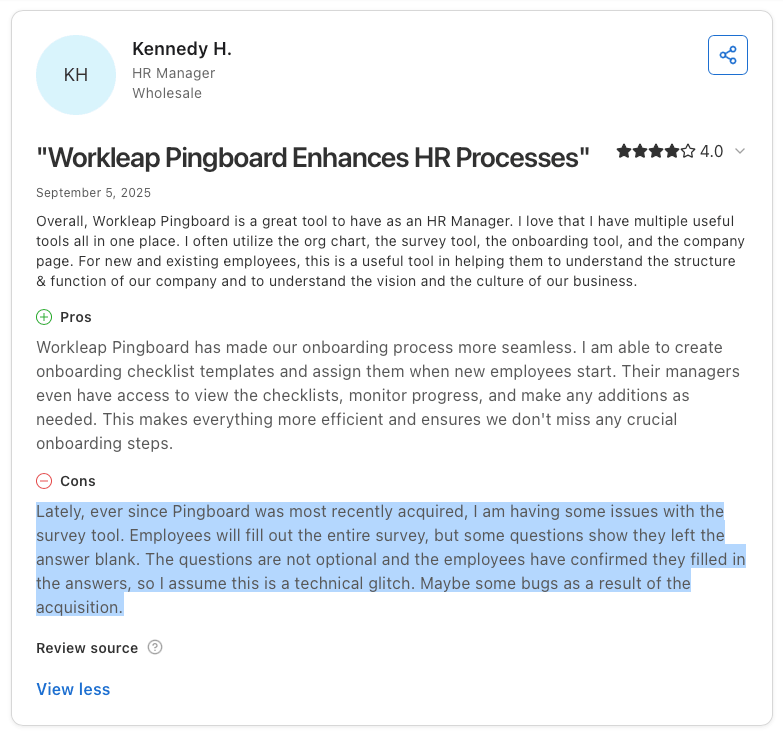
Workleap acquired it in December 2023 and began migrating customers onto the Workleap platform in April 2025, where the org chart and directory now live as one module alongside engagement surveys, performance, onboarding, and recognition. The directory features remain solid, but you're now buying into a modular HR suite rather than a standalone directory tool.
Key features:
- Drag-and-drop org chart: Model reorgs and plan future states before announcing them.
- Directory with social touches: Birthday and anniversary calendars, plus a "Who's Who" quiz for learning faces.
- HRIS sync: Auto-populates profiles from common HR systems.
What users say: An HR reviewer on G2 wrote that the org chart serves their main need of showing hierarchy and reporting structure, and praised the calendar of birthdays and anniversaries.
On the critical side, a Capterra reviewer noted "the org chart can be a little clunky," with deleted employees lingering in the system, and another flagged that name search sometimes fails to surface a person, forcing a manual lookup. G2's own pricing summary reports several reviewers explicitly calling Workleap expensive, with one describing the pricing as too high for non-enterprise customers.
From our testing: The trial setup threw us immediately, it was genuinely unclear whether we were setting up Pingboard alone or Workleap's full suite, and that confusion persisted into data management and settings, where it stayed ambiguous whether we were configuring just the directory module or the entire platform's broader functionality. Once we landed in Pingboard itself, the demo data was helpful, and the org chart builder is legitimately strong: adding and positioning contacts, building the structure from scratch, and iterating the chart felt natural and fast. Where it fell short: the employee profiles are thin, the trial felt restrictive in what it let us do, and the customization constraints were real, we can see customers struggling to bend the tool's structure to their actual business processes rather than fitting their business into Pingboard's org-chart-first design
Comments on Workleap:
- Integrations: Slack, Google Workspace and Google Calendar, Okta, OneLogin, and HRIS platforms including ADP Workforce Now, BambooHR, Dayforce, Justworks, Namely, and Paylocity (per Capterra's verified integration data)
- Pricing: Modular. The Pingboard module is $4/user/month on annual billing ($5 monthly) per Capterra's verified pricing data; Workleap platform editions start at $99/month per G2, and the full Workleap bundle runs $12/user/month annually. Module minimums apply. 14-day trial.
- Pros: Strong org chart UX; engagement, performance, and directory under one roof; established product.
- Cons: Per-user, per-module costs that reviewers describe as expensive; search and data hygiene complaints at larger headcounts; the standalone Pingboard product no longer exists, so roadmap priorities now follow the broader Workleap suite.
3. GoProfiles
Best for engagement and recognition
GoProfiles combines an employee directory with peer recognition, milestone celebrations, and AI-powered people search.
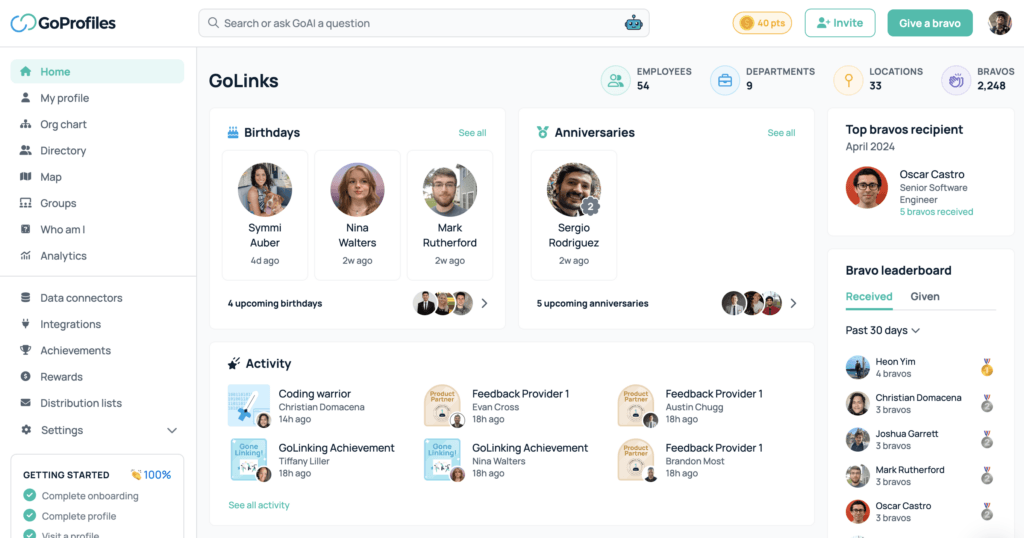
Profiles carry badges, kudos ("Bravos"), and work anniversaries alongside contact details, which makes it a culture tool as much as a directory. It suits people teams at remote-first companies who want the directory to drive connection rather than only lookup.
Key features:
- AI people search: Natural-language queries across profiles, skills, and locations.
- Recognition and milestones: Automated birthday, anniversary, and kudos posts.
- Org chart and maps: Visualize teams and where people work.
What users say: A verified organic G2 review praised that "Bravos / Kudos make it simple to publicly appreciate teammates" and that profiles give useful insight into colleagues' roles.
The same reviewer's criticism: the recognition system can feel transactional, with an unspoken expectation of reciprocating every Bravo.
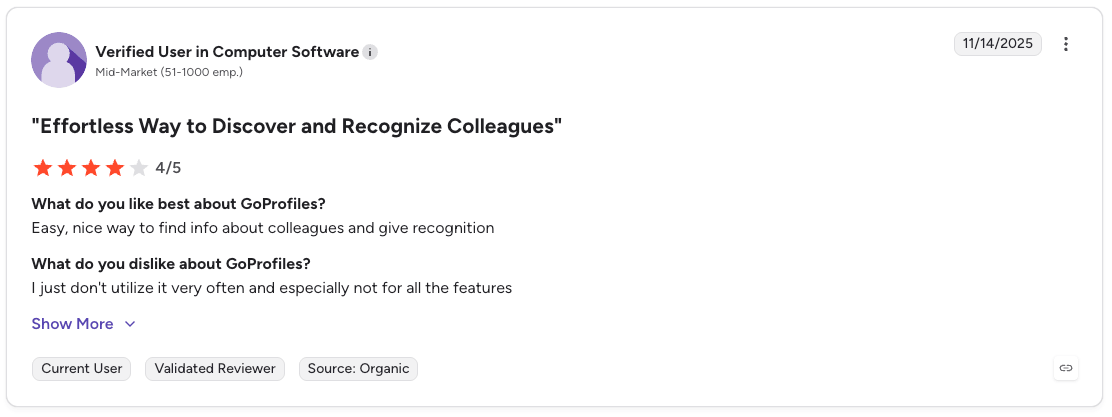
From our testing: GoProfiles was one of the easiest trials to stand up, and loading demo data took minutes rather than hours. The first impression cuts both ways, though: the home page throws a lot at you at once, org chart views, badges, kudos, birthdays, and while it makes the feature richness obvious, it also made it genuinely hard at first to know what we were looking at or where to find things. Underneath that busy surface the fundamentals are solid: search worked well, the employee profiles are good, and the map views for offices and people were a standout we'd like to see more tools copy. It's built for teams that want one tool doing many jobs, and it feels like it.
Comments on GoProfiles:
- Integrations: Slack, Okta, and 50+ HRIS and people-data platforms including BambooHR, Workday, Rippling, Gusto, and Deel; iOS mobile app and browser extension.
- Pricing: Free plan available; Basic at $2/user/month and Pro at $4/user/month per the vendor's pricing page. GoProfiles' help docs also describe banded packaging (Essential $99/month up to 25 users, Pro $249/month up to 50, Enterprise custom), so confirm which structure your quote uses. 14-day Pro trial.
- Pros: Strong engagement features; modern interface with a free plan to start; AI search works well for skills and location queries.
- Cons: Recognition overlaps with tools you may already own; younger product with a smaller review base than the established players.
4. Sift
Best for smaller teams that want fast people search
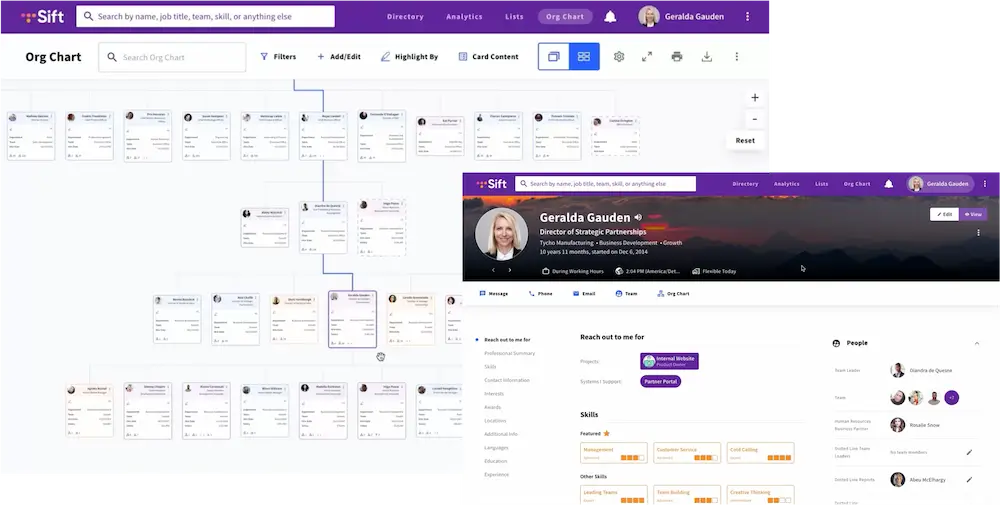
Sift is a directory-first tool focused on speed: type a few characters and employee profiles, skills, and teams appear.
At $1.50/user/month it has a low entry price in the category, which makes it a strong pick for smaller organizations. The math changes as you grow: per-user pricing that costs $1,800/year at 100 employees becomes $90,000/year at 5,000, the territory where flat or banded enterprise pricing wins.
Sift integrates with Entra ID and Microsoft Teams, making it OneDirectory's closest direct competitor.
Key features:
- People search: Good search results across people, skills, and custom fields, with partial-name matching.
- Dynamic org chart: Updates automatically, with Organizational Nodes for grouping departments and teams.
- Employee-editable profiles: Staff add skills, interests, and bios themselves.
What users say: A G2 reviewer praised partial-name search, writing that even with part of a first name "it brings everyone up with a photo."
Criticisms are mostly minor friction: a G2 reviewer noted the site occasionally needs a refresh to work properly, and Capterra reviewers flag technical limitations such as exporting the org chart to PowerPoint without clean page breaks.
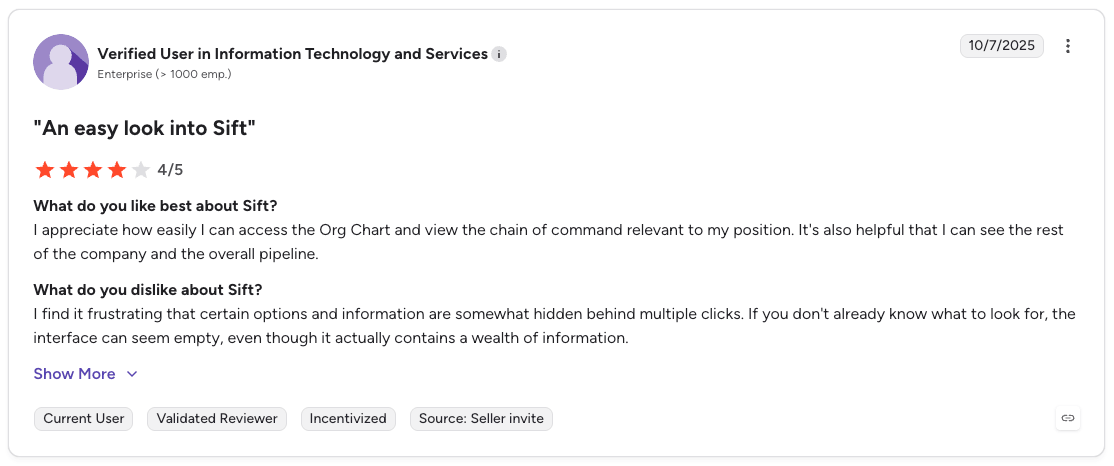
From our testing: Sift's profiles are genuinely rich, with plenty of fields to extend, and the live org chart does exactly what it promises: working out who reports to whom takes seconds. The friction showed up once we went past simple name lookup, because finding people relies on building filters, with a lot of click-downs to reach the information we wanted, and the same heaviness ran through setup, where managing fields and data meant hopping between settings screens that never felt intuitive. Capable tool, clunkier experience than its reputation for speed suggests.
Comments on Sift:
- Integrations: 20+ integrations across HR, collaboration, and identity, including Microsoft 365, Microsoft Teams, Google Workspace, Slack, Okta, BambooHR, ADP, Rippling, Gusto, Greenhouse, and Paycor.
- Pricing: Three plans (Org Chart, Directory, Complete) from $1.50 to $3.25/user/month per G2 data, charged per login user with plans starting at 20 users; enterprise (1,000+ employees) is custom-quoted. Free trial available.
- Pros: Clean people search; broad HR and identity integrations.
- Cons: Per-user pricing compounds at scale; lighter admin governance (field-level permissions, filtering rules, multi-level org units) than tools built for structural complexity; reviewers note occasional page refreshes and clunky org chart exports.
5. Employee Directory 365
Best for SharePoint web part deployments
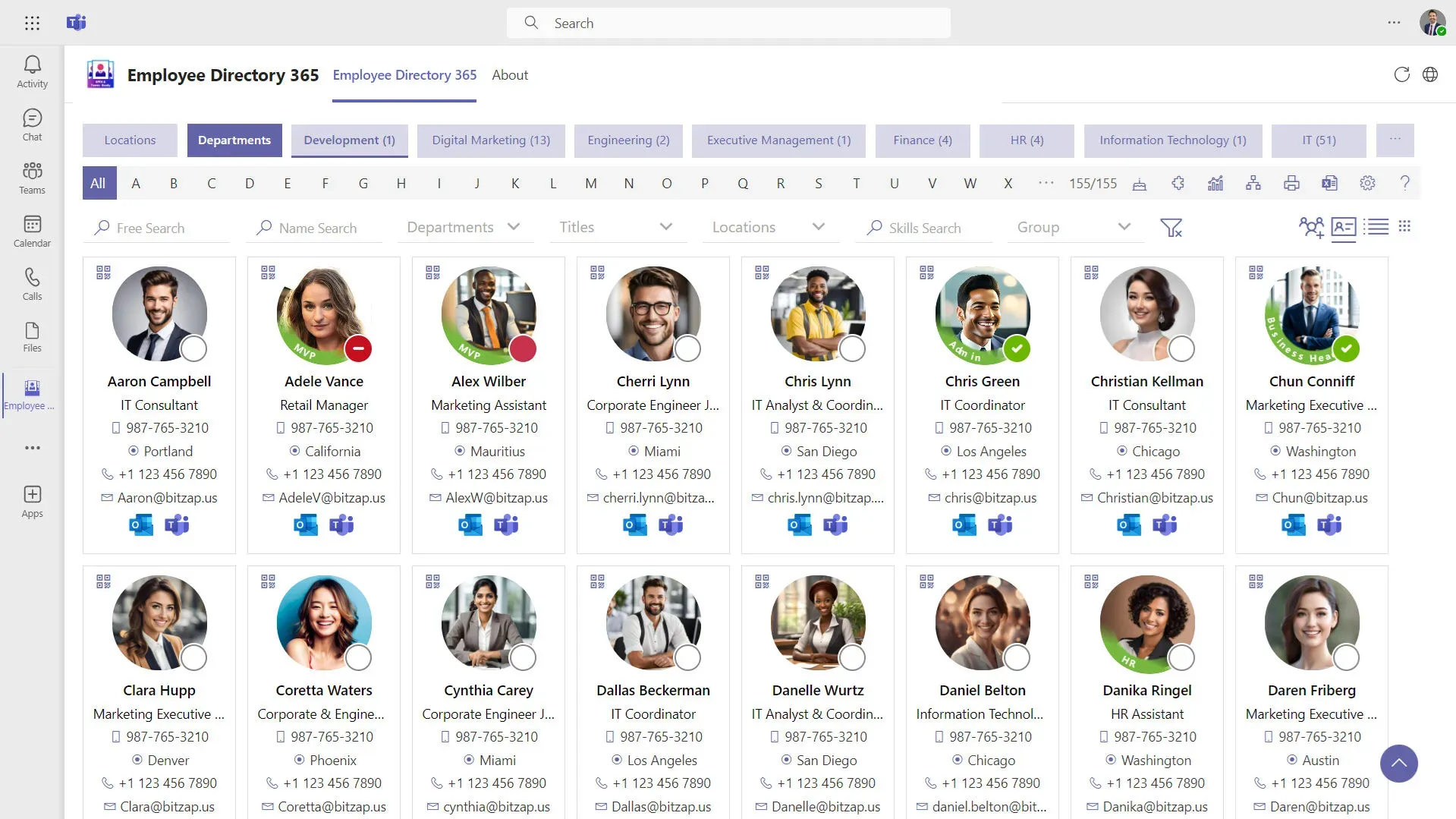
Employee Directory 365, from the HR365/Apps365 suite, is a SharePoint-native directory installed from Microsoft AppSource. It lives inside SharePoint and Teams as a web part, pulls from Entra ID, and suits IT teams that want the directory embedded in an existing intranet rather than as a standalone destination. It holds strong ratings on Microsoft AppSource.
Key features:
- SharePoint web part: Embeds directly in existing SharePoint pages and Teams tabs.
- Entra ID sync: Profile data flows from Microsoft 365, with field-level visibility controls.
- Presence and filters: Teams presence signals, A-Z filtering, and department views.
What users say: G2 comparison data shows scores for ease of use (9.8) and ease of setup (9.8) on HR365's directory listing, and customer reviews repeatedly single out responsive support during deployment.
The trade-off appears in the AppSource listing itself: customization beyond the web part's options is offered as paid custom development, so plan for extra cost if your requirements drift from the default.
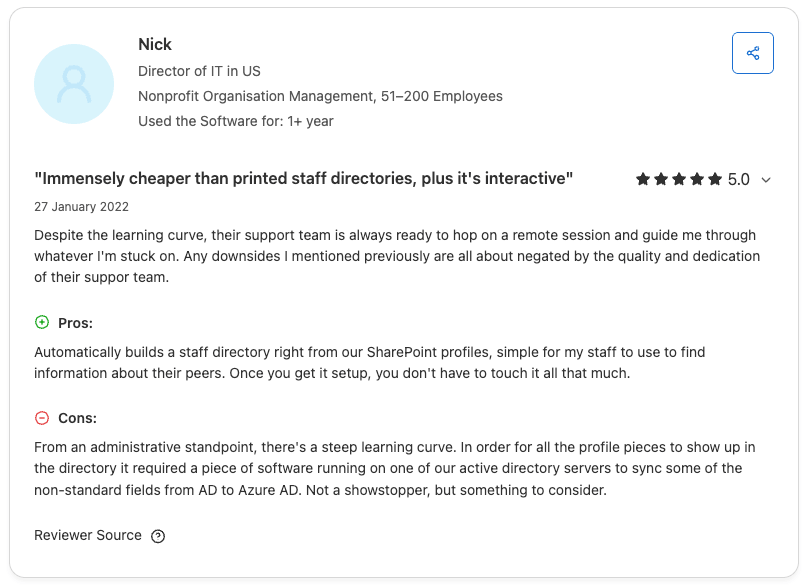
From our testing: Employee Directory 365 was harder to trial than most, there's setup overhead to get a SharePoint web part running, but once live, it delivered what it promises: a SharePoint-native directory that does the basics right without any pretense. The settings aren't clear and customization takes work, which means setup and ongoing maintenance demand more attention than you'd expect for a simple tool. That said, if you're looking for nothing fancier than a quick digital address book with a basic org chart, and you already live in SharePoint. It's honest work, not impressive work.
Comments on Employee Directory 365:
- Integrations: SharePoint, Microsoft Teams, Outlook, Entra ID.
- Pricing: Tiered flat plans (Standard, Plus, Premium, Enterprise) with pricing on request; the vendor's plan prices load dynamically and aren't crawlable, and Capterra lists a starting price of $49.99. Nonprofit and government pricing available. 14-day full-featured trial via AppSource.
- Pros: Native SharePoint feel; strong AppSource ratings; no separate destination for employees to remember.
- Cons: Depends on your SharePoint information architecture staying healthy; customization beyond the web part is paid development work; standalone search experience trails dedicated platforms.
6. Happeo
Best for Google Workspace intranets
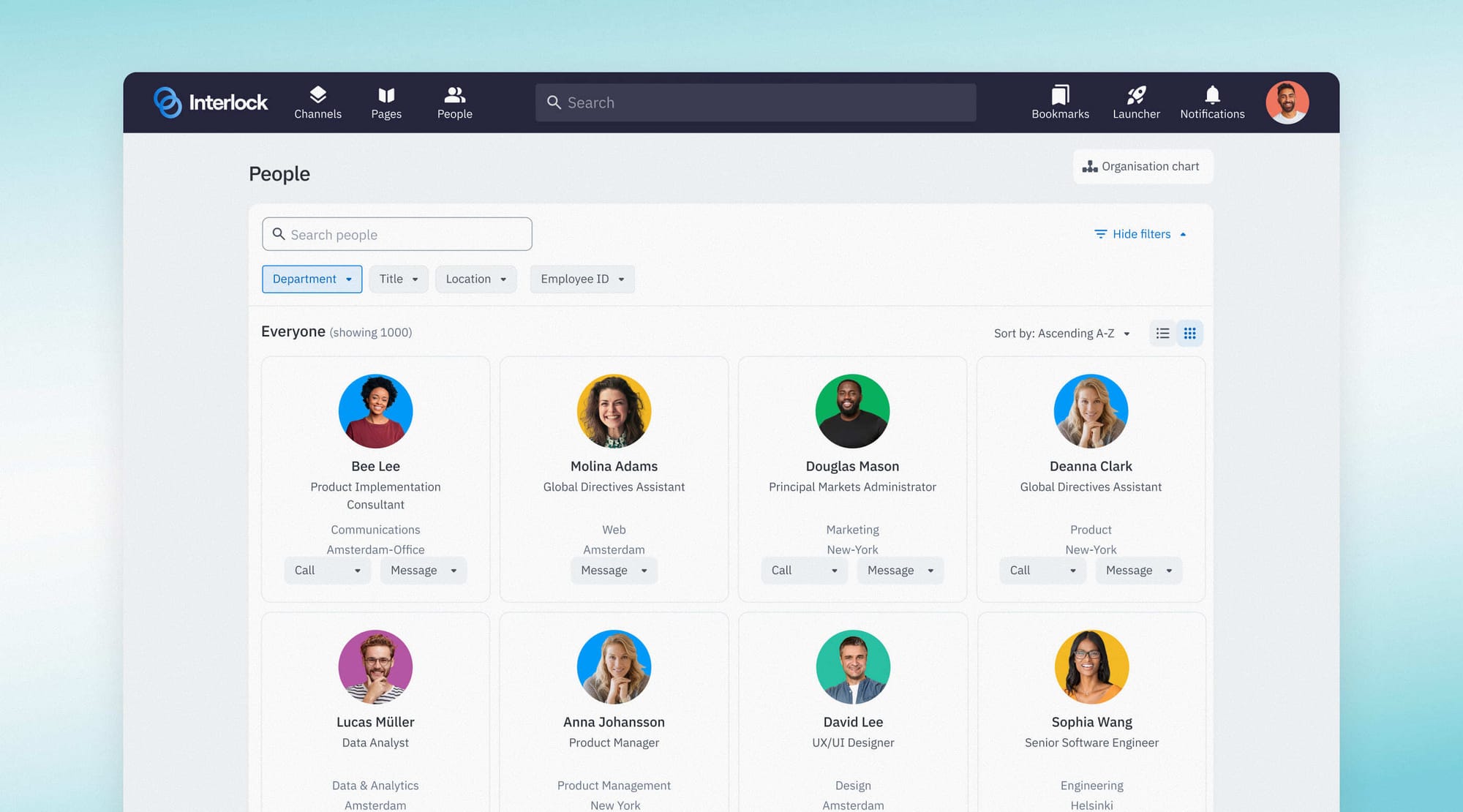
Happeo is a social intranet with a capable people directory inside it. Federated search covers people, documents, and projects in one query, and the directory imports user data from Google Workspace or Entra ID automatically. If you want intranet content, comms, and a directory in one purchase, and you live in Google Workspace, Happeo is the strongest option on this list.
Key features:
- Federated search: One search across people, pages, and Google Drive content.
- Dynamic profiles: Contact details, skills, experience, and photos, managed by each employee.
- Org chart: Visual structure with quick-view contact details.
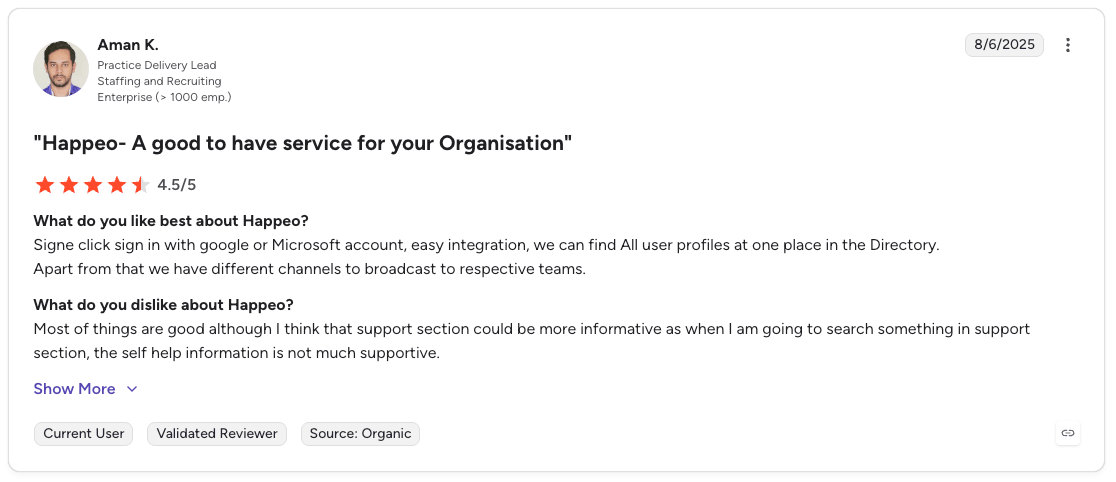
What users say: Capterra reviewers who migrated from older intranets praise the information sharing and ease of access, with one team describing their previous setup as an old-school intranet that was difficult to administer compared with Happeo.
On the critical side, reviewers across Capterra and Crozdesk consistently flag limited customization beyond visual branding, and the mobile app draws recurring complaints about crashes and notification overload, reflected in a 2.3/5 Apple App Store rating cited in one independent review roundup.
Comments of Happeo:
- Integrations: Google Workspace, Microsoft 365, Slack, and a broad app marketplace.
- Pricing: Not published; demo required.
- Pros: Directory, intranet, and comms in one platform; excellent Google integration; G2 support quality rated 9.3.
- Cons:You pay for a full intranet even if you only need a directory; customization constraints; mobile experience is a known weak point.
7. Simpplr
Best for social intranets and internal comms
Simpplr is a modern intranet platform whose employee directory ties into newsfeeds, content, and engagement analytics.
Employees can look up roles, reporting lines, and profiles, then jump straight into the content and conversations those people own. It suits communications-led organizations more than IT-led ones.
Key features:
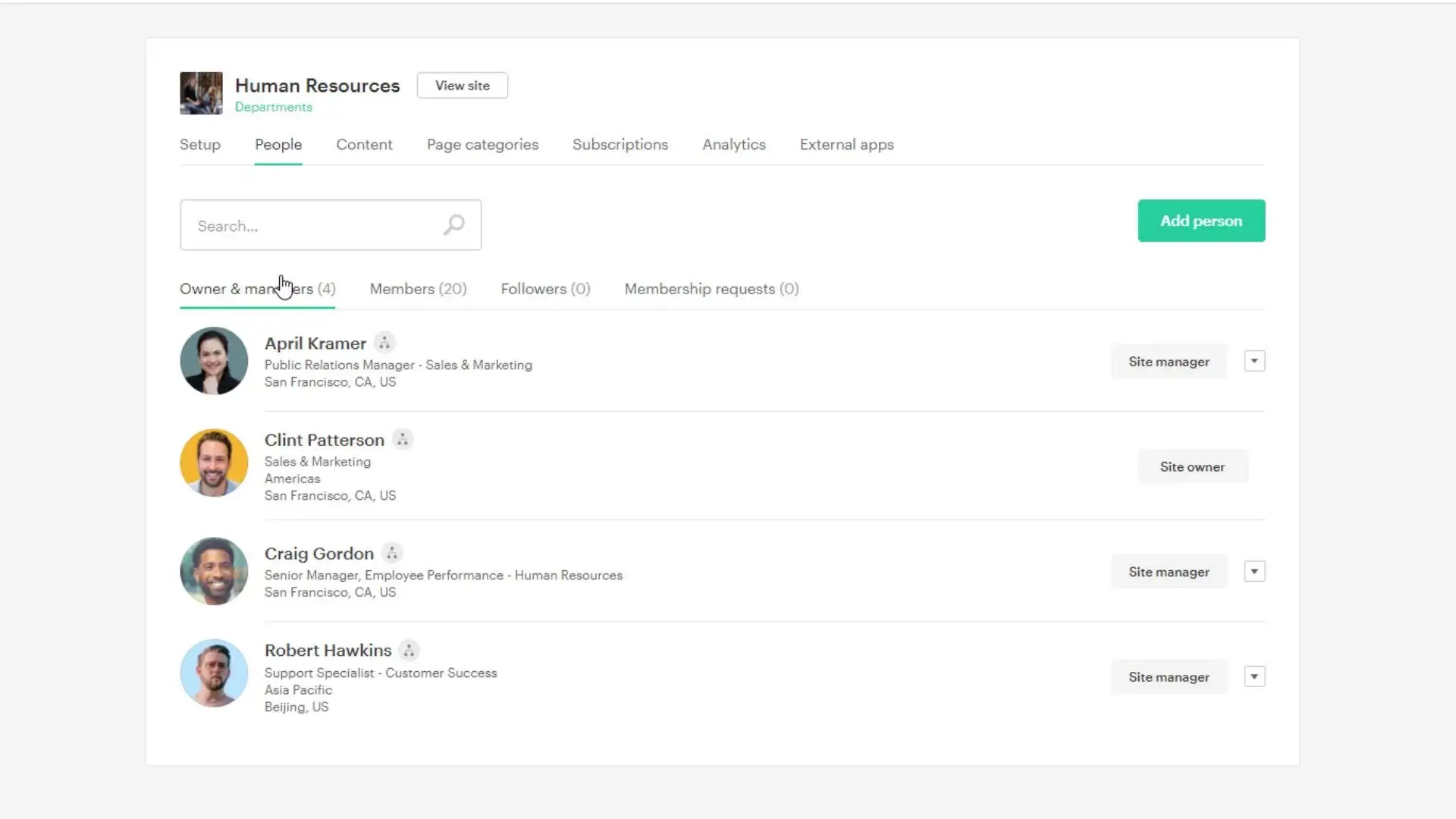
- People search inside the intranet: Profiles connect to authored content and team pages.
- Personalized newsfeeds: Directory data drives content targeting by team and location.
- Engagement analytics: Measure adoption across the organization.
What users say: A three-year customer on G2 praised the steady cadence of improvements, writing that "every new update brings a QOL feature I never knew I needed."
Criticisms from G2 reviewers include permissions complexity, with people unsure what their roles entail, and a credit union noting the file module couldn't serve as their primary forms repository, forcing a second storage system. Reviewers also report that some capabilities, such as enterprise search, are sold as paid add-ons.
Comments on Simpplr:
- Integrations: Microsoft 365, Google Workspace, Slack, Salesforce, Workday, Okta, ServiceNow.
- Pricing: Not published; sales-led, with limited-availability 14-day trials and volume discounts above 500 employees.
- Pros: Polished employee experience; strong analytics; enterprise-grade integrations.
- Cons: Directory is a supporting feature, not the product; key capabilities like Enterprise Search cost extra; setup takes weeks, not hours.
8. Deel HR
Best for global, distributed teams who want an HR tool as well
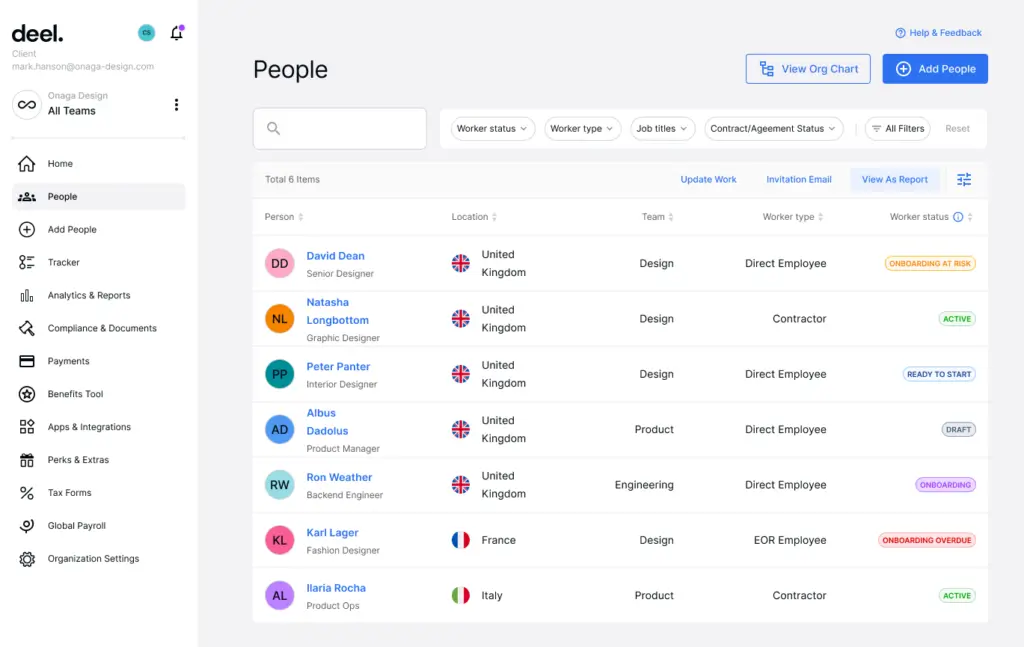
Deel HR centralizes employee records for companies that hire across borders. The People view works as a global directory covering employees, contractors, and EORs in 150+ countries, with compliance documentation attached to each record.
Pick Deel when your directory problem is "we have workers in 14 countries and four employment types," not "we can't find the right person across our 30 offices."
Key features:
- Global People view: Every worker type in one searchable record set.
- Compliance tracking: Local employment documentation tied to profiles.
- Org structure visualization: Reporting lines across countries and entities.
What users say: A G2 reviewer using Deel as their company's internal HR portal praised having everything in one place: time off, PTO balances, and payslips in a clean, easy dashboard.
On the critical side, reviewers note the help content and automated emails skew toward independent contractors, which confuses employee-side users, and independent review roundups report response times stretching during peak payroll periods.
Comments of Deel HR:
- Integrations: Slack, QuickBooks, Xero, BambooHR, Greenhouse, Workday, Okta, Microsoft Teams.
- Pricing: Deel HR (Core HR) is free for organizations up to 200 employees, then from $5/employee/month as a platform fee; payroll, EOR, and contractor products are priced separately ($29 to $599/employee/month). Demo available.
- Pros: Unmatched for international workforces; directory, payroll, and compliance in one place; 4.8 on G2 across a very large review base.
- Cons: Directory customization is limited; overkill if your team is in one country; support and documentation lean toward the contractor side of the business.
9. BambooHR
Best small-to-mid-market HR suite with a directory
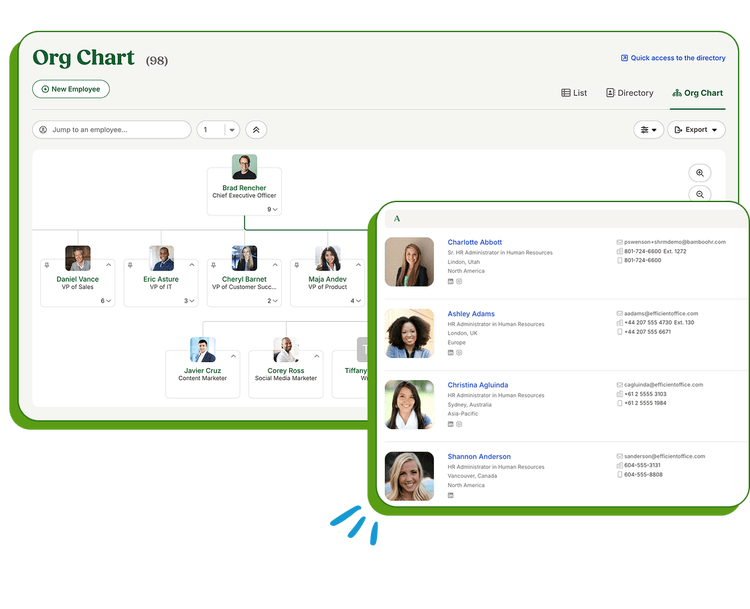
BambooHR is an HRIS whose employee directory updates itself as HR data changes, because the directory and the system of record are the same database.
Small and mid-sized companies get profiles, org charts, and a mobile app alongside hiring, onboarding, time-off, and reporting.
Key features:
- Self-updating directory: Profile changes flow from HR records instantly.
- Org chart: Auto-generated from reporting fields.
- Mobile app: Directory access for employees anywhere.
What users say: Capterra reviewers consistently praise the clean, intuitive interface, with one calling the org chart feature an everyday favorite for employees.
The most important criticism for readers of this guide comes from G2's own review summary, which counts 64 reviewer mentions of limited capabilities that restrict operations and hinder scalability for larger organizations. Reviewers also flag hard-coded fields that can't be moved or removed even via support.
Comments on Bamboo HR:
- Integrations: A large marketplace covering payroll, ATS, performance, and identity tools.
- Pricing: Not published; quote-based by headcount. Free trial available.
- Pros: Directory accuracy is automatic; well-loved product with strong support; good mobile experience.
- Cons: You buy a full HRIS to get the directory; G2 reviewers repeatedly flag scalability limits for larger organizations; field customization constraints.
10. Workday
Best for enterprise HCM
Workday's directory comes as part of one of the most widely deployed enterprise HCM platforms.
Worker profiles, org charts, and talent data live in the same system as payroll, finance, and planning. Enterprises already running Workday should exhaust its directory and org chart features before buying anything else; nobody should buy Workday only for a directory.
Key features:
- Unified worker profiles: Directory data shares a source with payroll and talent.
- Org modeling: Plan reorganizations against live data.
- Enterprise security: Role-based access at fine granularity.
What users say: One G2 review title captures the consensus: "Unified HR Data, But a Steep Learning Curve and Clunky Search."
Reviewers value the single data architecture across HR, payroll, and finance, while the recurring criticism on both G2 and Capterra is navigation: too many clicks for simple tasks, with information buried several menu tiers deep. That matters for a directory, where casual lookup speed is the whole point.
Comments on Workday:
- Integrations: A vast enterprise ecosystem, including Microsoft 365, Slack, and identity providers.
- Pricing: Not published; enterprise contracts.
- Pros: Single source of truth at enterprise scale; deep security model; no extra vendor.
- Cons: Directory UX trails dedicated tools; G2 and Capterra reviewers consistently describe search and navigation as clunky; implementation measured in months.
11. Eddy
Best for small businesses wanting an HR platform with directory
Eddy is an HR platform for small businesses whose directory consolidates roles, documents, and contact details in profiles a small team can manage without training.
It gives sub-150-person companies an affordable way to retire the contact spreadsheet, with payroll and onboarding in the same system.
Key features:
- Simple profiles: Contact info, role, manager, and documents in one place.
- Onboarding workflows: New hires appear in the directory from day one.
- Time tracking and PTO: Core HR alongside the directory.
What users say: Reviewers consistently describe Eddy as easy to implement and praise the responsive support team, with one calling it a valuable tool for small to medium-sized companies.
The criticism that matters here comes from Gartner Peer Insights, where a reviewer states it plainly: Eddy is "not ideal for large companies" due to integration limits. Others flag reporting format constraints and a rehire process that overwrites previous work data.
Comments on Eddy:
- Integrations: Payroll and job-board integrations focused on US small business.
- Pricing: Starter at $4/employee/month plus a $50/month base fee; Growth at $8/employee/month plus a $75/month base; Premium is custom, and payroll adds $6/employee/month. Demo available.
- Pros: Priced and designed for small business; clean interface; responsive support.
- Cons: Light on directory depth (skills, org units, dotted lines); reviewers warn against it for larger companies; US-centric.
12. Connecteam
Best for deskless and frontline teams
Connecteam builds for workforces that don't sit at desks: retail, construction, logistics, healthcare.
Its directory lives inside a mobile-first app alongside scheduling, chat, and forms, so frontline employees can find a colleague or manager from a phone without a corporate email account.
Key features:
- Mobile-first directory: Search colleagues from the field.
- Smart filters: Find people by site, role, or shift.
- Built-in chat: Contact a person the moment you find them.
What users say: G2's review summary reports consistent praise for ease of use and centralized communication across 3,500+ reviews, with scheduling, time tracking, and chat in one app. The same summary notes "the interface can feel cluttered at times," and missing or limited features rank among the most-mentioned complaints. Independent reviewers also note costs climb as teams grow beyond the entry tiers.
Comments on Connecteam:
- Integrations: Payroll and HR integrations targeted at hourly workforces (QuickBooks, Gusto, Xero, Paychex).
- Pricing: Free for life up to 10 users; paid plans from $29/month (annual billing) covering the first 30 users, then $0.50 to $3 per extra user depending on tier. Note that pricing is per hub (Operations, Communications, HR & Skills), so multiple hubs multiply the bill. 14-day free trial.
- Pros: Genuine mobile-first design; free tier; directory plus operations tools in one app.
- Cons: Not built for office/knowledge-work directories; interface clutter complaints; per-hub pricing grows with scale.
Other employee directory tools worth knowing
Eight more tools came up in our research but didn't make the tested shortlist, either because the directory is a secondary feature, the audience is narrower, or we couldn't evaluate them hands-on. They're listed here so you have the full map; we make no ranking claims about them.
- Workvivo (by Zoom): an employee experience platform with profiles and people search built around internal communications and community feeds.
- LumApps: an enterprise intranet with employee profiles and directory features, aimed at large organizations on Google Workspace or Microsoft 365.
- Staffbase: an employee communications platform with directory and profile features, strongest for comms teams reaching large, distributed workforces.
- Jostle: a simple intranet with a people directory at its center, aimed at small and mid-sized organizations.
- Blink: a frontline employee super-app with a directory, feed, and chat for deskless workforces, a direct Connecteam alternative.
- ChartHop: an org management and people analytics platform; closer to workforce planning than a daily-use directory.
- HiBob (Bob): a modern HRIS for mid-sized companies whose people directory and org chart update from HR records, a direct BambooHR alternative.
- Rippling: a workforce management platform combining HR, IT, and finance, with a directory as part of its unified employee record.
How to choose employee directory software
Five questions separate the right tool from an expensive mistake. They come up in nearly every buyer conversation we have, and in the r/sysadmin and r/humanresources threads where IT admins compare notes.
1. How complex is your organization, really?
This is the question most buyers skip, and it's the one that kills deployments. A flat list of 80 names needs almost nothing. A 3,000-person company with 14 offices, regional divisions, matrix reporting, and shared-services teams needs a directory that can model organizational units, dotted lines, and locations as first-class structures, not as text in a job-title field. Demo every tool against your real structure: ask it to show "everyone in the Northeast region's finance function" and watch what happens. Directory-first tools built for structure (OneDirectory) handle this; flat directories and HR-suite modules mostly don't, and G2 reviewers say so about several tools on this list.
2. Where will it live: inside Microsoft 365, inside an intranet, or standalone?
If your company runs on Microsoft 365, pick a tool that syncs with Entra ID (OneDirectory, Sift) or a SharePoint web part (Employee Directory 365). If you run Google Workspace, Happeo is the strongest fit. If employees will only ever see it inside an intranet you already own, an embedded approach beats a standalone destination.
3. What is your source of truth?
A directory is only as accurate as the system feeding it. Entra ID and Google Workspace feed directory-first tools. An HRIS feeds BambooHR, Deel, and Workday, where the directory and HR records are the same database. Manual upkeep fails, and we can put a number on it: across 65 customer organizations, the share of employees with a manager recorded went from 42 percent at first Microsoft 365 sync to 79 percent after a period of use. That gap is what a stale source of truth looks like before anyone cleans it up. If no clean source of truth exists yet, fix that before buying anything.
4. Who keeps the data accurate, and how?
Ask each vendor three things: which fields sync automatically, which fields employees can self-edit, and whether admins can lock sensitive fields by role. Then ask how the tool handles the accounts you don't want listed: service accounts, contractors, departed employees. A directory full of "svc-backup01" accounts loses employee trust in a week.
5. What does it cost at your real headcount?
Per-user prices look small until you multiply. At 5,000 employees, $1.50/user/month is $90,000/year and $5/user/month is $300,000/year, while flat or banded enterprise pricing can run a fraction of that. Demand the number in writing for your headcount, including base fees, module fees, and minimums, and treat "pricing on request" as a forecast of annual increases.
For the full breakdown of DIY, one-off, per-seat, and banded pricing, with worked numbers at 500 and 2,000 employees, see our guide to what employee directory software costs.
When OneDirectory is not the answer:
Small single-office teams will get more from Eddy or a simple shared directory than from structure they don't have yet.
Google Workspace companies should look at Happeo. Teams that need payroll and directory in one purchase should look at BambooHR, Eddy, or Deel. Frontline workforces without corporate email should look at Connecteam.
Mid-size and large organizations with real structural complexity, on Microsoft 365, should start a OneDirectory trial and judge it against this list in an afternoon.
Frequently asked questions
What is the best employee directory software?
For organizations running Microsoft 365, OneDirectory is a strong fit. It builds the directory from Entra ID, shows admins where employee data is incomplete, and keeps it current without manual updates.
It also handles multiple offices, different divisions, distributed teams, dotted-line reporting, or more than one Microsoft 365 tenant, so the directory does not rely on someone manually updating employee records every week.
It also holds a 4.9 rating on G2.
That said, the “best” option depends on the company. Happeo is a good alternative for Google Workspace environments. Eddy is better suited to small businesses. Connecteam is a stronger match for frontline teams.
What is the best employee directory software with search capabilities?
The best search usually comes from directory-first platforms, because search is not an add-on feature. It is the core product.
OneDirectory and Sift both offer fast search across employee names, roles, skills, and locations. OneDirectory also adds filters for office, division, and organizational unit, which becomes important in larger companies where people are spread across different teams, sites, and reporting structures.
By comparison, HR-suite directories can feel harder to use for everyday employee lookup. Workday, for example, regularly receives G2 feedback about search being clunky or information being difficult to find.
Does SharePoint have a built-in employee directory?
SharePoint can show people data from Microsoft 365, but it does not give you a ready-made employee directory out of the box.
In practice, you have two options: build something custom and keep maintaining it, or use an employee directory app. Dedicated tools such as OneDirectory or the Employee Directory 365 web part give you search, profiles, and org charts without needing to build and support a custom SharePoint solution.
How much does employee directory software cost?
Published pricing in 2026 typically ranges from about $1.50 to $8 per user per month. Some vendors also charge by module, apply minimum fees, or price by hub or workspace.
The important thing is to look beyond the monthly user price.
At small headcounts, per-user pricing can look simple and affordable. At scale, it adds up quickly. For example, $1.50 per user per month becomes $90,000 per year for a company with 5,000 employees.
That is where banded pricing can make more sense. OneDirectory's Pro plan starts at $349/month by company size, and above 2,000 profiles its Enterprise tier is custom-priced per organization.
Can I build an employee directory in Excel for free?
Yes. For a team of under about 50 people, a shared spreadsheet can work as a short-term employee directory.
But it usually breaks down once the business starts changing faster than the spreadsheet can be maintained. New starters, leavers, job title changes, reporting lines, office moves, profile photos, and skills all need constant updates. Within a few weeks, the directory can become stale enough that people stop trusting it.
Our guide to building an employee directory in Excel explains how to do it, and where the limits start to show.
What features matter most in an employee directory?
The most useful employee directories tend to get five things right.
They sync automatically from a reliable source of truth. They make it easy to search by name, role, skill, team, or location. They reflect the way the company actually works, including offices, divisions, dotted-line reporting, and organizational units. They give the right people permission to edit the right fields. And they filter out records that should not appear, such as service accounts, test users, and departed employees.
Mobile access and custom fields are also worth considering, but the basics matter more. If people cannot find accurate employee information quickly, they will stop using the directory.