What is a Company Directory?
Learn what a company directory is, how it improves collaboration, boosts efficiency, and why company directory apps are essential for modern workplaces.

You start a new job. The onboarding email says to reach out to "Sarah in Finance" if you have payroll questions. You open Slack. There are six Sarahs.
This happens every day in companies without a working company directory. People waste hours hunting for the right contact, sending messages to the wrong department, or sitting in meetings because no one knows who actually owns the project.
A company directory fixes this. It's a searchable database of everyone in your organization with their role, department, contact info, and sometimes their expertise or location. Think of it as your company's internal phonebook, but actually useful.
Why You Need a Company Directory
The cost of not having one shows up in weird places. According to McKinsey research from 2012, employees waste 1.8 hours every day searching for information. That's nearly 23% of their workweek spent hunting down answers instead of doing actual work.
A directory cuts through this. Need someone from legal? Search "legal." Want to find the product manager for a specific feature? Filter by department and role. No more mass emails asking "who handles X?"
The benefits stack up fast:
Faster onboarding. New hires can look up names and faces without asking basic questions 50 times. They see the org structure, understand reporting lines, and find subject matter experts on their own.
Better collaboration. When marketing needs data from finance, they don't send an email to three people hoping one responds. They find the right person in 30 seconds.
Less email chaos. Instead of cc'ing half the company, you message the person who actually knows. RingCentral found in 2022 that 69% of employees waste up to an hour daily just switching between apps. A good directory reduces that.
What Goes Into a Modern Company Directory
Basic directories list names, titles, and email addresses. Modern ones go further:
- Department and team structure
- Office location or time zone
- Phone numbers and messaging handles
- Manager and direct reports
- Skills and areas of expertise
- Profile photos
- Pronouns and preferred name
Some include work anniversaries, birthdays, or project involvement. The goal is to answer "who does what" and "how do I reach them" in one place.
The Remote Work Problem
Hybrid and remote work made directories essential. As of Q4 2025, 65% of job postings in the U.S. are fully on-site, 24% are hybrid, and 11% are fully remote, according to Robert Half's January 2026 analysis. That means roughly 35% of roles involve some level of distributed work.
When your team spans three time zones, you need to know more than someone's email. You need their location, their working hours, and whether they prefer Slack or Teams.
A company directory app solves this. Good ones sync with your existing HR system, work on mobile, and update automatically when someone changes roles or teams.
What to Look for in Company Directory Software
Not all directories are created equal. Here's what separates the useful from the useless:
Search that actually works. You should be able to search by name, department, skill, location, or any custom field. Advanced filters matter when you have 500+ employees.
Mobile access. People check their phones constantly. Your directory should work there.
Integration with HR tools. Manual updates fail. The best directories pull from your HRIS automatically so data stays current.
Org chart view. Seeing reporting structure visually helps new employees understand how teams connect.
Security and permissions. Not everyone needs to see personal phone numbers or home addresses. Role-based access keeps sensitive info protected.
The ROI of Getting This Right
Time savings add up. If your team of 100 people each saves 20 minutes a week finding contacts, that's 33 hours weekly, or 1,700 hours per year. At an average loaded cost of $50/hour, you're looking at $85,000 in recovered productivity.
The soft benefits matter too. Gallup's 2024 research shows that only 21% of global employees are engaged at work. Low engagement costs $438 billion in lost productivity. Clear communication tools, like a functional directory, help employees feel less disconnected.
Companies with higher engagement see 21% higher profitability, according to Forbes reporting on Gallup data. A directory won't fix engagement alone, but it removes one major frustration: not knowing who to ask for help.
Common Directory Mistakes
- Letting it go stale. If your directory shows people who left six months ago, no one will trust it. Automated syncing is non-negotiable.
- Overcomplicating it. Adding 40 custom fields sounds helpful until no one fills them out. Start simple. Name, role, department, contact info. Add more as you go.
- Ignoring mobile. If your directory only works on desktop, you've already lost half your use cases.
- Not marketing it. Even the best tool fails if people don't know it exists. Add it to onboarding. Link it in your intranet. Mention it in team meetings.
How Companies Actually Use Directories
Beyond the obvious "find someone's email," directories enable:
- Cross-functional projects. A designer needs a data analyst for a sprint. They search "data analyst," filter by availability, and message directly.
- Mentorship matching. HR can help junior employees find senior people in their field.
- Event planning. Need to invite everyone in engineering? Export the list from your directory.
- Reducing duplicate work. Before starting a project, search if anyone else has tackled something similar.
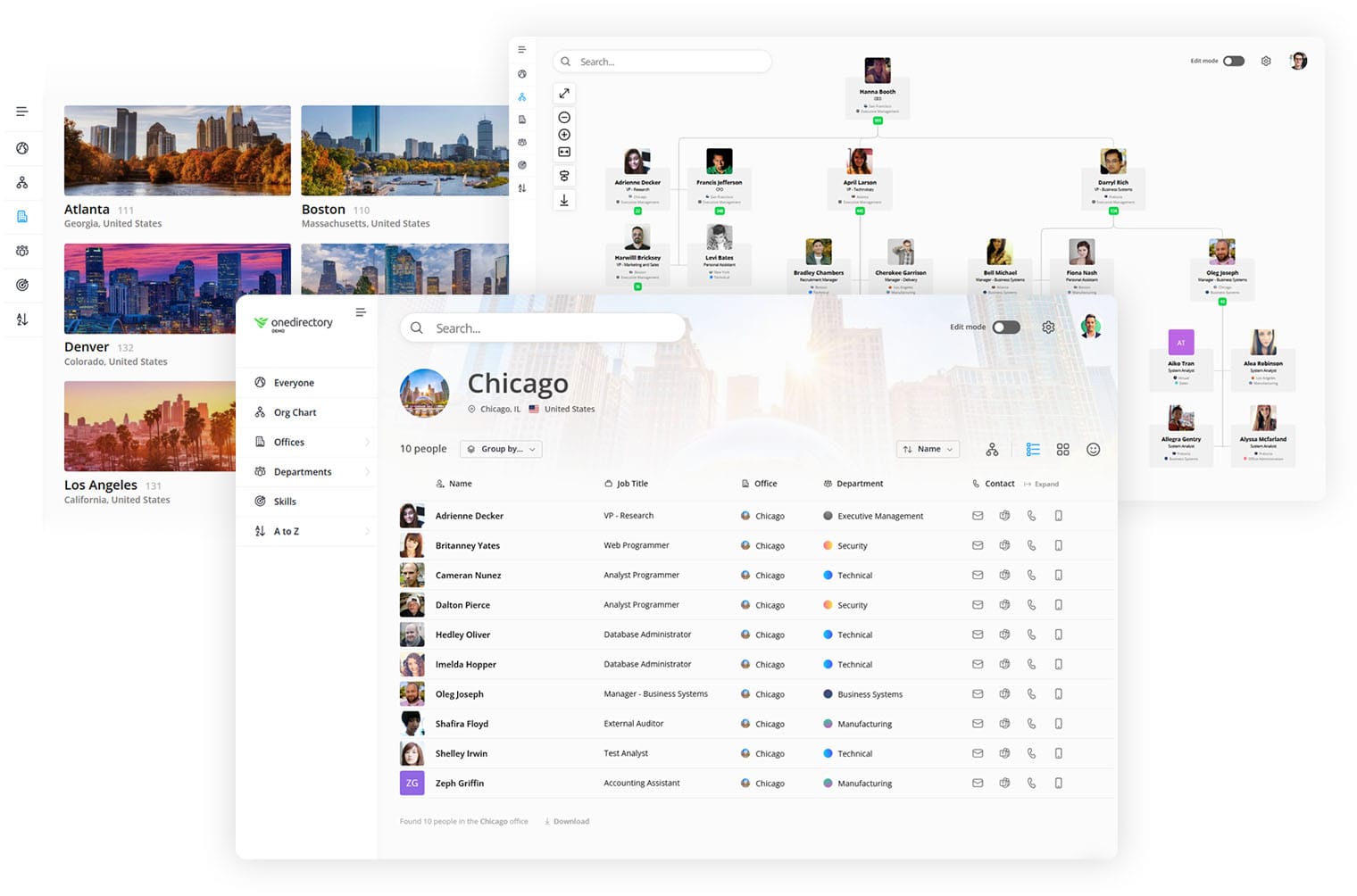
OneDirectory: A Standout Company Directory App
If your workplace feels like a maze of unanswered questions—"Who’s in charge of IT support?" or "Which department handles onboarding?"—OneDirectory’s company directory feature has you covered.
It organizes employees by department, office location, or custom categories, making it easy for anyone to find the right contact in seconds. The intuitive interface eliminates the guesswork, helping teams work smarter and faster. Need a contact in HR or the name of someone in Facilities? OneDirectory makes it as easy as typing a query and clicking a result.
Start your 14-day free trial today and discover how OneDirectory can transform your company directory.
FAQs: Company Directory
What is the difference between a company directory and an org chart?
A company directory lists all employees with their contact information, roles, skills, and departments in a searchable format. An org chart shows the hierarchical structure and reporting relationships visually. Most modern directory tools include both views. The directory helps you find someone quickly, while the org chart helps you understand team structure and who reports to whom.
How often should a company directory be updated?
The best company directories update automatically by syncing with your HR information system. This ensures changes happen in real time when someone joins, leaves, or changes roles. Manual directories should be updated at least monthly, but this approach fails at scale because data becomes outdated quickly. Automated syncing is the only reliable solution for companies with more than 50 employees.
Can a company directory work for remote and hybrid teams?
Yes, and it's even more important for distributed teams. Modern company directory apps include features specifically for remote work: time zones, preferred communication channels, working hours, and office locations. According to 2025 data, 88% of employers offer some hybrid work, making location-aware directories essential. The best tools work on mobile devices and integrate with Slack, Teams, and other collaboration platforms remote teams already use.
What information should be included in an employee profile?
Start with the essentials: full name, job title, department, email, and phone number. Add manager name, direct reports, office location or time zone, profile photo, and start date. Optional but useful fields include skills, areas of expertise, current projects, preferred pronouns, and personal interests. Don't overcomplicate it. Employees are more likely to keep profiles updated when there are fewer required fields.
How much does company directory software cost?
Basic employee directory tools range from $3 to $4 per user per month. Mid-tier options with org charts, skills databases, and better search run $5 to $8 per user monthly. Enterprise solutions with advanced integrations, custom fields, and security features cost $8 to $12+ per user per month. Many vendors offer free trials. The ROI typically justifies the cost within months through time savings alone.
Is a company directory different from an intranet?
Yes. An intranet is a broad internal website with news, documents, policies, and communication tools. A company directory is a specific database focused on finding people and understanding organizational structure. Many intranets include a directory as one component, but standalone directory tools often provide better search, filtering, and mobile experiences. The best approach depends on your existing infrastructure and team size.