Employee Directory and Org Chart Software for Banks
Built for banks and community banking teams that need a clear way to find people, understand reporting lines, and connect teams across branches, departments, and shared services.

Citizens Alliance Bank Unifies Contacts and Roles Across Locations
Citizens Alliance Bank uses OneDirectory as one source of truth for contacts, roles, and reporting lines across branches, helping staff find the right person faster.
Read customer story
BankSouth Streamlines Employee Profile Data with OneDirectory
BankSouth replaced a manual, out-of-date employee directory with OneDirectory, helping staff find people faster while reducing manual IT updates.
Read customer story
Chesapeake Bank Replaces Outdated "Yellow Pages" Directory
Chesapeake Bank uses OneDirectory to improve employee data accuracy and give new hires a modern directory and org chart to navigate the organization.
Read customer story
Trusted by banks and community banking teams
Highly rated for ease of use, fast implementation, and ROI. Simple to launch and valuable from day one.







"Easy for any employee to use, no matter their technical skills."
"OneDirectory has transformed our workplace. Highly recommended."
"Ease of use and fulfilment of security needs is what sold us."
Bring clarity to your bank's org structure
OneDirectory brings branches, departments, and shared services into one searchable staff directory and org chart. Built for banks and community banking teams, it helps staff find people, understand structure, and route requests quickly.
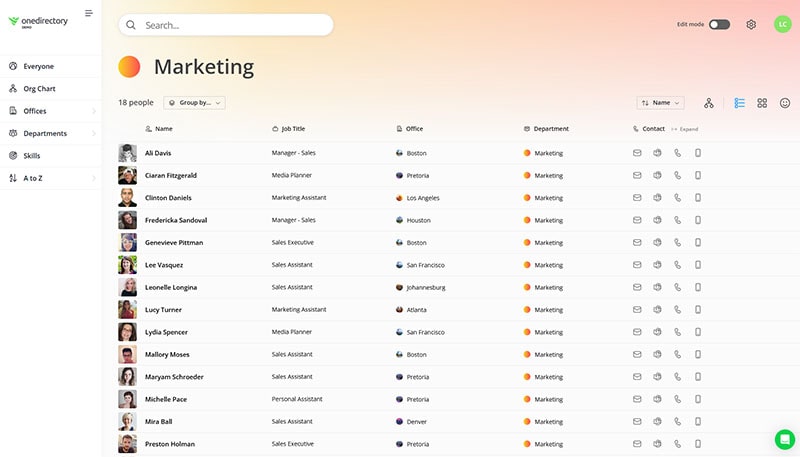
Modern staff directory with powerful search
Find the right coworker fast with accurate people and org data. Search by name, role, team, branch or region, then open a profile to see reporting context and team details.
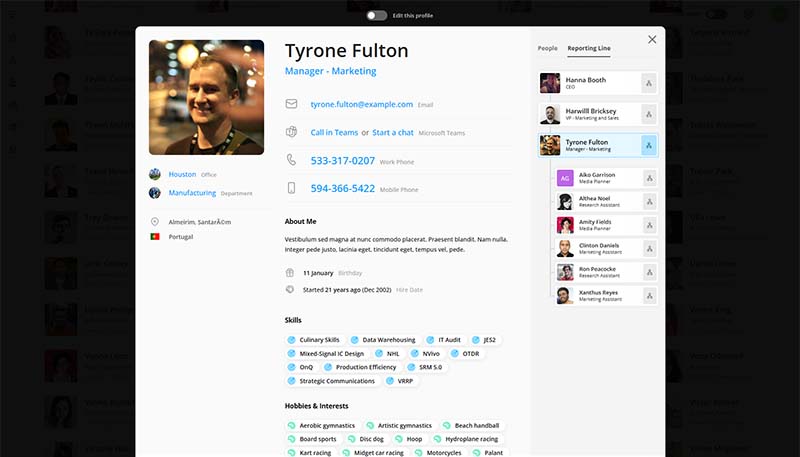
Employee profiles staff can trust
Give staff a reliable source of truth for contact details, roles, locations, and responsibilities. Profiles stay current automatically, so the directory matches reality as people join, move teams, or change roles.
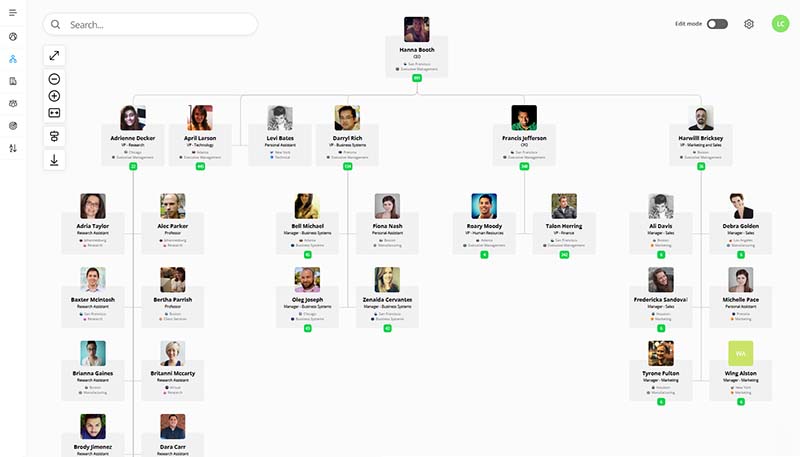
Searchable, fully interactive org chart
Help bank staff understand how teams fit together with an org chart they can search and navigate. Keep reporting lines accurate as roles change, so ownership and accountability are clear.
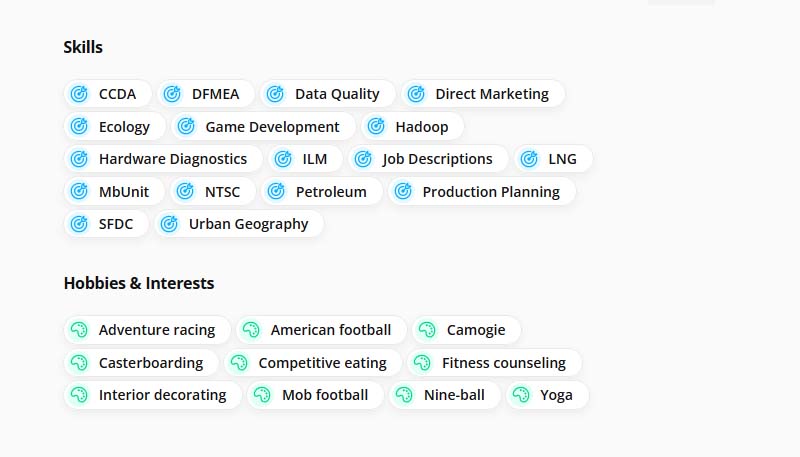
Find specialists by expertise and function
Route questions to the right experts across lending, fraud, operations, IT, and compliance. Search by skills and responsibilities to quickly find the right specialist, not just a name.
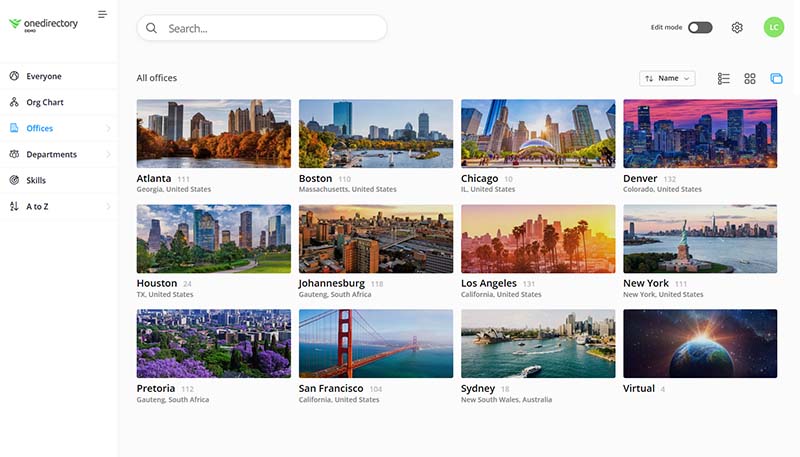
Branches, regions, and shared services
Browse branches, regions, and shared services teams to see who supports each location. Make it easy for branch staff to find the right back office contact and understand coverage.
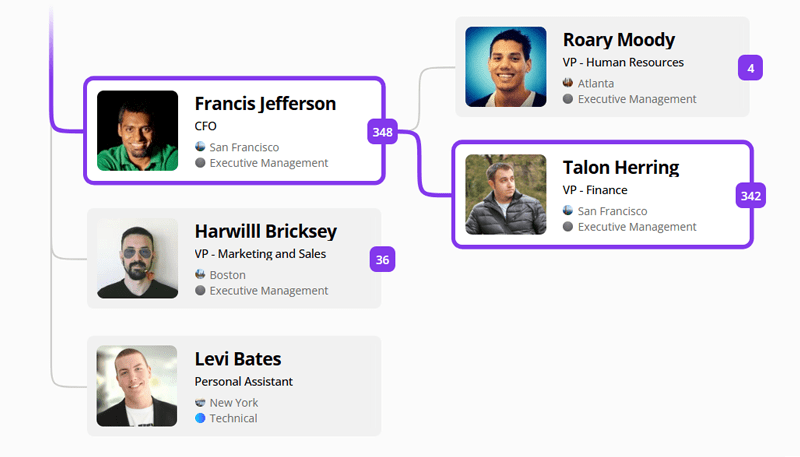
Trace reporting lines and escalation paths
Make escalation and approvals easier by showing the chain of command in one place. Staff can trace managers and dotted-line reporting to route requests with confidence.

Chesapeake Bank Replaces "Yellow Pages" Directory with a Modern, Secure AlternativeWith OneDirectory, Chesapeake Bank improved employee data accuracy and gave new hires a modern directory and org chart to navigate the organization. Read the case study |
Why OneDirectory for banks?
OneDirectory is employee directory and org chart software for banks. It helps banking teams turn employee profile data into a searchable directory, so staff can find the right person, understand reporting lines, and navigate branches, departments, and shared services.
Connect branches and head office teams
Unify people, teams, branches, locations, and reporting lines in one searchable place so bank staff can reach the right contact fast across regions and business units.
Speed up onboarding for new hires and contractors
Help new hires understand key contacts, branch support teams, and escalation paths so they can become productive without guesswork.
Stay current through org changes and mergers
Keep your org chart accurate as teams change, branches consolidate, or M&A happens, so bank staff can rely on a live org chart instead of outdated PDFs.
Clarify ownership across shared services
Make it obvious who owns what across operations, IT, risk, compliance, and shared services so requests and escalations get routed correctly and approvals move faster.
Make matrix reporting lines easy to understand
Show primary and dotted-line managers in one place to reduce confusion, improve accountability, and make escalation paths clear.
Frequently asked questions
What is employee directory software for banks?
Employee directory software gives bank staff one searchable place to find coworkers, branches, departments, roles, contact details, and reporting lines. OneDirectory helps banking teams turn existing employee profile data into a directory and org chart that stays up to date.
What is org chart software for banks?
Org chart software for banks helps staff understand teams, managers, departments, branches, and reporting lines. OneDirectory gives employees a searchable, interactive org chart, so they can explore how the bank is structured without relying on static charts.
Can OneDirectory support banks with multiple branches, departments, and shared services?
Yes. OneDirectory can support banks with multiple branches, departments, locations, regions, and shared services. Staff can browse teams and locations, understand reporting lines, and find the right contact across the organization.
How does OneDirectory help during branch changes, org changes, or mergers?
OneDirectory helps keep reporting lines, teams, branches, and ownership easier to understand as your bank changes. Staff can see the latest structure, find the right owner, and route approvals, escalations, and internal requests with more confidence.
Can bank staff search by branch, department, role, manager, or expertise?
Yes. OneDirectory makes it easy to search by branch, department, location, role, manager, team, expertise, and other profile data. This helps bank staff find the right person across lending, operations, IT, compliance, HR, and shared services.
Can OneDirectory replace an outdated employee directory or static org charts?
Yes. OneDirectory can replace outdated employee directories, static org charts, PDFs, and manually updated spreadsheets with a searchable staff directory and org chart. Staff information stays current automatically, reducing manual upkeep as people join, move teams, or change roles.
How does OneDirectory keep staff information up to date?
OneDirectory keeps employee profiles and reporting lines aligned with your source of employee data. This helps banks reduce manual updates and keep staff information accurate across branches, departments, and shared services.
Can OneDirectory help new bank employees understand the organization?
Yes. New hires can use OneDirectory to explore teams, reporting lines, branches, employee profiles, and key contacts. This gives them a clearer map of the bank and helps them get productive faster.
Employee directory and org chart software for banks
Request a demo to see how OneDirectory helps banks and community banking teams connect profiles, branches, departments, and reporting lines in one searchable directory and org chart.
Or contact our sales team