What Is Microsoft Entra Connect? The Sync Engine That Decides Where Your Employee Data Lives
Entra Connect copies employee data from on-premises AD into Entra ID, and silently decides where that data can be edited. What it is, the April 2026 Cloud Sync migration, and what it means for your directory.
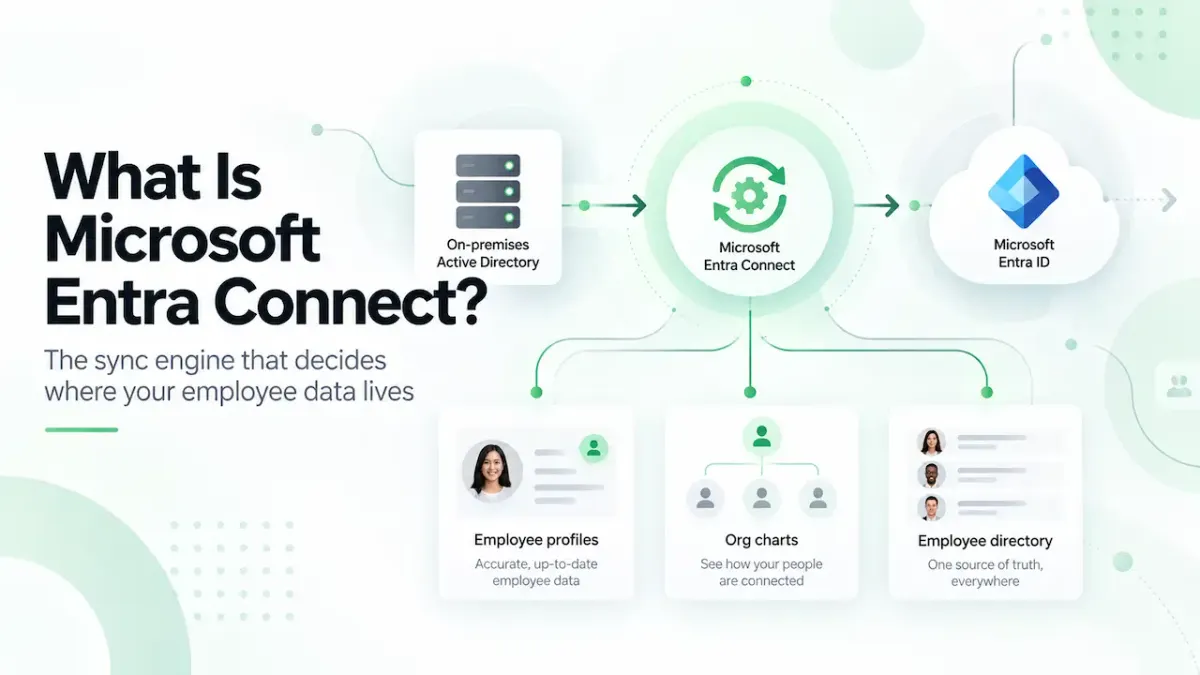
Microsoft Entra Connect copies employee data from on-premises Active Directory into Entra ID. It also decides, silently, where that data can be edited. Most admins find out when an edit in the cloud refuses to save.
What Microsoft Entra Connect Is
Entra Connect, formerly Azure AD Connect, is Microsoft's sync engine for hybrid organizations: companies that still run on-premises Active Directory alongside Microsoft 365. It runs on a server inside your network and keeps identities, profile attributes, and credentials flowing from on-premises AD up to Entra ID.
If your organization was born in the cloud and has no on-premises AD, you do not have it and do not need it. If your organization existed before Microsoft 365 did, you almost certainly run it, and it shapes more of your day than its name suggests.
Connect Sync Is Being Replaced by Cloud Sync
In April 2026, Microsoft announced that customers must migrate from Entra Connect Sync to Microsoft Entra Cloud Sync, the lighter agent-based successor. The smallest tenants are being contacted first, from July 2026; the largest organizations have a runway of multiple years. The rollout details come from Directions on Microsoft's analysis of the announcement.
Cloud Sync is not an exact replacement. It handles straightforward AD-to-Entra synchronization well and struggles with complex deployments, so organizations with heavily customized sync rules should expect workarounds rather than a clean swap. If you run Connect today, the practical first step is an inventory of which of its features you actually use.
The Rule That Catches Everyone: Edit at the Source
When an attribute syncs from on-premises AD, it becomes read-only in the cloud. The job title you want to fix in the Entra admin center has to be fixed in on-premises AD instead, and the correction arrives when the sync runs. Which attributes this covers, field by field, is in our Entra ID profile fields guide.
This is not a permissions problem, although it looks like one. It is a source-of-authority rule, and it means a hybrid organization's data cleanup happens in a different place, with different tools, than a cloud-only organization's. Every directory project should establish which kind of tenant it is dealing with on day one, because the answer changes who does the work.
What This Looks Like When It Goes Wrong
A real case from our support inbox, anonymized. A systems administrator at a US electrical distributor had one employee missing from every people surface. The cause: the person had two accounts syncing from the on-premises domain controllers, a normal user account and a privileged admin account, both carrying the same mail attribute. The sync could not tell which was the real person, so it surfaced neither.
Excluding the admin account from sync fixed it, until the account had to be re-enabled for an unrelated reason and the person vanished again. A month of intermittent debugging, for one duplicate attribute that no admin interface flagged. We tell the fuller version of that story in our staff lists guide.
Sync problems present as directory problems. When a person is missing, duplicated, or stale in the places employees look, the cause usually sits in the pipeline between AD and Entra ID, not in whichever product made it visible.
What This Means If You Are Building on Your Employee Data
Across 65 organizations' tenants measured at first sync for The State of Employee Directories in 2026, average profile completeness was 30.8% and the manager field was populated for 42% of employees. Hybrid sync is one of the reasons those numbers arrive low: when editing requires a domain admin and an on-premises change process, small fixes stop being small, and fields drift.
One honest limit on that claim: our data does not separate hybrid tenants from cloud-only tenants, so we cannot tell you how much of the gap sync friction explains versus plain neglect. Treat the mechanism as real and the size of its contribution as unmeasured.
Frequently Asked Questions
Is Microsoft Entra Connect the same as Azure AD Connect?
Yes. Azure AD Connect was renamed Microsoft Entra Connect as part of the 2023 rebrand of Azure Active Directory to Microsoft Entra ID. It is the same sync engine.
Is Microsoft Entra Connect being retired?
Microsoft announced in April 2026 that customers must migrate from Entra Connect Sync to Microsoft Entra Cloud Sync. The smallest tenants are being contacted first, from July 2026, and large organizations have multiple years to complete the move. There is no single universal cutoff date published as of August 2026.
What is the difference between Connect Sync and Cloud Sync?
Connect Sync is the full-featured engine running on a server you maintain. Cloud Sync uses lightweight agents with configuration in the cloud, deploys faster, and covers simpler scenarios well, but it is not an exact feature match, and complex sync customizations may need workarounds.
Why are synced attributes read-only in Entra ID?
Because on-premises Active Directory is the source of authority for them. Entra ID will not accept cloud edits to attributes it receives from sync; the change must be made in on-premises AD and allowed to flow up.