The State of Employee Directories in 2026
Employee directory software is splitting into two categories in 2026. These figures show what 65 real Microsoft 365 tenants looked like at first sync, before any cleanup: the employee profile data quality any directory inherits on day one.
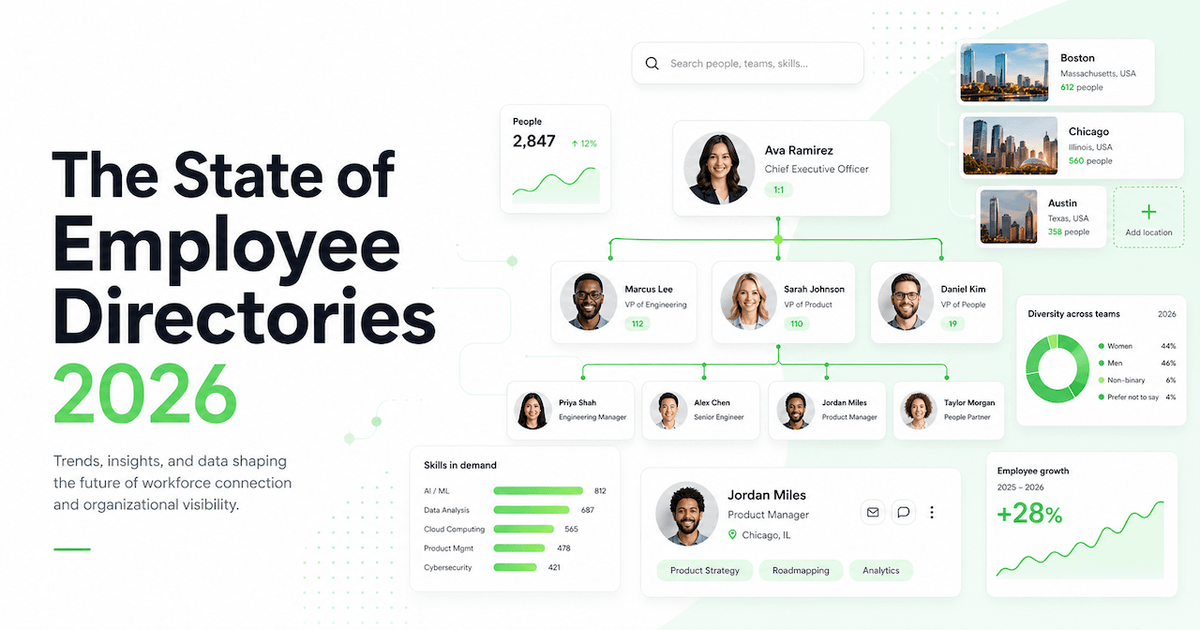
The employee directory software category is splitting into two in 2026.
On one side: nice-to-have tools. A staff list. A search box. A digital address book with a cleaner interface layered on top of the same messy data your organization has always had.
On the other: Intelligent Directory Platforms, systems built to make employee profile data trusted, auditable, and usable across your entire digital workplace.
The part most organizations miss: directory initiatives fail because the underlying employee profile data cannot be trusted. A better interface does not solve that. Only better data does.
Employee Data Health Is the Problem, Not Your Directory Tool
Across Microsoft 365 and Entra ID environments, the same patterns appear repeatedly:
- Profile fields missing across contact details, department, location, role, and skills
- Job titles that have not been updated since the last restructure
- Manager and reporting line data that no longer reflects reality
- Duplicate or inconsistent employee profiles across systems
- "Optional" attributes that no one ever completes
- Changes that happen with no accountability and no audit trail
This is not a tooling problem. It is a data health problem. And it is widespread.
When OneDirectory measured 65 real customer organizations at the moment each one first connected its Microsoft 365 tenant, the picture was consistent regardless of company size.
What the Data Shows: Real Microsoft 365 and Entra ID Profiles (2026)
These figures come from OneDirectory's analysis of 65 real Microsoft 365 and Entra ID customer tenants, covering more than 30,000 employee profiles, collected over a six-month period. They are not estimates and they are not a survey.
One detail matters more than any single number below. Every figure is measured at first sync: the moment an organization connects its Microsoft 365 tenant and its employee profiles land in a directory for the first time. Nothing has been cleaned up, enriched or corrected at that point. This is the raw state of the people data these organizations had been running on, exactly as Entra ID handed it over.
We have now watched that first-sync moment repeat across six months of customer onboarding, at every company size in the cohort. The numbers barely move between one organization and the next. A 300-person company and a 3,000-person company arrive with the same fields blank.
Worth saying plainly: this is a self-selected group. Every organization in the cohort had already decided its directory needed work and had gone looking for a tool. Read these figures as a benchmark of companies actively investing in their people data, not as a random sample of every Microsoft 365 tenant on earth. The organizations who have never thought about it are not in here.
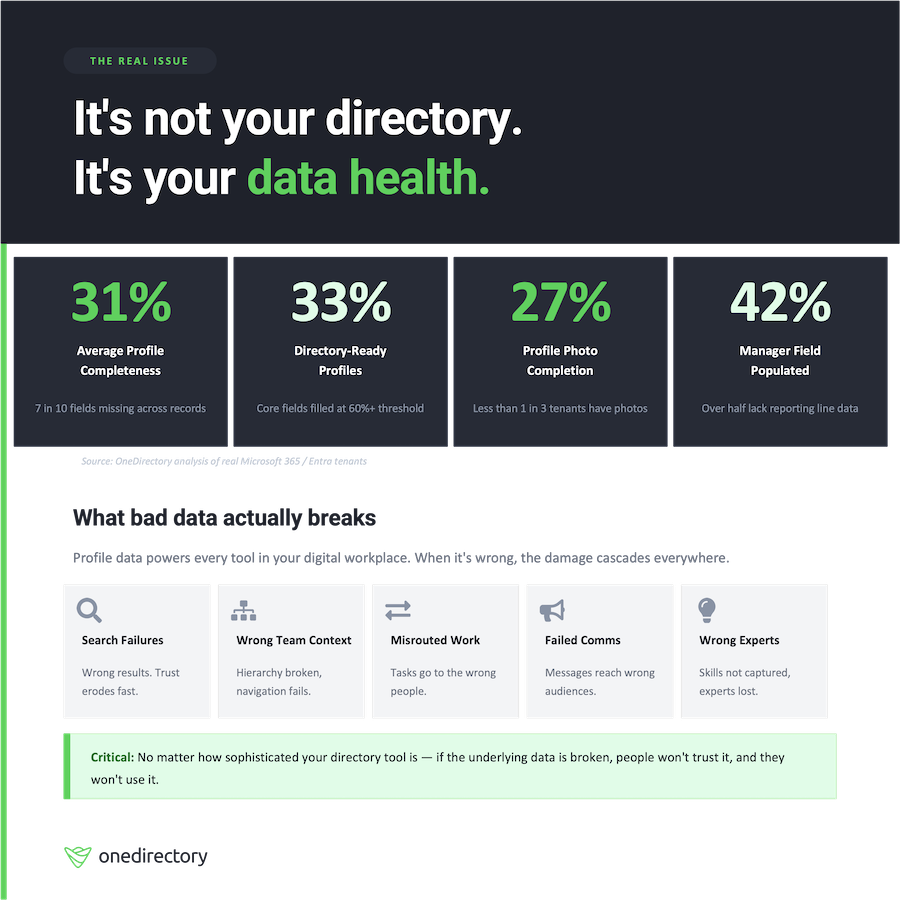
Employee profiles are only 31% complete on average
At first sync, the average Microsoft 365 or Entra ID employee profile has only 30.8% of its fields completed. That means nearly 7 out of 10 profile fields are blank on the day that tenant lands in a directory. (Source: OneDirectory)
Only one third of companies have directory-ready profiles
Only 33% of organizations in the 65-tenant analysis arrive with what OneDirectory classifies as "directory-ready" profiles: core fields including email, name, job title, and profile photo all filled in at 60% completion or above. Two thirds fall below that threshold on day one. (Source: OneDirectory)
Profile photo completion is the exception, not the rule
At first sync, only 27% of Entra ID tenants have profile photos filled in for 80% or more of their employees. In most organizations, the majority of staff arrive as blank avatars in every Microsoft surface. (Source: OneDirectory)
The Manager field is missing for most employees
At first sync, only 42% of employees have their Manager field completed in Entra ID. That means more than half of your workforce arrives with no reporting line at all. Org charts break in Microsoft Org Explorer, in Teams, and in every tool that reads from that hierarchy. Microsoft's own documentation confirms this: without manager relationship data in Entra ID, users will not see an org chart in Org Explorer. (Source: OneDirectory)
Complete contact information is rare
Only 1 in 5 organizations arrives with complete phone contact information filled in at 80% or above. (Source: OneDirectory)
Sync This Data Into Any Directory and You Get the Same Directory
None of this is a verdict on OneDirectory, and none of it is unique to OneDirectory. It is a measurement of what Microsoft 365 hands over.
Point the same tenant at any employee directory, any org chart tool, any SharePoint people web part, any intranet profile card or any AI assistant that reads Entra ID, and you will get the same profiles with the same fields missing. Every one of those tools is drawing from the same well. The directory you pick changes how that data looks. It does not change what is in it on day one.
Which is why a directory project that opens with an interface decision has started in the wrong place. The interface is not what your employees stopped trusting.
Methodology
Cohort. 65 real Microsoft 365 and Entra ID customer tenants, covering more than 30,000 employee profiles. A tenant is a single customer's Microsoft 365 environment, containing all of that organization's employee profiles.
Measurement point. Every figure is each tenant's state at first sync, meaning the point at which the organization connected Microsoft 365 and its profile data was read for the first time. No cleanup, enrichment or correction has been applied. Tenants entered the cohort across a six-month window as they onboarded.
Directory-ready. A tenant qualifies as directory-ready when the core employee profile fields (name, email, job title and profile photo) are each completed for 60% or more of its employees.
Aggregation. Field coverage is calculated across all visible profiles in the directory. Profile completeness and manager coverage are measured inside each tenant and then averaged across the 65 tenants, so each organization counts once regardless of headcount. Photo and phone figures are the share of tenants at or above 80% coverage on that field.
Exclusions. Guest accounts, service accounts, shared mailboxes and disabled accounts are excluded from every count. The figures reflect active employees only.
Sample. These are OneDirectory customer tenants, so the cohort is self-selected: each organization had already identified a directory need before it was measured. The figures describe the baseline of organizations investing in their people data, not a random sample of all Microsoft 365 tenants.
What Bad Employee Profile Data Breaks
Poor profile data doesn't only affect your employee directory. It spreads across every surface in your digital workplace, because almost every employee tool reads from the same source: Entra ID.
When that data is missing or wrong, the damage shows up in predictable ways:
Search returns the wrong people. Your employees search for a colleague by name or role and get incomplete results, wrong results, or blank profiles. After this happens a few times, they stop using search entirely and ask in a Teams chat instead.
Team context becomes unreliable. Employees cannot move through departments, business units, or regional structures with confidence. The information they see does not match the reality they experience day to day.
Work gets routed to the wrong people. Employees follow the reporting structure they can see in the directory, even when it is six months out of date. Escalations land with people who have moved on. Decisions get delayed.
Segmentation for communications fails. Your comms or HR team sends a message targeted by department, location, or management level. Because those fields are incomplete, a significant portion of the intended audience never sees it. The wrong people get it instead.
Expert finding breaks down. Knowledge hubs and internal communities cannot surface the right people for a given topic, because skills and team context are either missing or unreliable.
The consequence is not one bad directory. It is a digital workplace where every employee tool built on top of that data is less useful than it should be. That erodes trust in all of them.
The Employee Directory Category is Evolving
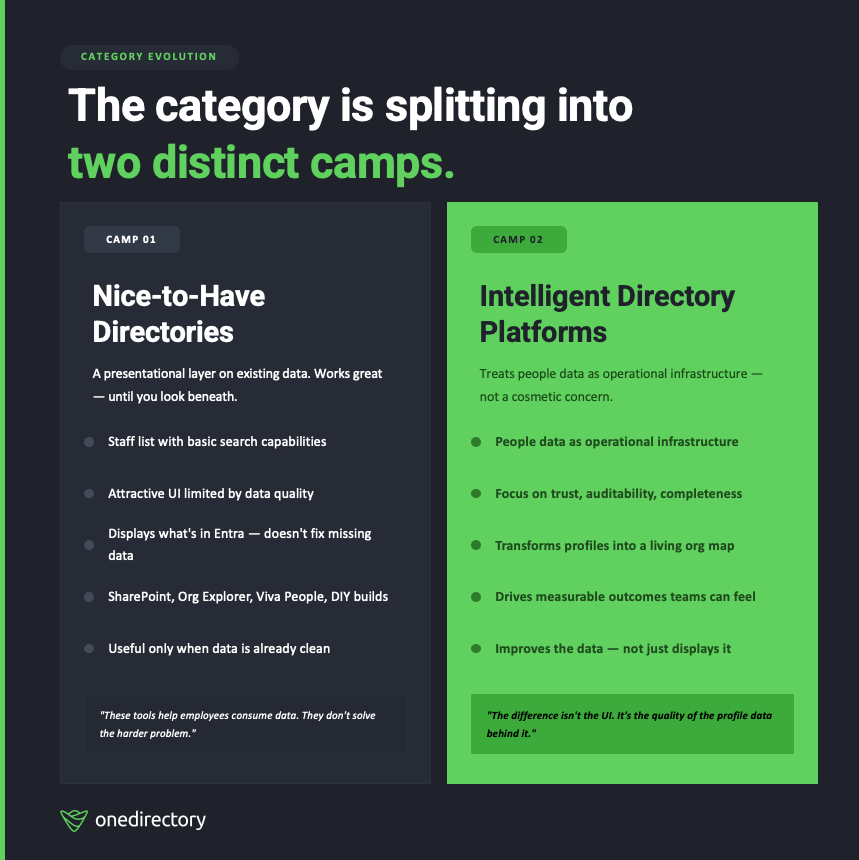
The "employee directory software" category now divides into two camps with different approaches to the same problem.
Camp 1: Nice-to-Have Directories
These tools treat the directory as a presentational layer on top of existing data. They typically offer a staff list, a search box, and a cleaner interface than what Microsoft ships by default. Many are well-designed. Some are useful.
But they share a ceiling: they display what is in Microsoft 365 and Entra ID. They do not fix what is missing.
Camp 2: Intelligent Directory Platforms
These tools treat employee profile data as operational infrastructure. They focus on completeness, trust, auditability, and discoverability. They push data back into Entra ID, not just read from it. They create workflows to chase missing fields. They maintain audit trails so you know what changed, who changed it, and when.
What Fits into the “Nice-to-have Directory” Camp in 2026
Let’s be fair: a lot of the tools in this camp are useful. They can work well. They can feel “native.” They can even improve discoverability but only when the data is already good.
Here are the tools we see in the nice-to-have camp:
1) SharePoint and Teams "Staff Directory” Web Parts and Apps
These are the classic “make a directory page” approaches, often delivered as:
- a SharePoint web part
- a Microsoft Teams tab
- an intranet component
They’re designed to browse and search existing profile attributes, and many solutions explicitly position themselves as “directory in SharePoint/Teams.”
2) Org Chart Visualizers (including Org Explorer)
Org Explorer can be helpful, when the manager hierarchy is maintained.
Microsoft’s own documentation is clear: if your org doesn’t have manager relationship data in Microsoft Entra ID, users won’t see the org chart in Org Explorer.
So organizations often “turn it on”… and then realize they don’t actually have an org chart problem.
They have a major manager data completeness problem.
3) People Experiences
Experiences like “People in Microsoft Viva” aim to help employees discover connections, expertise, and context in the flow of work.
But again, they’re only as good as the data feeding them. If skills aren’t captured, profiles aren’t maintained, and structure is inconsistent, the experience feels thin, or worse, untrustworthy.
4) DIY Directories (Templates + Search)
A common approach is “we’ll build it ourselves” using SharePoint pages and search experiences.
This can work, until you hit the same reality: DIY usually improves the front-end experience, not the underlying profile hygiene.
What an Intelligent Directory Platform Actually is
An Intelligent Directory Platform isn’t “a nicer staff directory.”
It’s the system that makes employee profile data usable, trusted, and discoverable across the digital workplace.
In practical terms, an Intelligent Directory Platform helps your organization reliably answer questions employees ask every day:
- Who is this person, and what do they actually do?
- Where do they sit in the organization, and who do they report to?
- Who has experience in this area (skills, systems, projects, expertise)?
- Where are they based and who’s in my region / office / time zone?
- Who should I speak to to solve this problem?
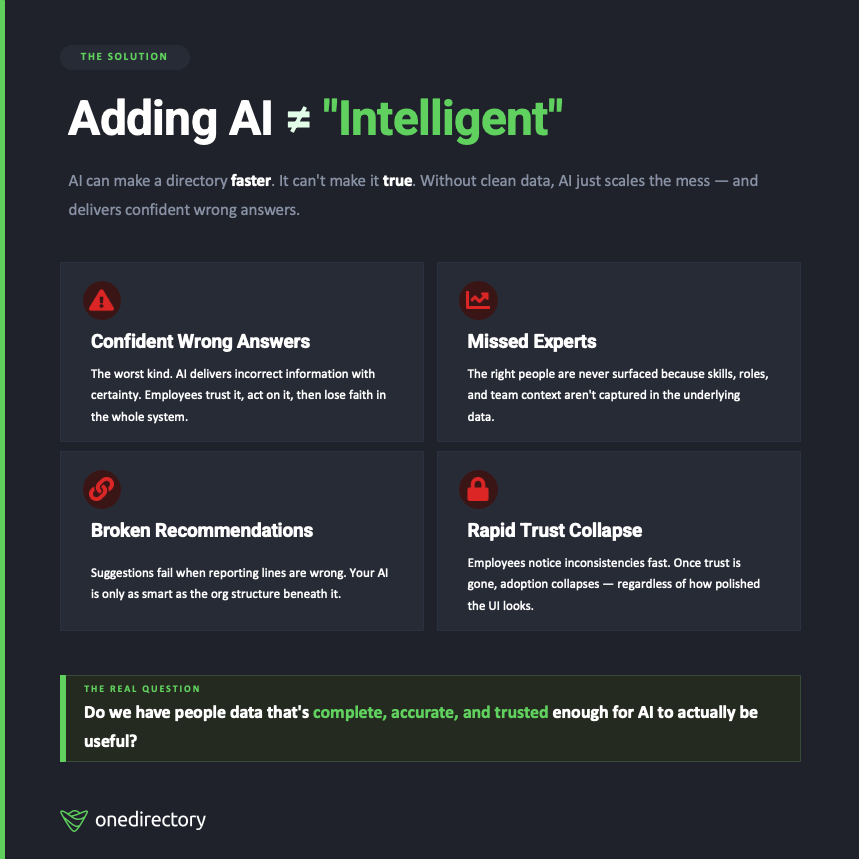
But here’s the key: adding AI to your directory doesn’t make it "intelligent.”
AI can make a directory faster. It can’t make it true.
If your employee profile data is messy, missing fields, outdated titles, wrong managers, incomplete skills, AI doesn’t fix the problem. It works with what it’s given.
That usually means:
- Confident wrong answers (the worst kind)
- Missed experts because skills and roles aren’t captured
- Broken recommendations because reporting lines and teams aren’t accurate
- Low trust because employees quickly notice inconsistencies and stop relying on it
So the real question isn’t “Can we add AI?”
It’s: Do we have people data that’s complete, accurate, and trusted enough for AI to be useful?
Because without that foundation, AI doesn’t create directory intelligence.
It just scales the mess.
The OneDirectory Point of View for 2026
At OneDirectory, we’re doubling down on one clear goal:
Turn your employee profile data into a trusted, searchable digital map of your company.
Not:
- “an employee directory tool”
- “a SharePoint staff directory web part”
- "a nice-to-have company directory"
The outcomes are measurable. We re-measured the same 65 organizations in August 2026, after a period of directory use and admin cleanup: average profile completeness had risen from 30.8% at first sync to 44.1%, manager coverage from 42% to 79%, and the share of directory-ready organizations from 33% to 61%. The full follow-up is in The Employee Directory Data Problem Is Fixable.
Quick Self-Check: Do You Trust Your Employee Directory Today?
If you want a simple diagnostic, ask these three questions:
- Would employees trust the org chart if it showed up in a meeting right now?
- Can people find experts by skills without relying on “who they know”?
- If a manager/title changes today, can you audit who changed what, and why?
If any of those answers are “not really,” you don’t need another directory interface.
You need to raise the standard of your employee profile data.
Because in 2026, directory intelligence starts with employee profile data that you can trust and actually use.
Update: We Measured the Same 65 Tenants Again
Everything above is a starting line, not a life sentence. In August 2026 we went back to the same 65 tenants and measured them a second time, after each organization had been running a directory and working on its data for a period.
Average profile completeness had risen from 30.8% to 44.1%. Manager coverage had gone from 42% to 79%. The share of directory-ready organizations had climbed from 33% to 61%, close to double.
The gaps that improved most were the ones an administrator can see and correct in bulk. The ones that barely moved were the ones that need hundreds of individual employees to act. The full before-and-after, with methodology, is here: The Employee Directory Data Problem Is Fixable. Here's the Proof.
For the wider set of employee directory and org chart statistics, including verified third-party research and the figures we checked and rejected, see our employee directory statistics reference.