Employee directory software for Microsoft 365
Create a single source of truth for employee profiles, reporting lines, and teams, with an org chart and employee search generated automatically from your Microsoft Entra ID data.
Trusted since 2011 by teams worldwide













Rated 4.9 out of 5 on G2
Including the #1 usability score in G2's Mid-Market Usability Index for Org Chart, Summer 2026.







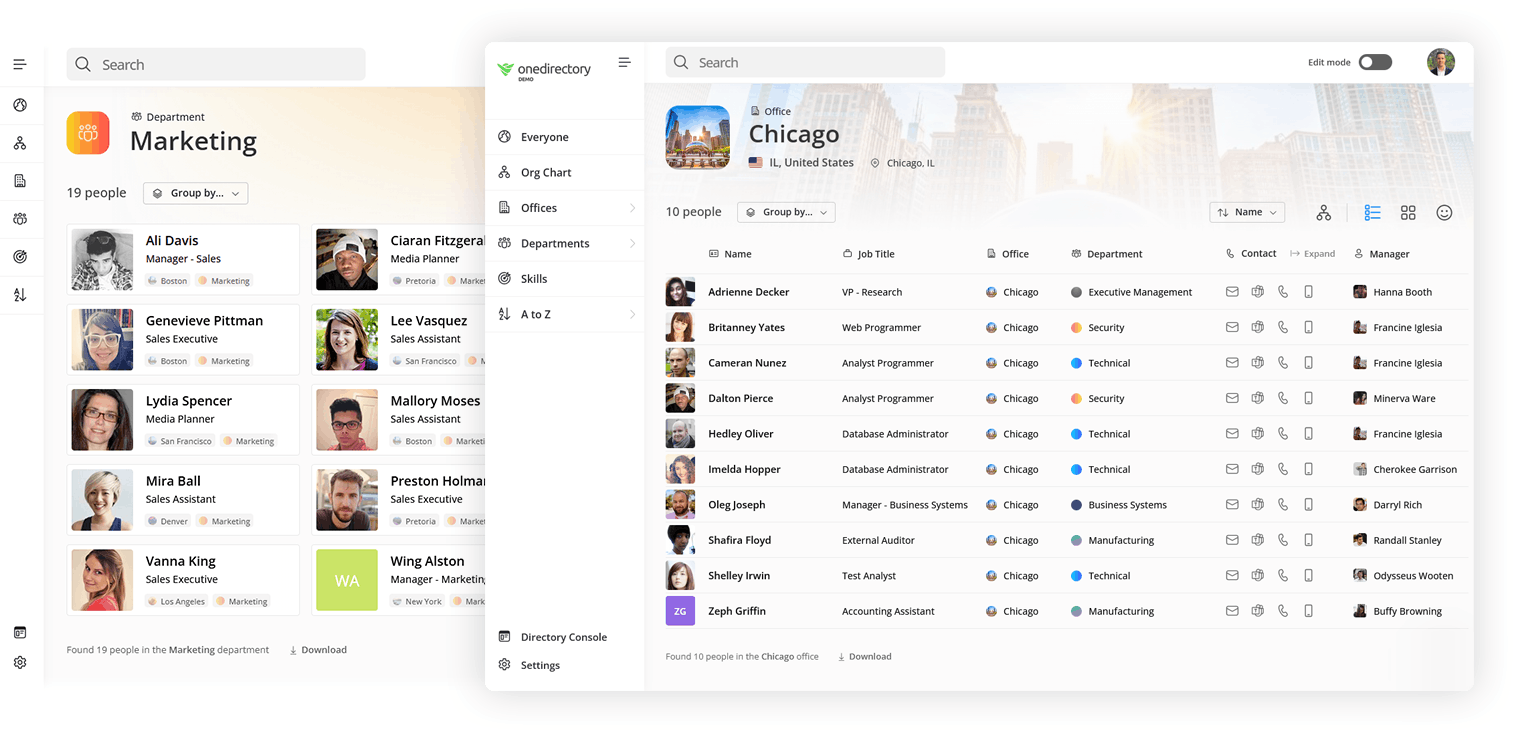
The unified view of your organization
Get a complete employee directory and live org chart, always up to date from Entra ID, so everyone knows who's who and how teams fit together.
People search and discovery
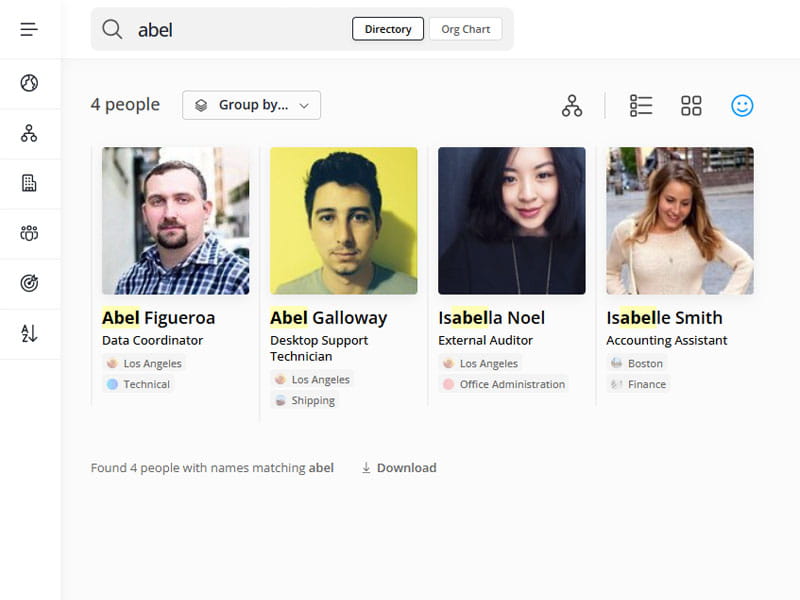
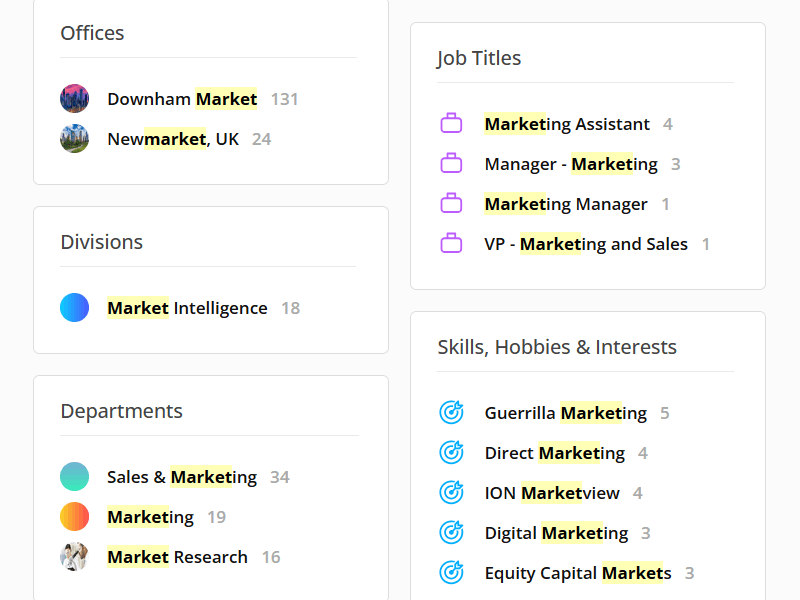
Search everyone in your tenant by name, team, office, job title, or skill. Profiles open instantly, so you can move from a search to a person to their reporting line without leaving the page.

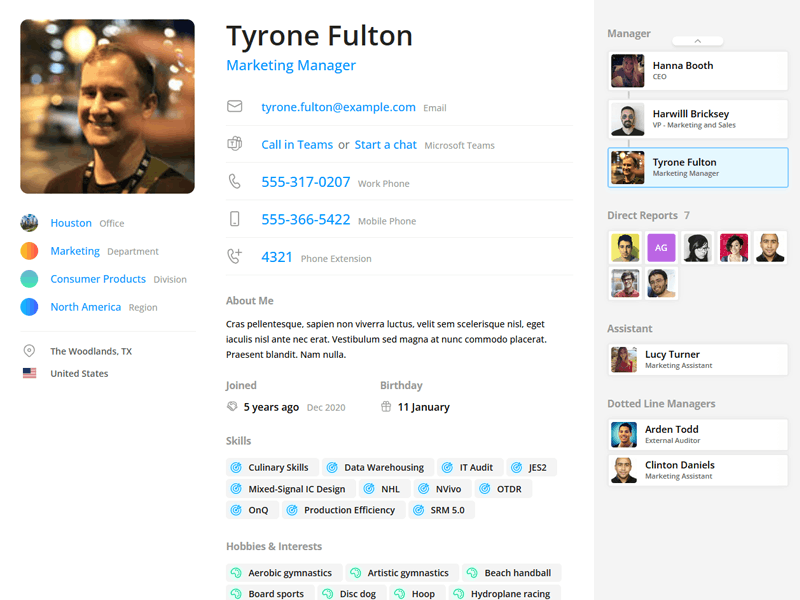
Employee profiles and directory pages
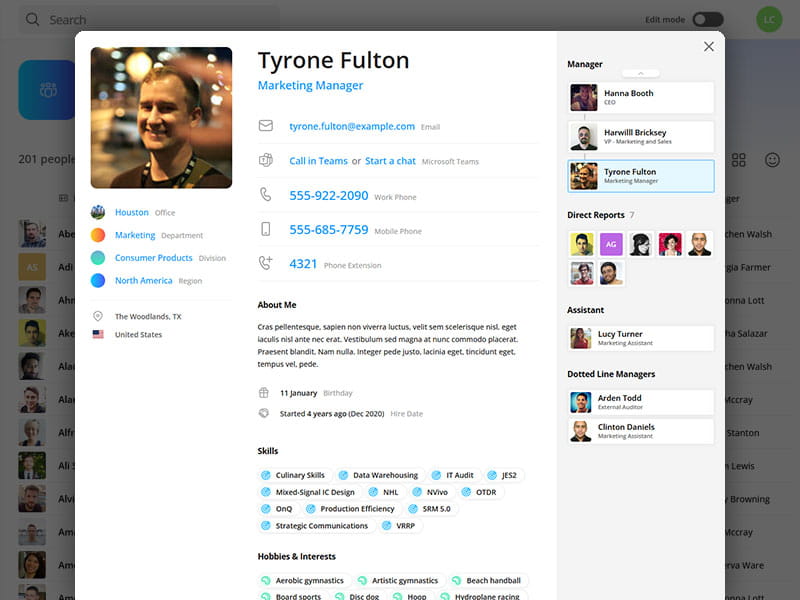
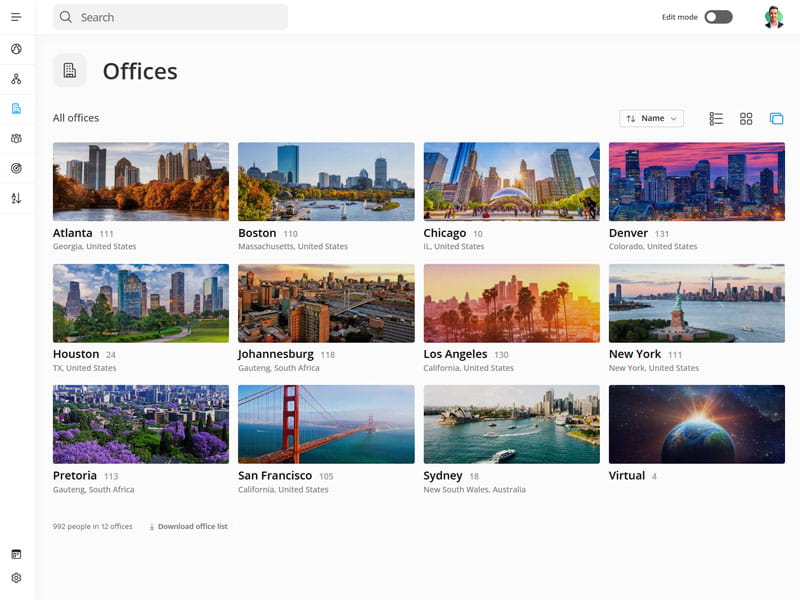
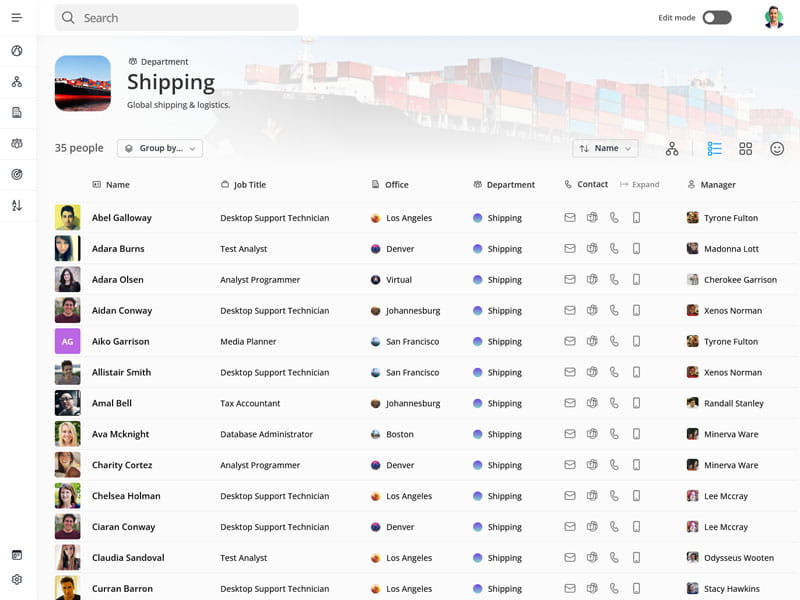
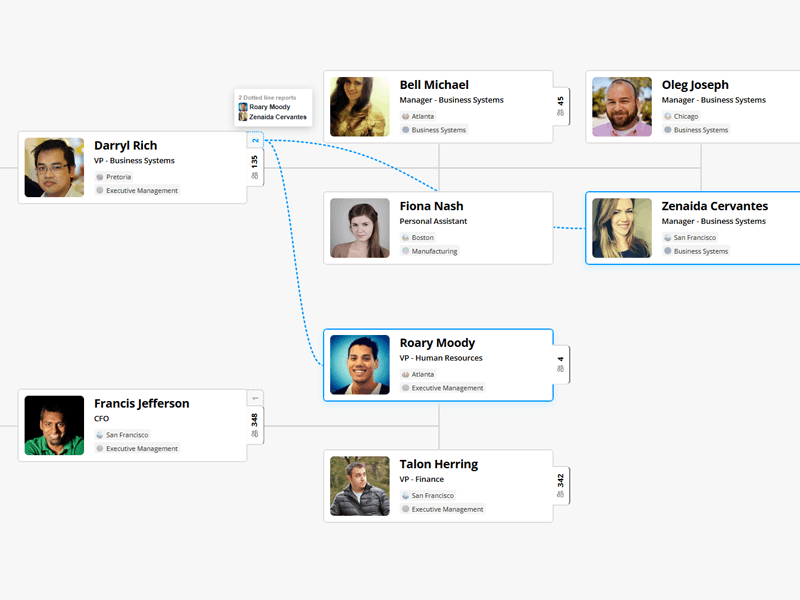
Every profile pulls contact details, office, department, org units, skills and reporting lines into one page, including dotted line managers and assistants that Entra alone will not give you. Department and office pages do the same for teams and locations.
Live org chart and reporting lines
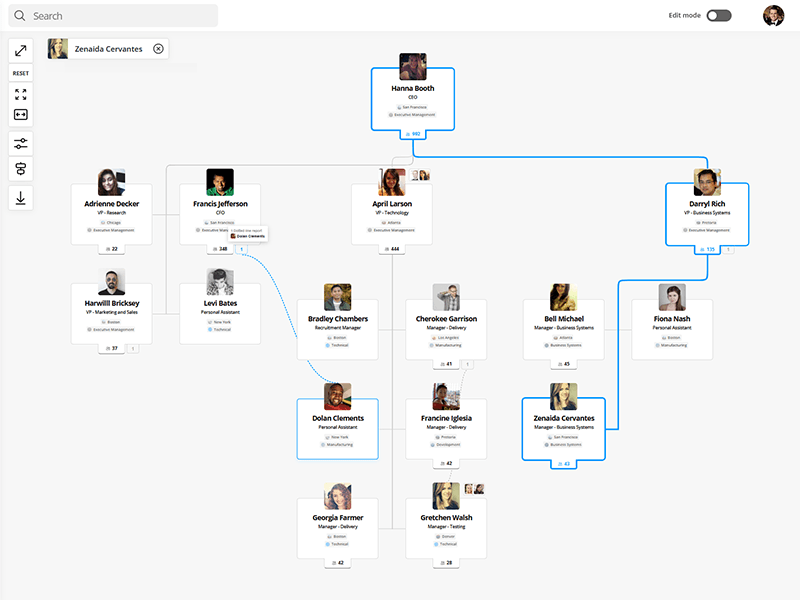
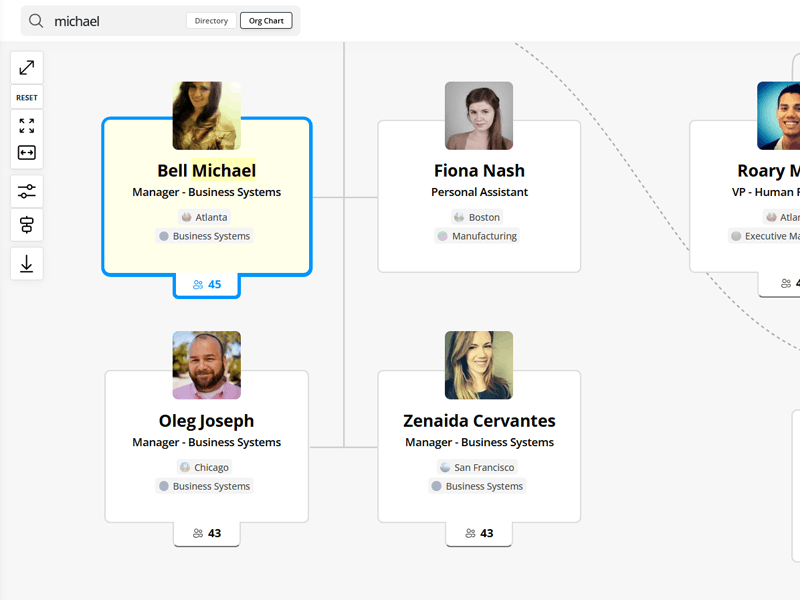
Understand how teams fit together with an interactive org chart built from your directory data, with reporting lines that stay up to date as your organization changes.
Everything you need to manage your employee directory
Tools for HR and IT to control what appears, track data quality, and extend profiles with the fields you need.
Custom fields
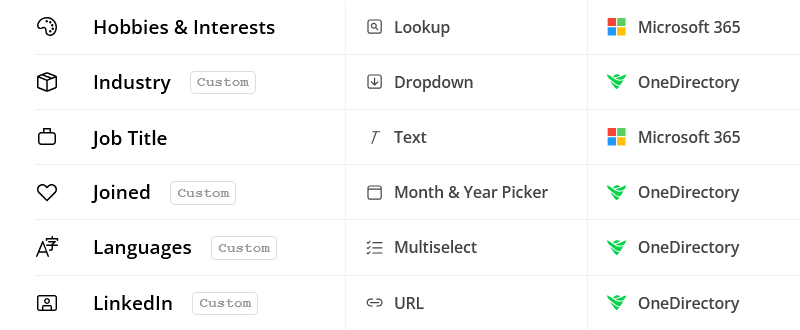
Create custom fields, or map them to custom attributes in Microsoft Entra ID.

Profile editing
Keep profiles accurate with inline editing and admin controls.
Organizational units
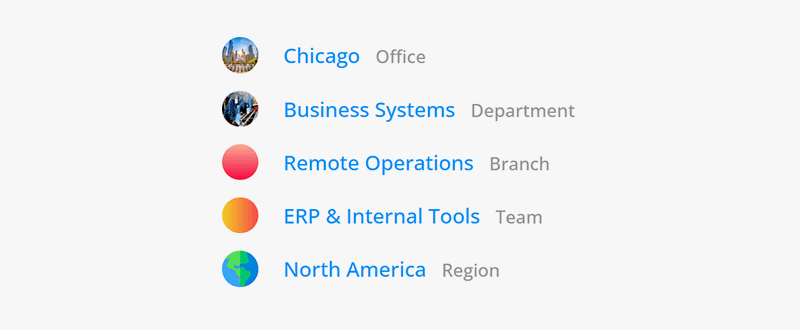
Create org units like branches, divisions, or regions, then make them searchable across your directory.
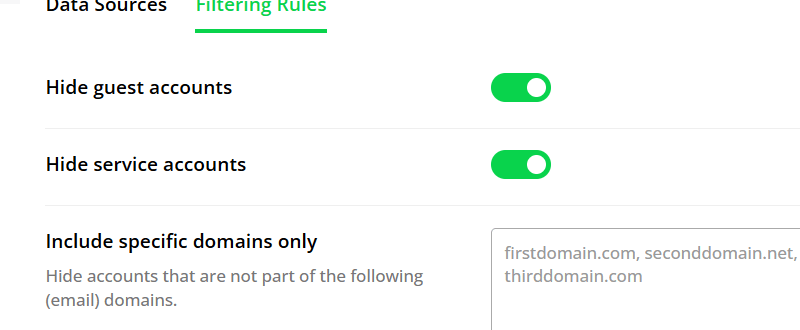
Filtering and sync rules
Control who appears in your directory with filtering rules and custom sync settings.
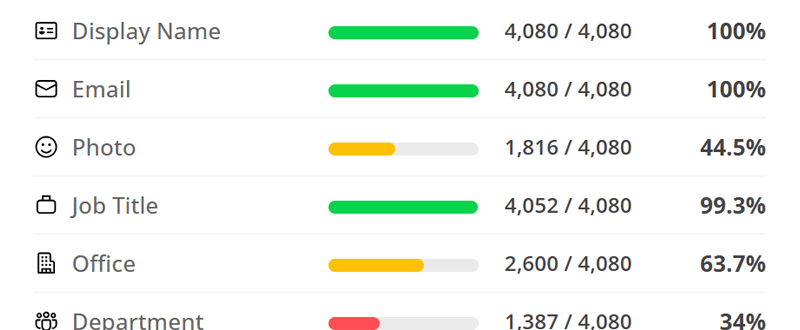
Directory completeness
Track missing profile data and improve directory quality across your organization.
Always up-to-date directory
Keep employee data up to date with automatic sync as people join, move teams, or change roles.

"Implementing OneDirectory has transformed our workplace. We've reduced IT's workload and created a more connected environment." |

“Our VP of IT decided on OneDirectory due to how easy it was to use, how well it looked, and the cost-effectiveness.” |
Frequently asked questions
Where does OneDirectory get its employee data?
From Microsoft Entra ID in your own tenant. Names, job titles, departments, offices, photos and reporting lines come from the records your IT team already maintains, and OneDirectory syncs on a schedule so the directory reflects changes without anyone re-importing anything.
How long does it take to deploy OneDirectory?
Most customers have a working directory the same day their Microsoft 365 sync completes. There is nothing to import and no spreadsheet to prepare. Some customers take extra time to clean up profile data or configure custom fields, so rollout timelines vary based on your internal process.
How is an employee directory different from an org chart?
A directory answers “who is this person and how do I reach them.” An org chart answers “how does this organization fit together.” They read from the same data, so OneDirectory shows both and moves between them: search for a person, then see where they sit and who they report to.
What is employee directory software?
Employee directory software builds a searchable record of everyone in an organization from the data already held in its identity system, and keeps it current automatically. It typically covers profiles, contact details, departments, offices, skills and reporting lines, and replaces the spreadsheets and intranet pages that go stale.
Does OneDirectory include an org chart?
Yes. OneDirectory includes a fully interactive, auto-generated org chart that stays in sync with your reporting structure. It lets users explore teams and reporting lines visually, with support for search, zoom, profile previews, multiple layouts, and download/printing.
The org chart updates automatically as your org structure changes, so there’s no manual maintenance required.
Can employees update their own profiles, and can admins lock certain fields?
Yes. Employees can update their own profiles, and admins have full control over which fields are editable. Each field can be set to either sync with a data source or be editable within OneDirectory. Admins can also configure edit permissions by role, ensuring only the right users can update specific fields.
Can I add custom fields?
Yes. OneDirectory supports custom fields, so you can include the people data that matters most to your organization, such as pronouns, employee ID, certifications, locations, or internal attributes.
Is there a mobile version?
Yes, OneDirectory works great on mobile via any modern browser. While we don't offer a native iOS or Android app, our responsive design ensures a smooth experience on phones and tablets.
Where is my employee data stored and is it encrypted?
OneDirectory stores customer data securely in Microsoft Azure and encrypts data both in transit and at rest.
By default, data is hosted in the United States, with alternate regions available for enterprise customers. We only use the profile data needed to run the service, and your organization remains in control of access and permissions through your identity provider.
Is OneDirectory built to scale for large enterprises?
Yes. OneDirectory is built for large, complex organizations, from companies with thousands of employees to enterprises with tens of thousands of users. Firms across private equity, law firms, accounting firms, and other distributed industries use OneDirectory to keep people search, employee profiles, and org charts fast, accurate, and easy to use.