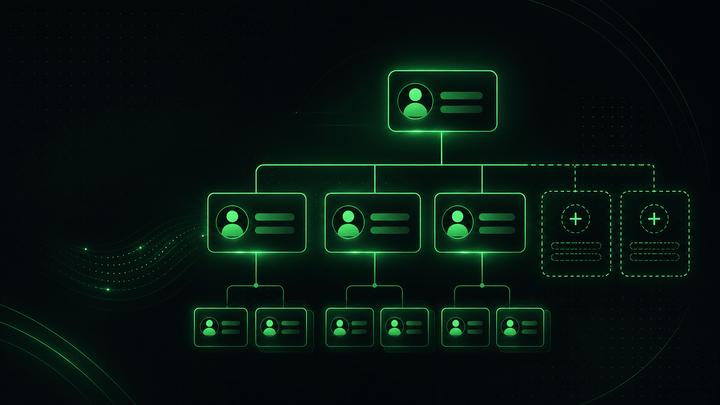
Leading Premier League Football Club Creates a Unified Organizational View See how a Premier League football club uses OneDirectory to give employees a clear, up-to-date view of teams, departments, and reporting structures.
Staff Lists: How to Build a Useful Employee List People Actually Trust Learn how to build a staff list that helps people find colleagues, understand roles, and work faster without creating messy, outdated employee data.
OneDirectory April Updates Custom Fields Are Here + The Future of Employee Directories 👀 Custom Fields Is Now in Early Access 🎉 Custom Fields is now available in Early Access for select OneDirectory customers. We’ve been testing it with a small group of teams and are now opening access to a few more customers ahead
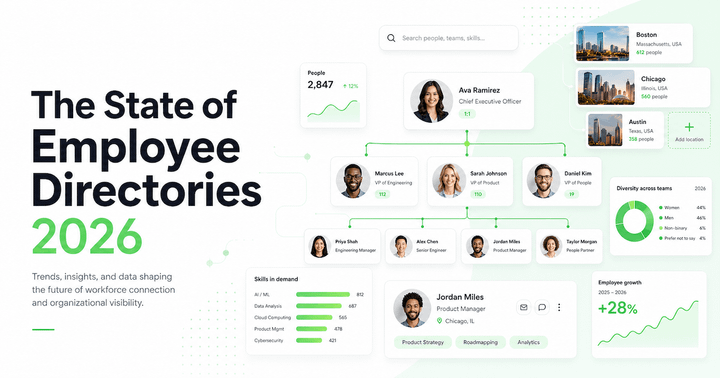
The State of Employee Directories in 2026 Employee directory software is splitting into two categories in 2026: simple staff directory tools and Intelligent Directory Platforms. The difference is not the interface. It is the quality of the employee profile data behind it.
DP Clinical Improves Employee Search & Connections with OneDirectory DP Clinical replaced a manual, paper-based employee directory with a secure, searchable platform integrated with Microsoft Azure, Teams, and Outlook. Here's how OneDirectory helped them centralize employee information and cut administrative effort.
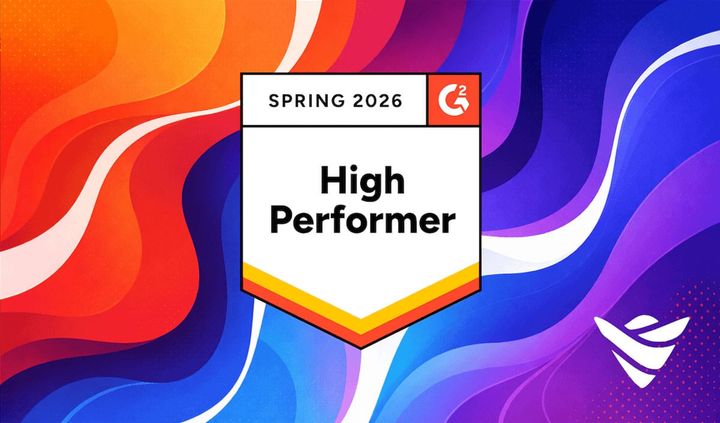
OneDirectory March Updates OneDirectory Named High Performer on G2 — Plus March Updates 🏆 🏆 OneDirectory Earns 8 G2 Badges We’re proud to share that OneDirectory has been named a High Performer in G2’s Spring 2026 reports, earning 8 badges based entirely on verified customer reviews. What this recognition highlights: * ⭐ Easiest to Use * ⚡ Fastest
What Buyers Actually Want From Employee Directory and Org Chart Software in 2026 G2's Spring 2026 results tell a clear story: buyers want employee directory and org chart software that is easy to adopt, quick to launch, and built to deliver value fast. Here is what the data, and real customer feedback, actually shows.
G2 Names OneDirectory a High Performer, Confirming its Position Among the World's Leading Employee Directory Software G2 named OneDirectory a High Performer in Spring 2026, with 8 badges for usability, fast implementation, vendor experience, and estimated ROI.
Employee Directory for Cisco Webex Calling: How OneDirectory Makes It Work Most employee directories just display names. OneDirectory goes further, integrating directly with Cisco Webex Calling so staff can find a colleague and launch a call in a single click. Here's how one organization transformed their internal communication without the complexity.
January Updates Start the Year Strong: New Directory Console + Hourly Microsoft 365 Syncs 🎯 Introducing Directory Console: Your Directory Control Center 🎛️ Directory Console™ is a new home for OneDirectory admins to configure and monitor their directory, all from one place. Manage settings, fields & org structure, members & roles, data sources & filtering
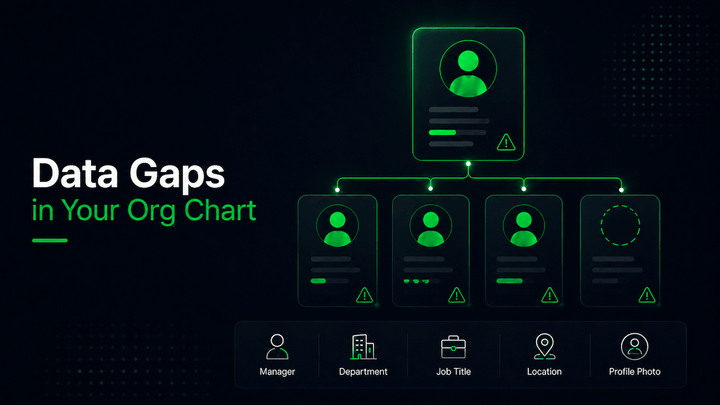
Employee Profile: What to Include to Boost Team Alignment Employee profiles are only ~31% complete on average. This guide shows the essential fields to start with, a ready-to-use template, and how automation and governance create a directory people actually trust.
December Updates 🎁 Happy Holidays, Improved Mobile Experience, New Icons & Latest Fixes Happy Holidays from all of us at OneDirectory ✨ As the year comes to a close, we want to say a huge thank you to our incredible employees, customers, and partners. Your support, feedback, and trust made this a truly special
Multipli Credit Union Strengthens Employee Connections and Client Service with OneDirectory Multipli Credit Union replaced a static, manual org chart with OneDirectory’s searchable, always-up-to-date directory, saving hours of admin time and helping staff serve clients faster.
November Updates November Updates - Edit Profile Pictures, Explore Org Units & More ✨ Edit Profile Photos Directly in OneDirectory 📸 You can now update your profile photo right from your OneDirectory profile If the Photo field is set to editable, simply switch to Edit Mode to upload a new picture or replace your
Microsoft 365 People Skills: Build a Searchable Employee Directory with OneDirectory Microsoft 365 People Skills creates an AI-driven skills profile for every employee based on their everyday work in Microsoft 365. When you connect that intelligence to OneDirectory, you turn raw skills data into a clean, searchable skills directory.
The Top 20 Employee Directory Implementation Pitfalls (and Fixes) Most employee directories fail because they’re treated like simple contact lists. In this guide, we break down the 20 most common mistakes companies make, from stale data and hidden org charts to missing ownership and weak onboarding, and show you exactly how to fix each one.
HR Leader's Guide to Employee Directory ROI What’s the ROI of an employee directory? Faster answers, fewer interruptions, stronger employee onboarding, and increases productivity. Prove it with five HR metrics (Time‑to‑Answer, Self‑Serve Rate, New‑Hire Ramp Health, Misrouted Requests, Search Success) and the 30‑day plan below. HR doesn’t need another dashboard,
October Updates October Updates - Filter by Location, Export Lists & More Improvements 🌍 Filter & Group by Location 🌍 Location filtering is here! Instantly explore your team by city, state/region, or country. What you can do: * Click any location (city/state/country) to filter and see everyone with a matching address. * Group
September Updates September Updates - Improved Views, Speed Boosts & Staff Directories: More Than Just a Web Part 👀 Sync Performance Just Got Faster ⚡️ We’ve supercharged sync performance; syncs now run 2–3x faster across the board for both automatic and manual updates. Combined with our new priority queue, your Microsoft 365
SharePoint Staff Directory Web Part vs. an Enterprise Directory Key Takeaways: A staff directory isn’t just a web part. In modern, distributed workplaces, a simple list of names and emails won’t cut it. You need a platform that helps employees quickly find colleagues, understand reporting structures, and uncover hidden expertise.
August Updates August Updates: New Fields, Faster Syncs & Smarter Employee Directories 🚀 New Fields: Employee Type & Employee ID 💼 #️⃣ You can now add Employee Type and Employee ID fields to profiles in OneDirectory. * Employee Type: Store and display worker type (e.g., Employee or Contractor). * Employee ID: Store and display an internal
The Enterprise Employee Directory: Why “Good Enough” Breaks at Scale See why common employee directories fail at scale and what IT & HR enterprise teams actually need.
July Updates July Updates: New Ways to Map Your Org + A Faster, Smarter OneDirectory 🚀 Map Your Company Structure with Organizational Units 🏢 You can now create and manage Organizational Units in OneDirectory. This gives you the flexibility to group employees by division, business unit, branch, faculty, or any structure that fits your organization,
June Updates June at OneDirectory: Dotted Lines in Your Org Chart, New Profile Fields & Key Fixes 🔧 Quickly Add Dotted Line Managers to Profiles 🔗 You can now add a Dotted Line Manager to any profile in OneDirectory! This new field helps reflect matrixed reporting lines by showing secondary managers directly on employee
What Your Employee Directory Says About Your Digital Employee Experience (DEX) Learn how a seamless employee directory powers digital employee experience (DEX) and signals you value your people.
May Updates May at OneDirectory: Give Your Assistants the Spotlight, New Features, and UI Enhancements. Easily Add Assistants to Employee Profiles 🎉 You can now clearly show who supports whom by adding Assistants directly to employee profiles in OneDirectory. Here's how to enable the Assistant field: 1. Go to Settings → Fields

Assistants Deserve a Special Place in Your Org Chart and Directory Assistants keep your organization running—but they’re often invisible in org charts and directories. Learn why giving them visibility matters and how OneDirectory makes it easy to show who supports who, improving communication, culture, and efficiency.
The Real Cost of Outdated Org Charts Tired of constantly updating outdated org charts? Discover why accurate organizational charts are vital for productivity and employee satisfaction and how OneDirectory can simplify the entire process.
Choosing The Best Org Chart Software: What Growing Teams Really Need If your org chart is buried in a spreadsheet or constantly out of date, you’re not alone. This guide breaks down what to look for in org chart software that actually helps your team work smarter—not harder.
April Updates Discover what's new at OneDirectory this April—including faster org chart searches, manager field sorting, improved profile connections, and fresh UI enhancements designed to boost productivity and team clarity.
March Updates Our new org chart experience, OneDirectory setup wizard, upcoming features, and org chart updates. Introducing Our New Org Chart Experience 🎉 We're excited to announce our new org chart experience, making it easier than ever to visualize your company's structure clearly. As one of OneDirectory’s most
How to Automatically Build Your Org Chart in Lucidchart Learn how to effortlessly create your organizational chart in Lucidchart by automatically importing your employee data. Simplify the org chart process and keep your team's structure accurate and up-to-date.
Org Explorer vs. OneDirectory: What’s the Real Difference? Microsoft Org Explorer is free, but is it enough? Dive into the crucial differences between Microsoft's built-in org chart viewer and OneDirectory's org chart software, see clearly where each tool excels.
What is a Company Directory? Learn what a company directory is, how it improves collaboration, boosts efficiency, and why company directory apps are essential for modern workplaces.
Guidance for Retiring Delve in Your Organization for Admins Delve has retired as of December 18, 2024. Learn how to manage profile properties, find alternatives, and guide users post-Delve. Get started now!
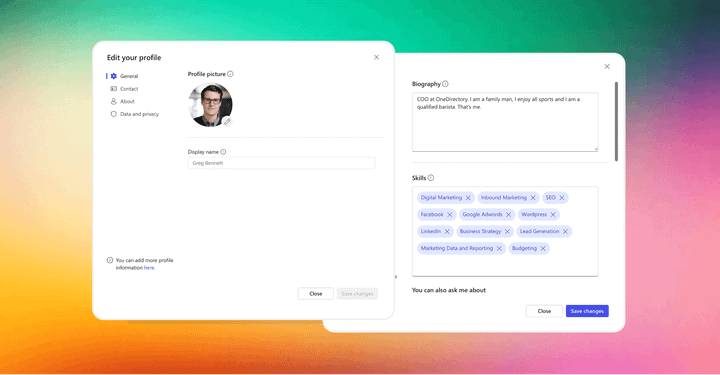
How to Edit Your Microsoft 365 Profile Now That Delve Is Gone Learn how to update your Microsoft 365 profile without Delve. Discover tips, steps, and the best Delve alternative, OneDirectory, here.
Employee Directory Templates Learn what employee directory templates are, why they matter, and access free Microsoft Excel, Google Sheets, and Church templates for an organized and efficient workforce.
Introducing the New OneDirectory News Center! Stay informed with the new OneDirectory News Center. We've moved our product updates from our blog to a dedicated platform.
B&D Industrial Enhances Employee Connections with OneDirectory Discover how B&D Industrial enhanced communication and efficiency with OneDirectory, a user-friendly and modern employee directory solution.
Why Celebrating an Employee’s Workaversary is a Game-Changer Celebrate employee workaversaries to boost morale, strengthen retention, and foster engagement. Discover creative ways to make these milestones memorable!
Top 30 Words to Describe Your Company Culture (Plus Data Sheet) Discover how to describe your company culture and learn from real-life examples of both positive and negative workplace culture traits.
Flat vs Vertical Corporate Hierarchy: Which One Works for You? Discover the key differences between flat and vertical corporate hierarchies, their pros and cons, and how to visualize your company's structure effectively.
6 Ways to View Employee Anniversary Dates and Birthdays in SharePoint Discover six effective ways to display employee birthdays and anniversaries on your SharePoint intranet landing page with ease and flexibility.
How to Manage SharePoint User Profiles Learn how to manage SharePoint user profiles with our step-by-step guide. Improve collaboration, search, and compliance in your organization.
How to Build a SharePoint Employee Directory with Pictures Learn how to build a SharePoint employee directory step-by-step, explore its limitations, and discover why OneDirectory offers a superior alternative.
Utilizing Pronouns in Your Microsoft 365 Profiles Add pronouns to your Microsoft 365 profile to promote inclusivity and respect in your workplace. Follow these simple steps to update your profile now.
What Is a People Directory? How organizations use people directories to connect teams, accelerate onboarding, and build the kind of institutional knowledge that actually sticks.
Diversity, Equity, Inclusion, and Belonging: A Kaleidoscope in the Workplace Explore how DEI&B creates vibrant, inclusive workplaces, where diversity thrives and every employee feels valued, seen, and connected.
The Importance of Skills Mapping in Your Company Uncover the hidden skills goldmine within your company through skills mapping. This article covers benefits, challenges, tips and why it's a must-do.
A Complete Guide to Employee Spotlights (+ Example Questions) Here's our guide to employee spotlights in 2026 - what they are, why they matter, and how to create spotlights that motivate your employee superstars.
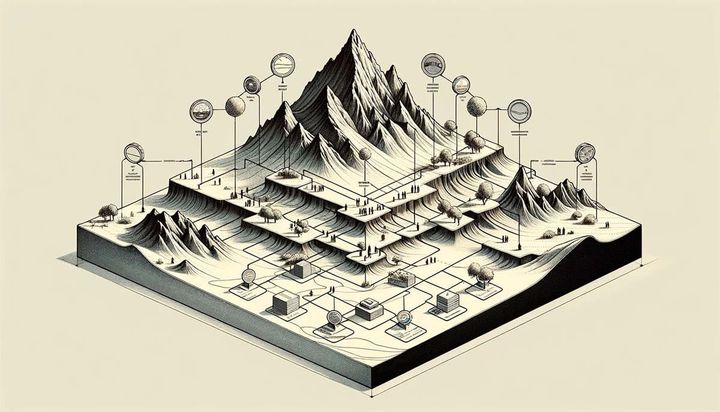
The Connection Between Organizational Design, Org Structure, and Org Charts Understand the vital connection between design, structure and org charts. This guide covers how strategic organizational designs get translated into aligned workplaces through structures which map hierarchies, collaboration, and decision-making.
How to Create an Org Chart in PowerPoint (Step-by-Step + Template) If you're looking for a fast way to build an org chart, why not try creating it in PowerPoint? In this step-by-step guide, you'll learn how to build, edit, and personalize the format of your org chart.
How to Build Your Organizational Chart in Word Discover how to build a clear, dynamic organizational chart in Word and save it as a template with our step-by-step guide.
7 Tips for Leading Your Distributed Workforce to Success Struggling to lead your distributed workforce? Get strategies to manage remote staff, foster collaboration across distances, align efforts, and build an innovative culture that drives results.
Roles vs. Responsibilities: Stop Mixing Them Up The difference between roles and responsibilities is more than you think. This article takes a deep dive into the world of roles and responsibilities.
What is Organizational design and Why It Matters Organizational design determines how work gets divided, who makes decisions, and how teams coordinate.
What Exactly is a Hierarchy Chart? Explore the intricacies of hierarchy charts in our comprehensive guide. Learn what they are, their uses, differences from flow charts, and how to create and view them in OneDirectory.

What is Self-Management and How Can it Empower Your Teams? Learn how self-managing teams drive higher performance through increased autonomy, innovation speed, and purpose.
Understanding Microsoft 365 Org Explorer: Is It Enough for Your Business? Org Explorer is a simplified organizational chart feature built directly into Microsoft 365. It primarily helps users quickly identify reporting lines, teammates, managers, and key collaborators.
Can Organizations Maintain a Flat Structure as They Grow? This article explores whether businesses can stay strategically flat amidst expansion, overcoming hurdles like diffuse decision-making and communication challenges while retaining benefits like autonomy.

How to Use Profile Cards in Microsoft 365 Learn how Microsoft 365's profile cards compile professional details about coworkers into shareable digital business cards.

Discover the Best Microsoft Delve Alternative Explore OneDirectory as a top Delve alternative. Dive into our in-depth look at how OneDirectory reimagines employee profiles, enhances search functionality, and fosters collaboration.
Microsoft Says Goodbye to Delve in December 2024 Explore Microsoft's decision to retire Delve in December 2024 and what it means for your organization.
Span of Control: How to Make It Work for Your Company Struggling to spot overloaded managers or unbalanced teams? Span of control isn’t just an org chart metric — it’s a hidden signal about how your business really works. Here’s how HR and IT leaders are bringing it into focus.
The Quiet Quitting Crisis: Why Employees Are Checking Out Learn why "quiet quitting" is on the rise globally and what leaders can do to re-engage employees.
Why Is Employee Engagement Important? Unlock your company's potential by boosting employee engagement. Discover the benefits, trends, stats, and top software to keep your team motivated.
When to Use a Functional Organizational Structure Whether you’re just starting out or have been in business for years, a functional organizational structure can help you maximize efficiency while minimizing costs.
What is an Organigram? (Organogram) Explore the purpose and limitations of organigrams. Learn about the main types of organigrams used by companies to communicate organizational structure.
The Essential Guide to Knowing When and Why Your Company Needs Restructuring Discover the key signs and compelling reasons why company restructuring is essential for growth and success. Learn when to implement changes for optimal results.
How to Build an Org Chart in Microsoft Visio (Web App Step-by-Step) Discover how to create a clear and detailed organizational chart using Microsoft Visio with our comprehensive guide. Learn to navigate Visio's features for a professional depiction of your company's hierarchy.
The 5 Biggest HR Tech Trends for 2024 Future-focused HR leaders, get ready for the top trends that will define cutting-edge talent management in 2024, from microlearning and hyperpersonalized perks to immersive metaverse experiences and predictive people analytics.
Everything A Leader Should Know About Cross-Functional Teams Here's everything you need to know about creating and managing cross-functional teams. Learn the benefits of breaking down silos, best practices for setting goals and expectations, and tips for maximizing innovation.
The Power of Profile Photos in the Digital Age Explore how adding a simple photo can enhance messaging, build relationships, boost participation, and create a sense of community across your digital workplace.
How to Blur Your Background in Microsoft Teams (Latest Version) Discover how to blur your background in Microsoft Teams with this comprehensive guide. Learn why it's important, how to access the feature, and some handy tips and tricks to make the most of your online meetings.
The Difference Between Accountability Charts and Organizational Charts Unravel the differences between accountability charts and organizational charts. Discover their unique benefits, ideal usage scenarios, and learn how to create an effective accountability chart for your team.
Matrix Organizational Structure: Definition, Types, Pros & Cons Let’s take a look at what exactly the matrix organizational structure is, where it came from, how it works, and its pros and cons.
How to Build Your Employee Directory in Google Sheets (Plus Free Template) Build a simple employee directory in Google Sheets: copy our free template, add structured columns, enforce consistency with data-validation dropdowns, filter and freeze headers, protect sensitive info—then share or effortlessly switch to OneDirectory for automated, searchable, org-wide visibility.
Build Your Employee Directory in Excel (2026): Step-by-Step + Free Template In this comprehensive, beginner-friendly guide, we'll walk you through how to create a tailored employee directory spreadsheet from scratch using Excel.
The Perfect Modern Rolodex Solution for Your Team Take a stroll down memory lane to appreciate the Rolodex's undeniable value while exploring the perfect modern Rolodex solution for your team.
How to Build a Church Directory This step-by-step guide covers organizing your data, setting up spreadsheets, adding info, linking between sheets, formatting, and sharing your finished church directory in Google Sheets.
Internal Networking: The Hidden Powerhouse of Your Workplace Discover the power of internal networking in our latest blog post. We'll explore how fostering connections within your organization can unlock potential, drive business growth, and transform your team's collaboration and communication.
What is Microsoft Entra? Microsoft Entra, the latest innovation from the tech giant Microsoft, is causing quite a stir in the digital world. In this blog post, we'll guide you through all the ins and outs of Microsoft Entra.
Why is Microsoft Renaming Azure AD to Entra ID? Microsoft has just announced the renaming of Azure AD to Entra ID! But what does this mean for you and your organization?
What is Microsoft Entra ID? Microsoft has just announced the renaming of Azure AD to Entra ID. Let's delve deeper into its core components and understand how they contribute to a secure, efficient, and seamless digital experience.
How to Set Up Your Org Chart in Microsoft Entra ID In this guide we'll show you how to update the key job information for each employee in Microsoft Entra ID in order for you to see your company org chart in Microsoft.
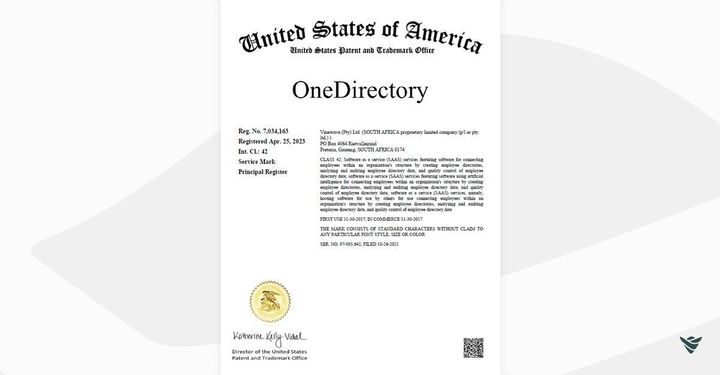
OneDirectory®: A Registered Trademark in the U.S OneDirectory®, a leading automated employee directory software provider, is now a registered trademark in the United States.
Add Image Backgrounds to Departments You're now able to add image backgrounds to departments in the same way as you can for offices. To add a background image to a department, switch to edit mode, edit the department by clicking the pencil icon, then upload an image using the image upload controls (drag/
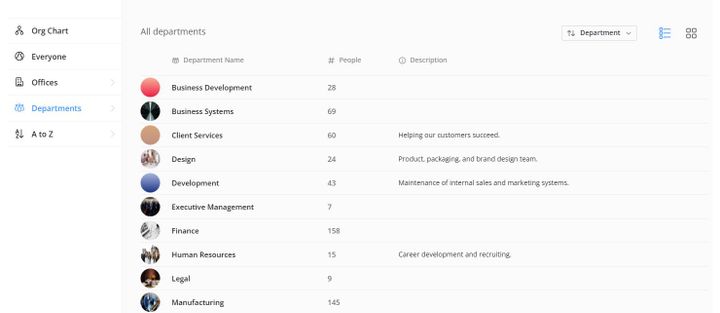
Offices & Departments View Improvements Offices List View You now have the ability to switch to a "list view" on the offices listing page. Departments List View You no have the ability to switch to a "list view" on the departments listing page. Settings: Default View for Offices & Departments In
Improve Quality of Images in Face View We have improved the quality of profile pictures and images in face view. We are showing a higher quality version of the profile image in the face view of the search results.
Chesapeake Bank Improves Onboarding and Collaboration with OneDirectory Chesapeake Bank's decision to adopt OneDirectory has proven to be a resounding success. By addressing their challenges with an outdated employee directory system, they have not only streamlined their internal processes but also created a more engaging and efficient work environment.
Intrax Transforms Employee Collaboration with OneDirectory Intrax's decision to adopt OneDirectory as their employee directory solution has paid off, transforming their internal communication and collaboration.
Collapse Sidebar (Replace Pinning) We've built a brand new sidebar 🎉 The new sidebar opens the offices & departments list in flyout menu, so it's now quicker to get to an office or department. The new sidebar also has the ability to collapse to icons-only (replacing sidebar "pinning") giving
New Alphabet Bar "Keyboard" We completely rebuilt the alphabet bar to be quicker to access and easier to use. The alphabet bar, which showed when hovering over the left sidebar, has been replaced with a "keyboard" style layout ⌨ that is accessible from the "A to Z" option in the left
Search Relevance Update We updated the search relevance algorithm to return more accurate search results. The new search also matches against the displayName and not the firstname/lastname, and the hit-highlighting in the search results was updated to show a light yellow background instead of just bolded text.
Field Updates Fax Number Field We are now pulling through the default FaxNumber field from Azure Active Directory and showing it on the profiles if it exists. Display Name OneDirectory used to use the user's first name & last name (in order to allow sorting by first/last name), but
OneDirectory Ranked Top 200 Fastest Growing SaaS Companies Worldwide OneDirectory has been recognized as one of the fastest-growing SaaS companies worldwide by GetLatka, the largest community of SaaS founders in the world.
Mountain View Hospital Improves Employee Profile Data with OneDirectory By selecting OneDirectory, Mountain View successfully consolidated employee profile data, reduced errors, and provided an effective and modern directory experience to all its employees.
Manage Members & Roles Now, you are can able to assign users as OneDirectory admins in Settings. To do this, go to Settings > Members & Roles. There are two types of roles you can assign to an admin, Administrator and Directory Editor. A Directory Editor has the ability to edit office & department
Temple Emanu-El Enhances Employee Search with OneDirectory OneDirectory has proven to be an invaluable tool for Temple Emanu-El's workforce, streamlining the process of finding and working with colleagues.
Moved Sync into Settings We moved the Sync screen into the Settings popup and cleaned up some of the information on the sync screen, so it's now a little bit easier to use. You'll also notice a new "Filtering Rules" tab on the Sync screen, which has the